Form
Learn how to use the Form node in YourGPT Studio to collect structured user data through interactive form fields rendered in the chat widget.
Form
The Form node collects structured data from users through an interactive form rendered directly in the chat widget. It supports two modes: a Simple Form for collecting general information across multiple field types, and a Feedback Form for gathering satisfaction scores and comments.
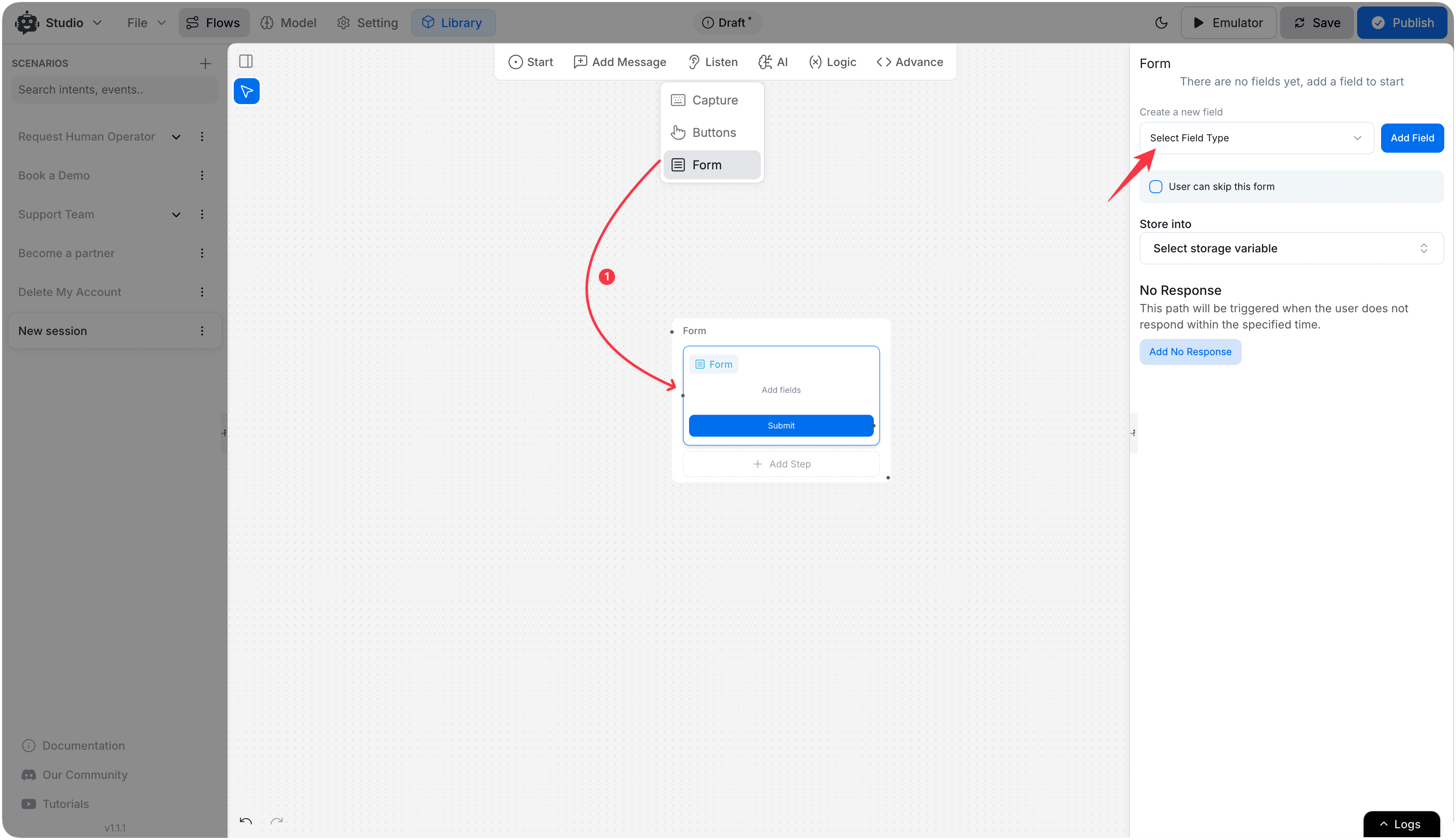
Form Types
Simple Form
Collect one or more pieces of structured information in a single step. All fields are presented together in the chat interface and submitted at once.
Feedback Form
A specialized form for collecting user satisfaction data. Supports multiple input styles:
| Type | Description |
|---|---|
| Stars | 1–5 star rating |
| Slider | Numeric slider with configurable min/max range |
| Number | Free numeric input |
| Text | Free-text comment |
Feedback forms support sentiment routing — you can branch the flow differently based on whether the response is positive, negative, or neutral.
Field Types (Simple Form)
| Field | Description |
|---|---|
| Text | Single-line text input |
| Number | Numeric input |
| Email address with format validation | |
| Phone | Phone number with format validation |
| Text Area | Multi-line text input |
| Checkbox | Boolean toggle (yes/no) |
| Radio | Single selection from multiple options |
| Select | Dropdown list |
| Range | Slider for numeric range selection |
| Date | Calendar date picker |
| File | File upload |
| Password | Masked text input |
Configuration Options
| Option | Description |
|---|---|
| Can Skip | Allow users to skip the form without submitting |
| Submit Button Label | Customize the submit button text |
| Skip Button Label | Customize the skip button text |
| Store Into Variable | Variable where the submitted form data will be saved |
Flow Paths
| Path | When triggered |
|---|---|
| Submit | User completes and submits the form |
| Skip | User skips the form (requires Can Skip to be enabled) |
| Unsupported | The form is not supported on the user's current channel |
| No Response | User doesn't interact within the timeout period |
Use Cases
- Lead capture (name, email, phone, company)
- Support ticket creation with structured fields
- Appointment booking with date and time pickers
- Post-chat CSAT surveys using the Feedback Form type
- Product or service feedback collection
Note
Form data is stored as a structured object in the specified variable. Individual field values can be accessed using dot notation — for example, {{formVariable.email}}.