Audit Logs
Audit Logs help you track important activity across your organization—so you can debug changes, investigate issues, and maintain accountability.
Audit Logs are a timeline of notable events in your organization and projects (for example: viewing a project, deleting a chatbot, or other admin actions). Each entry includes a timestamp and a severity level so you can quickly spot what matters.
Enterprise feature
Audit Logs are available on the Enterprise plan only.
How to open Audit Logs
Go to your dashboard.
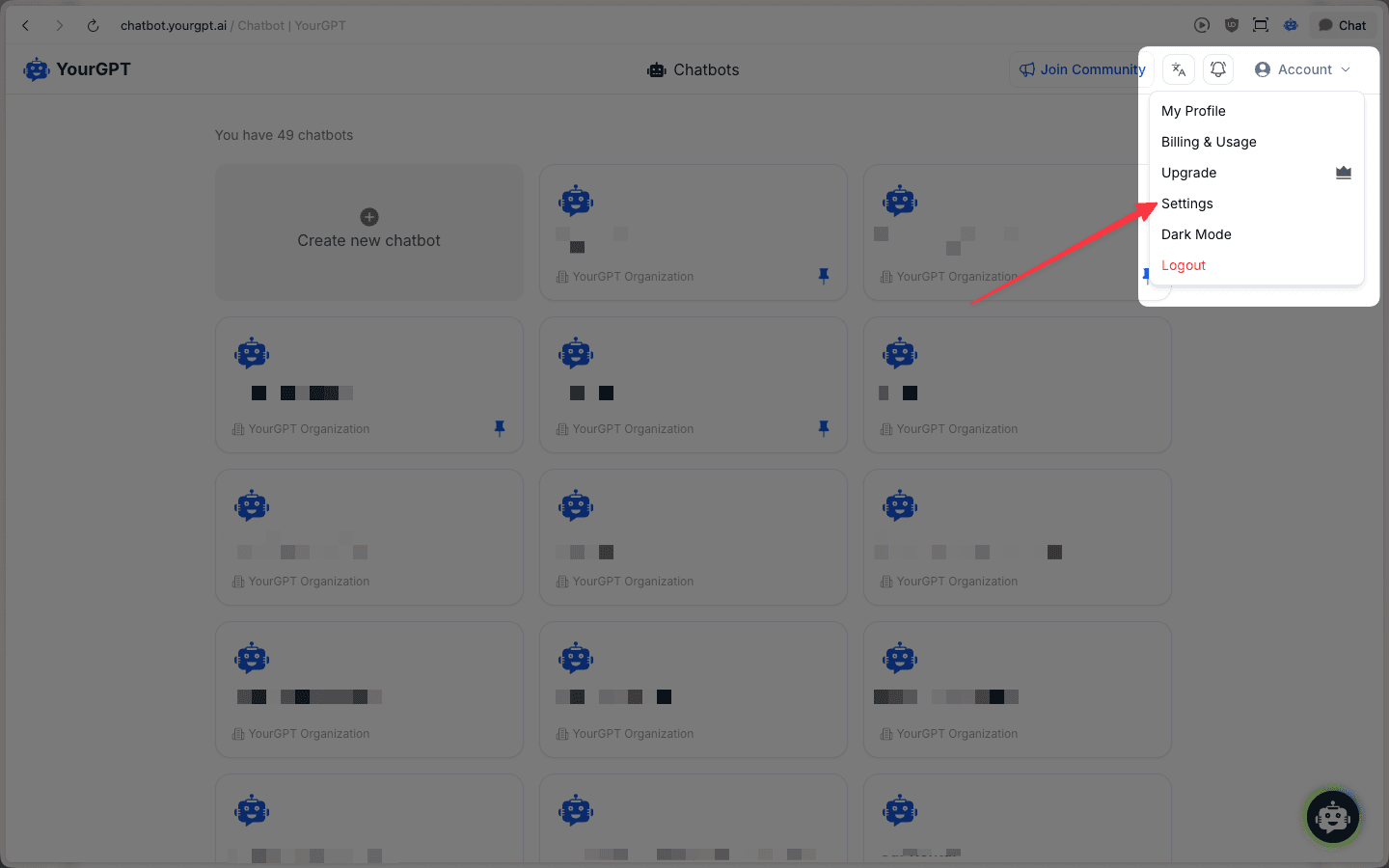
From the top-right, go to Account → Settings.
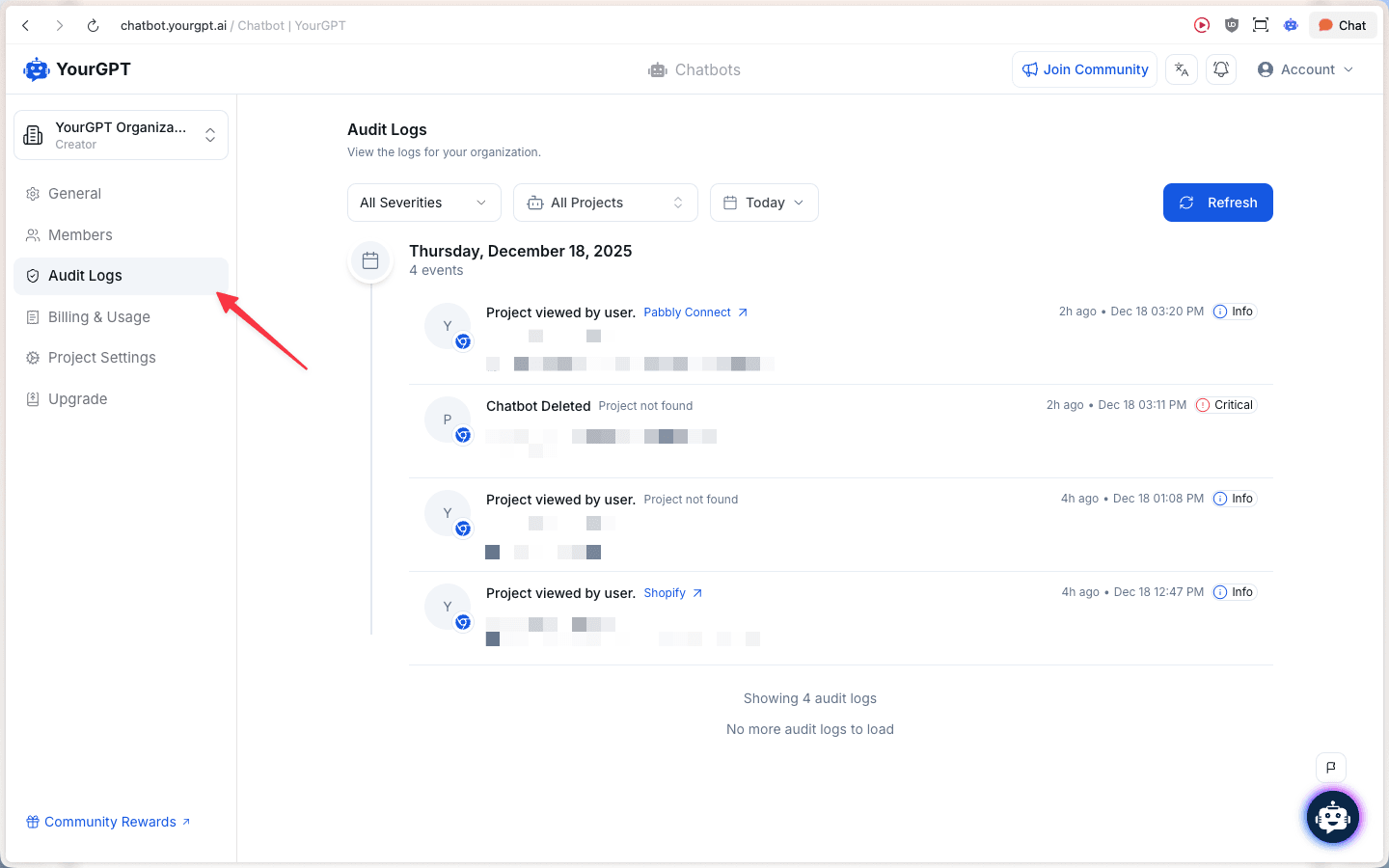
In the Settings sidebar, click Audit Logs.
How to use the Audit Logs page
Use the filters at the top to narrow down what you’re looking for:
- Severity: filter by event importance (for example, “Critical”).
- Project: show events for a specific project (or all projects).
- Date range: focus on a specific day or time window.
- Refresh: reload the list to see the latest events.
Each audit log row typically shows:
- Event name (what happened)
- Project (when applicable)
- Time & date (when it happened)
- Severity badge (Info / Critical, etc.)
If available, click Info on a row to view more details about that event.
Why Audit Logs are helpful
Audit Logs are useful when you need to:
- Answer “what changed?”: see when something was created, edited, or deleted.
- Identify “who did it?”: track activity at the organization level.
- Debug missing or unexpected changes: quickly correlate an issue with recent events.
- Monitor important actions: keep an eye on high-severity events.
Tips & troubleshooting
- Seeing “Project not found”: this often means the event references a project that was deleted or is no longer accessible from your current context/permissions.
- Not seeing the event you expect: widen the date range, switch the project filter to All Projects, and click Refresh.
- Access depends on permissions: depending on your role, you may not see Audit Logs for an organization or certain projects.