Gamification
Add interactive games to increase engagement for support and sales
Gamification adds interactive games to your chat widget to keep visitors engaged and improve outcomes. YourGPT supports two gamification flows:
- Support Gamification: show a game when a conversation is escalated to a human and the visitor is waiting.
- Sales Gamification: run games as a sales/lead-capture strategy (rewards, coupons, lead capture, and triggers).
Support Gamification (Human Escalation)
The Chatbot Web SDK supports game integration to enhance user experience during human escalation scenarios. When a conversation is escalated to a human operator and the user enters a waiting state, interactive games can be automatically launched to keep users engaged while they await assistance.
Supported Games
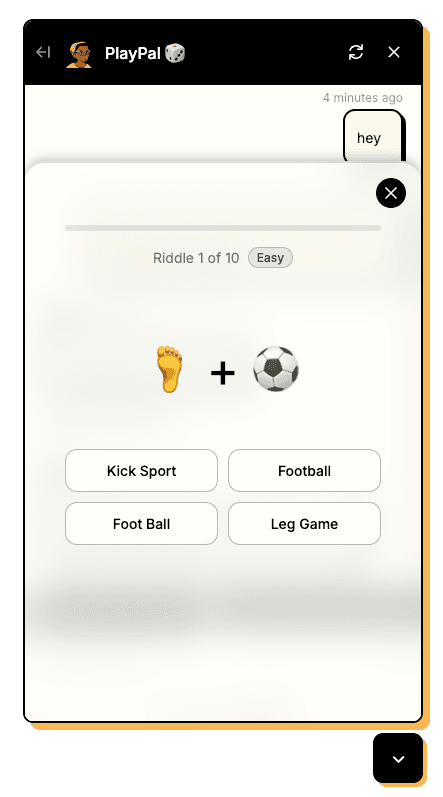
1. Emoji Riddle Game
An engaging puzzle game where users solve riddles using emoji clues. Perfect for quick mental exercises while waiting.
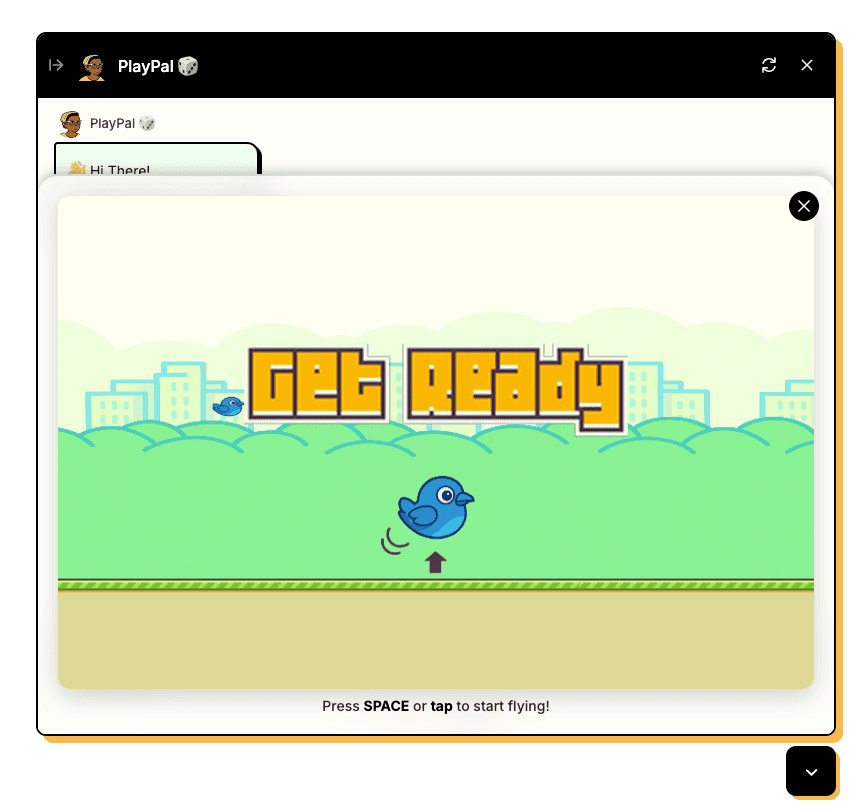
2. BouncyBird
A classic arcade-style game that provides entertainment and helps pass time during operator assignment delays.
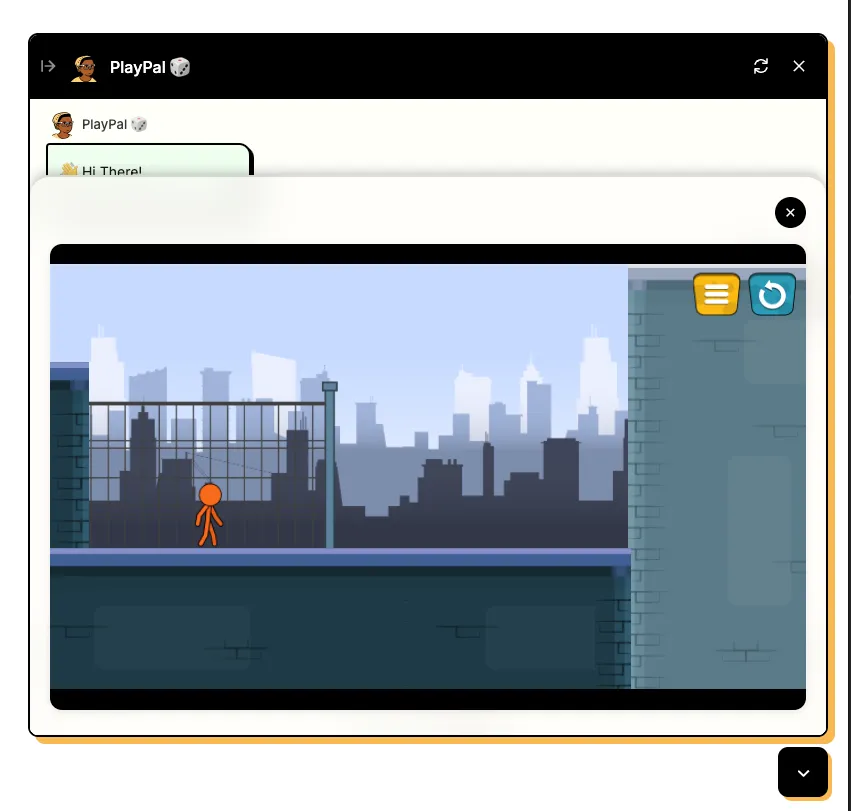
3. Custom Game
Embed any iFrame game in your chatbot to provide a unique and engaging experience for your users.
Widget Settings Configuration
To enable gamification in your chatbot:
- Go to widget settings → branding section
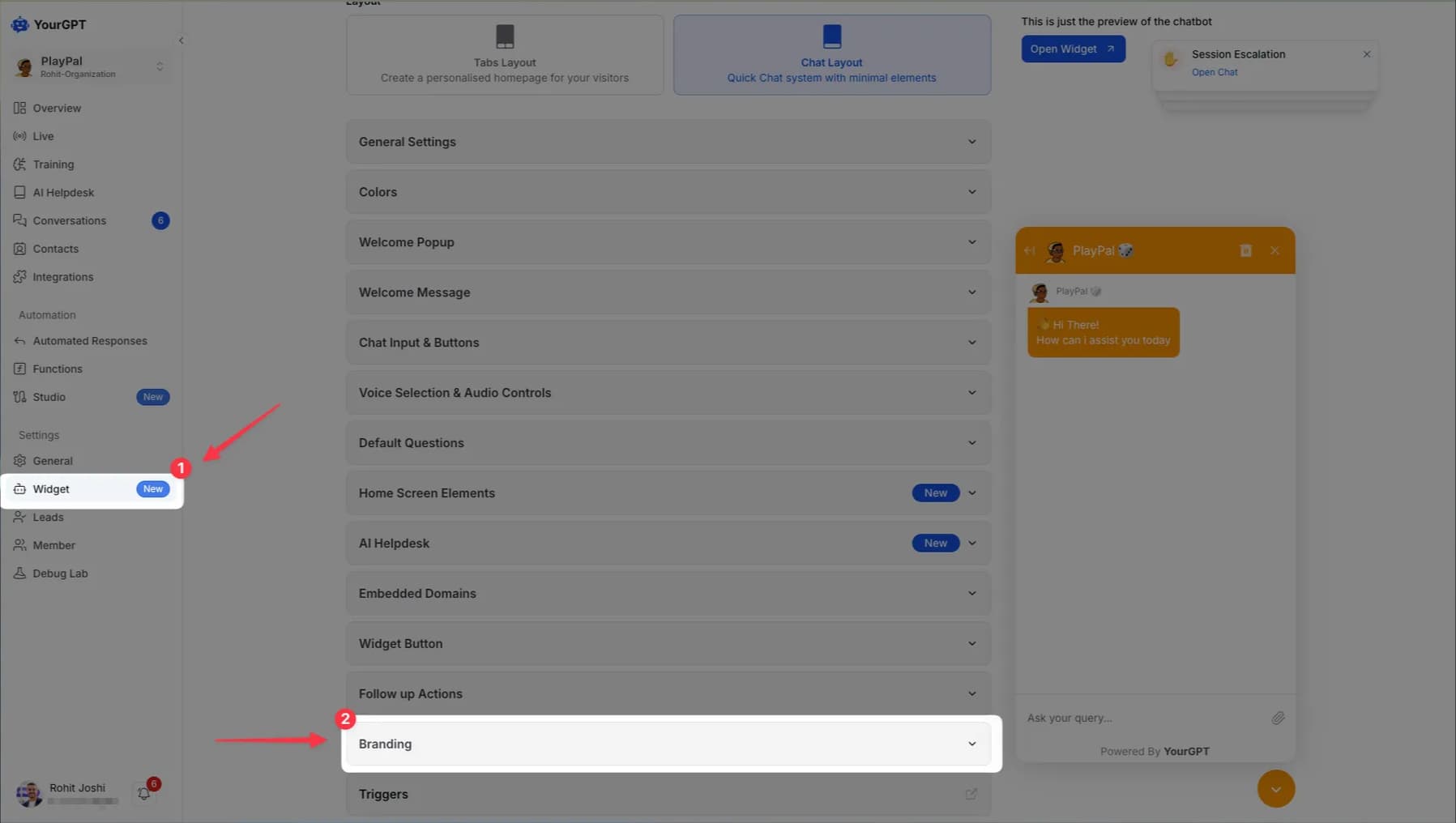
- Paste your desired game integration code in the branding section
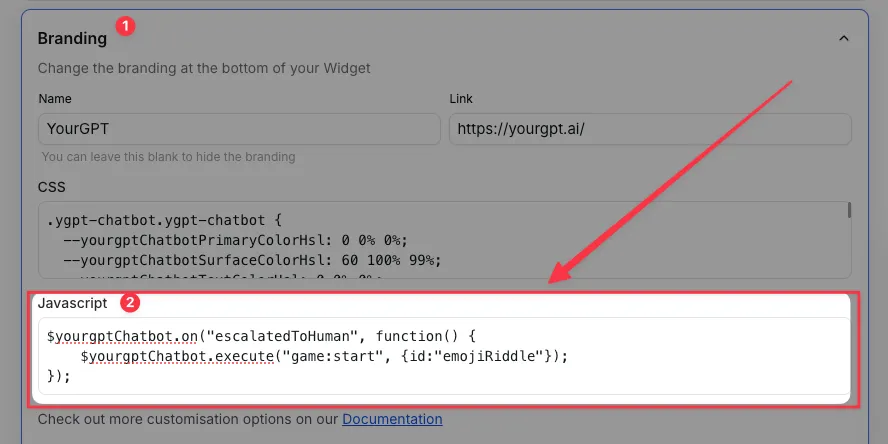
Game Launch on Human Escalation
Use the following event listeners to automatically trigger games when human escalation occurs:
Note
Add one game integration at a time.
Emoji Riddle Integration
$yourgptChatbot.on("escalatedToHuman", function() {
    $yourgptChatbot.execute("game:start", {id:"emojiRiddle"});
});
BouncyBird Integration
$yourgptChatbot.on("escalatedToHuman", function() {
    $yourgptChatbot.execute("game:start", {id:"bouncyBird"});
});
iFrame Integration
$yourgptChatbot.on("escalatedToHuman", function() {
  $yourgptChatbot.execute("bottomSheet:open", {
    url: "https://cloud.onlinegames.io/games/2024/construct/219/stickman-parkour/index-og.html"
  });
});
Sales Gamification (Lead Capture + Rewards)
Sales Gamification transforms your chat widget into a powerful sales engine by engaging prospects through interactive games that capture leads, deliver targeted offers, and drive conversions. This approach turns casual visitors into qualified prospects while providing personalized discounts and rewards to accelerate your sales funnel.
Enable Gamification
To enable sales gamification in your chatbot, follow these steps:
-
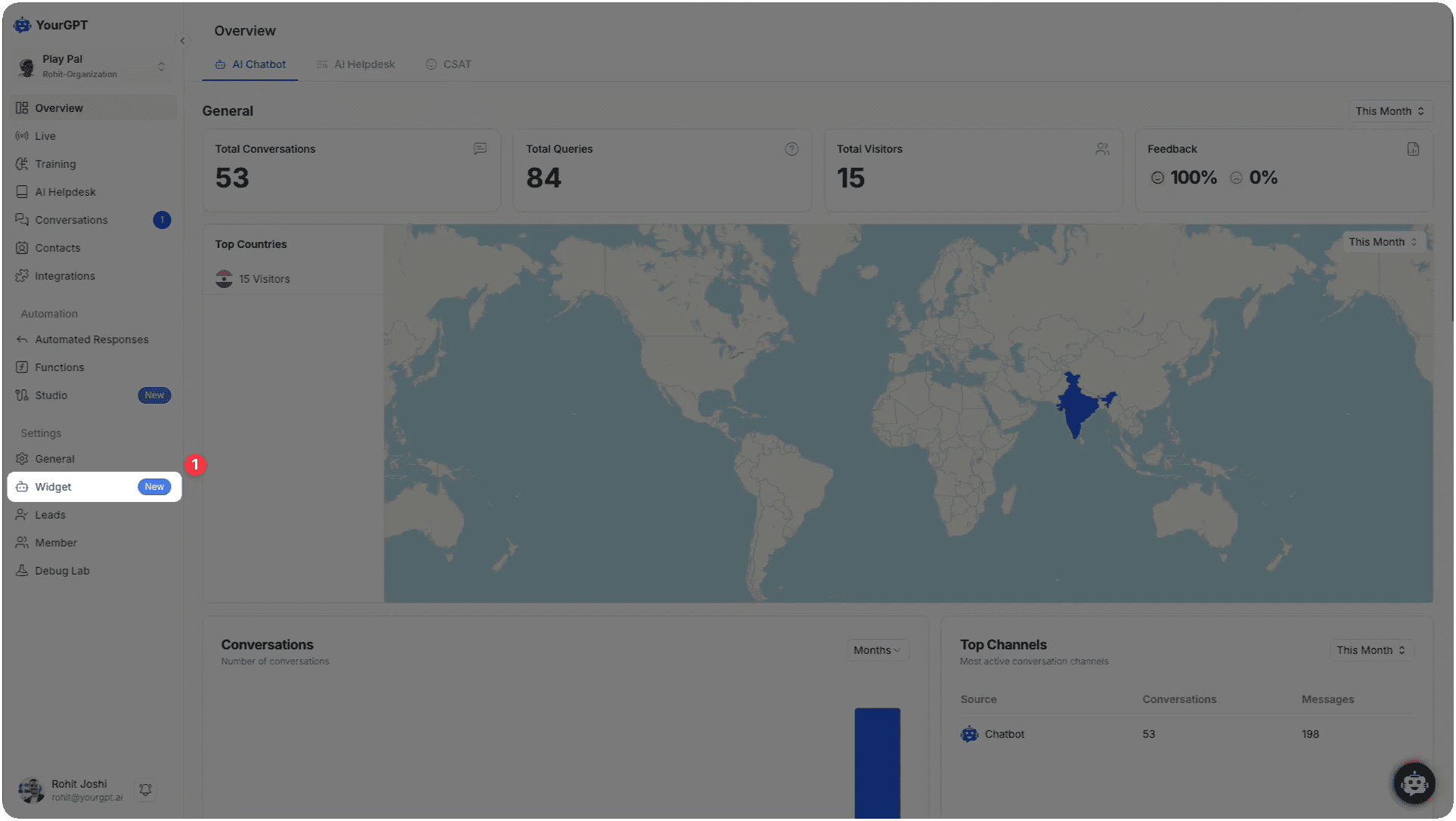
Widget Settings: Access the triggers from the widget settings.
-
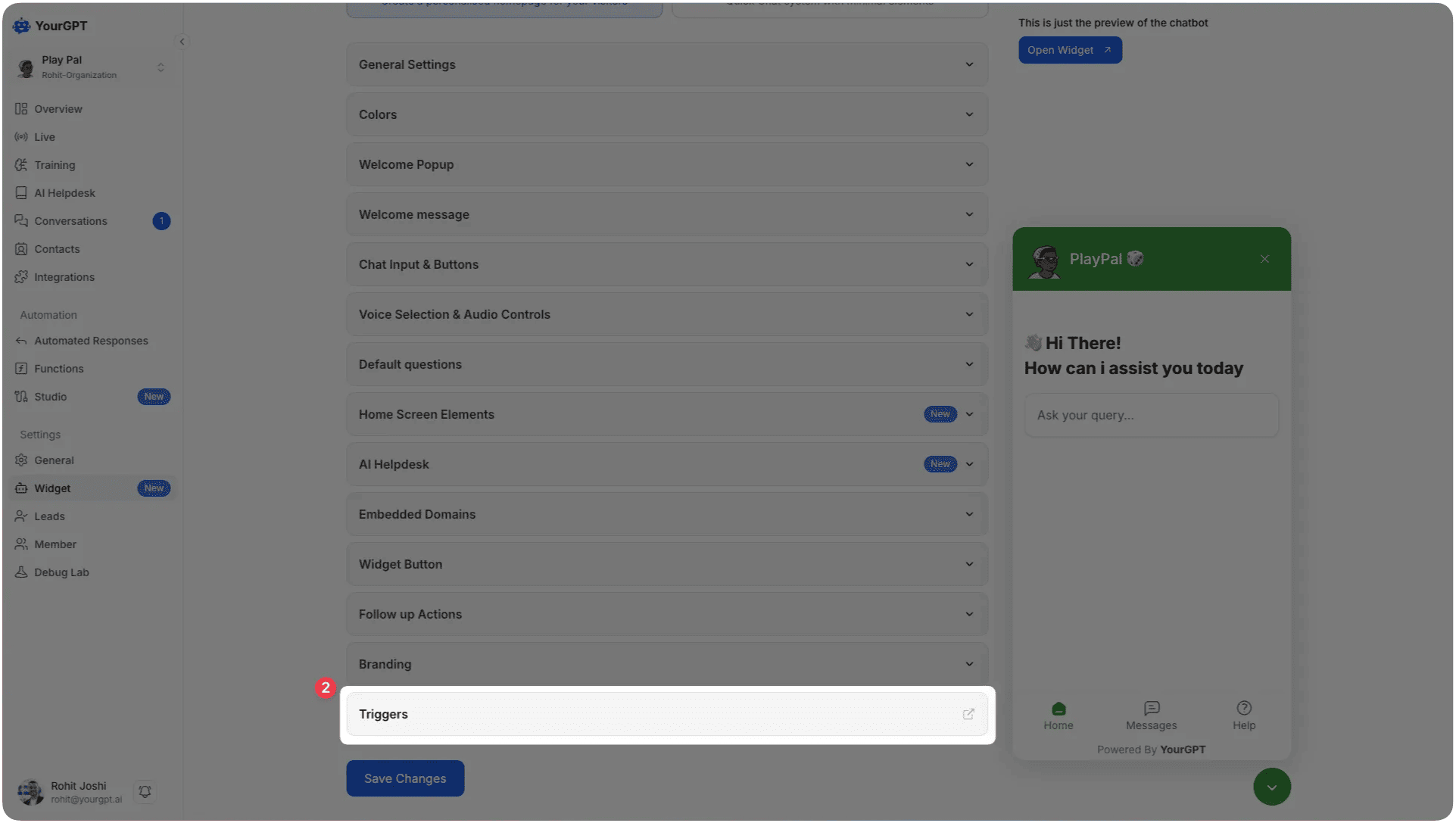
Access Triggers Section: Navigate to the Triggers section in your chatbot dashboard.
-
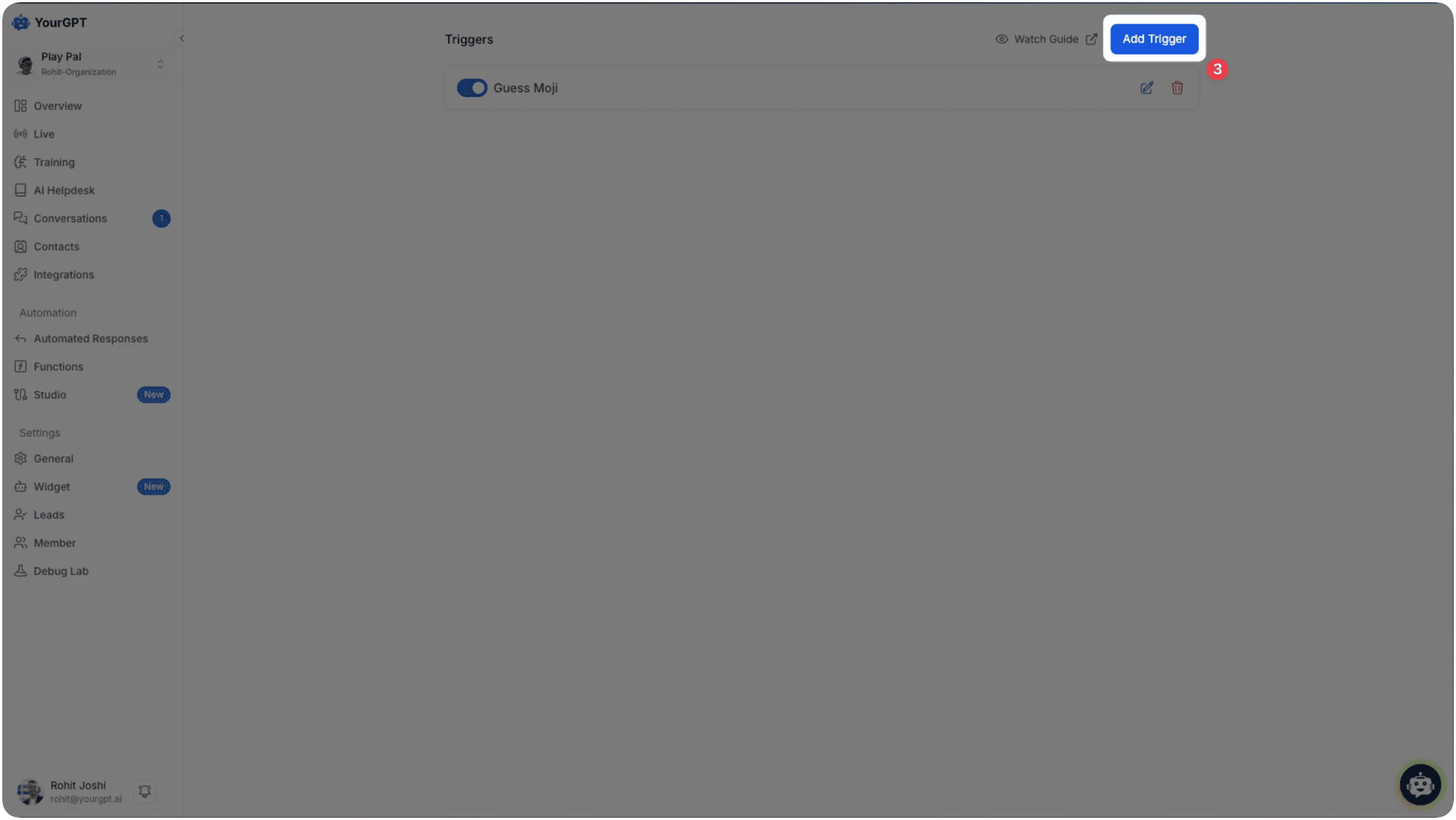
Create New Trigger: Click on Add Trigger to create a new gamification trigger.
-
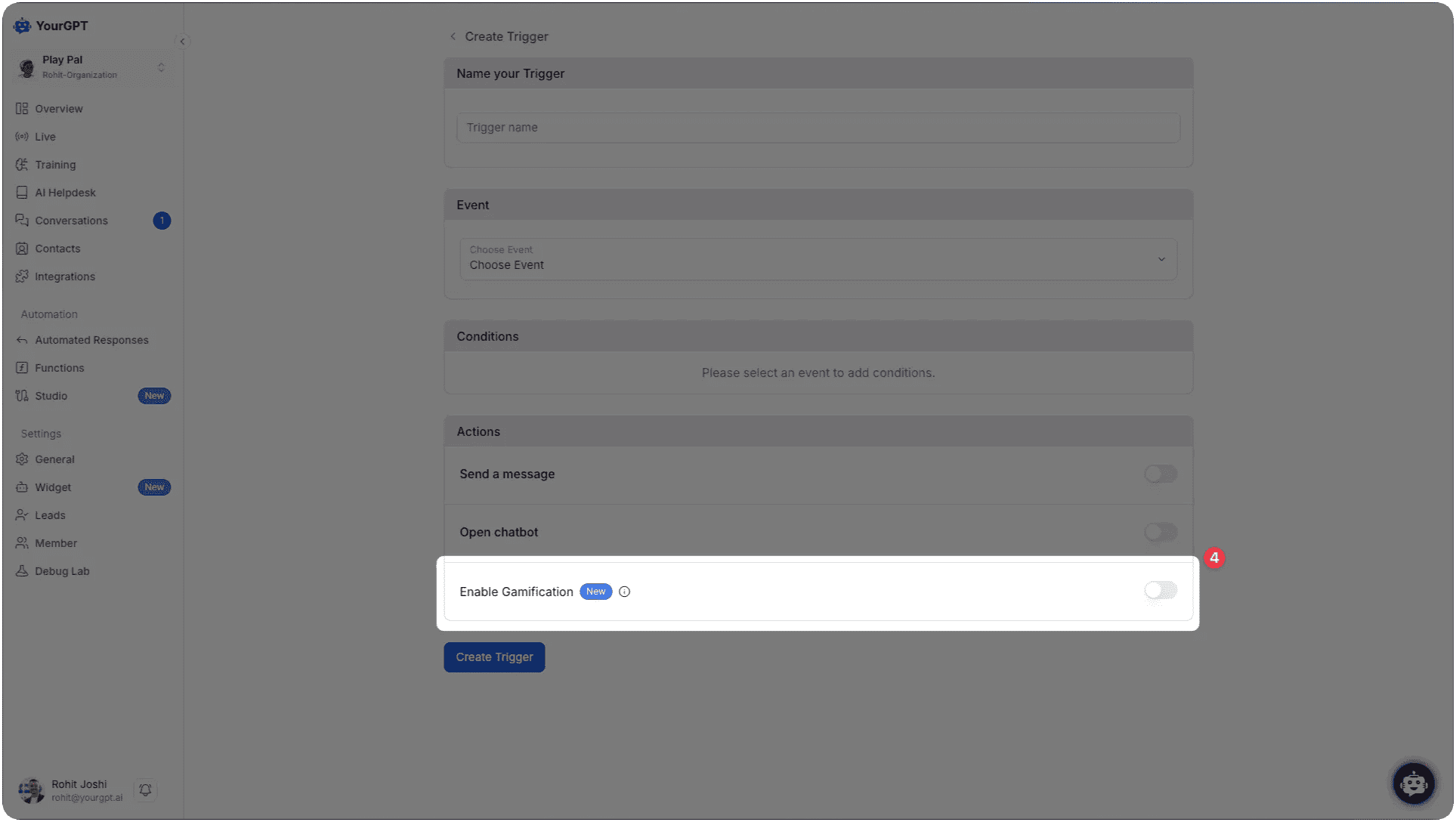
Enable Gamification: In the Actions section, toggle Enable Gamification to ON.
-
Create Trigger: Click Create Trigger to save your gamification settings.
Customization Options
Customizing Gamified Messages
You can customize the messages that appear during gamification to match your brand voice and style:
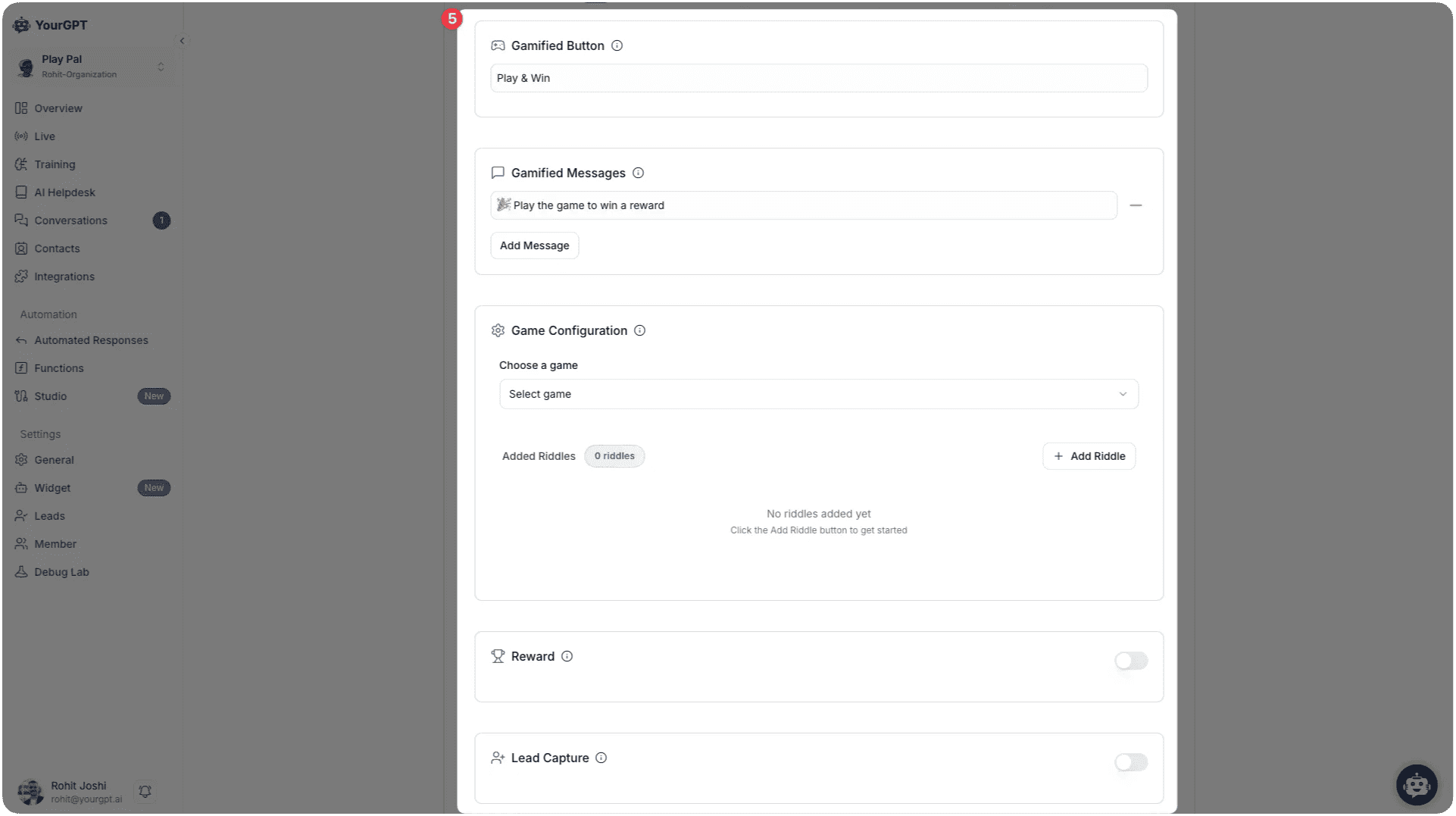
- Gamified Button: Customize the text that appears on the button (e.g., "Play & Win").
- Gamified Messages: Add custom messages like "🎉 Play the game to win a reward".
- Add Message: Use the "Add Message" button to include additional custom messages.
Game Configuration
Choose from available game options to engage your users.
Available Games
Quiz Mania
Interactive quiz games to test user knowledge and engagement. Perfect for educational content, product knowledge, or brand awareness.
Guess Moji
Emoji-based guessing games for fun engagement. Great for entertainment and light-hearted interactions.
Game Setup Process
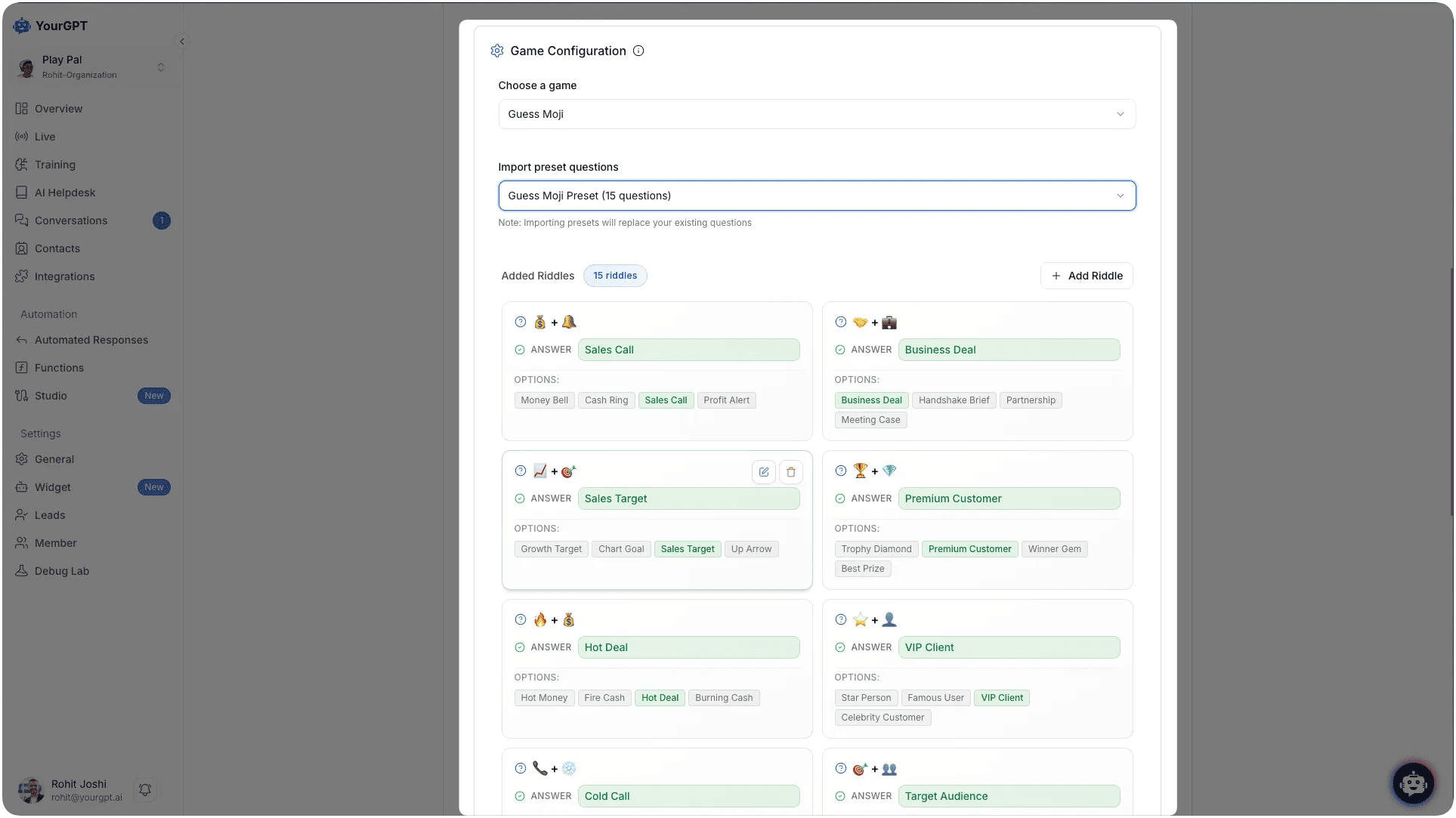
- Choose Game: In the Game Configuration section, select from the dropdown menu (Quiz Mania or Guess Moji).
- Import Preset Questions: Select from available preset questions like Guess Moji Preset (15 questions).
- Add Riddles: Click Add Riddle to add custom questions and configure different answer types.
Reward System
Enable Reward Coupons
Set up rewards for users who achieve high scores to incentivize engagement and drive conversions:
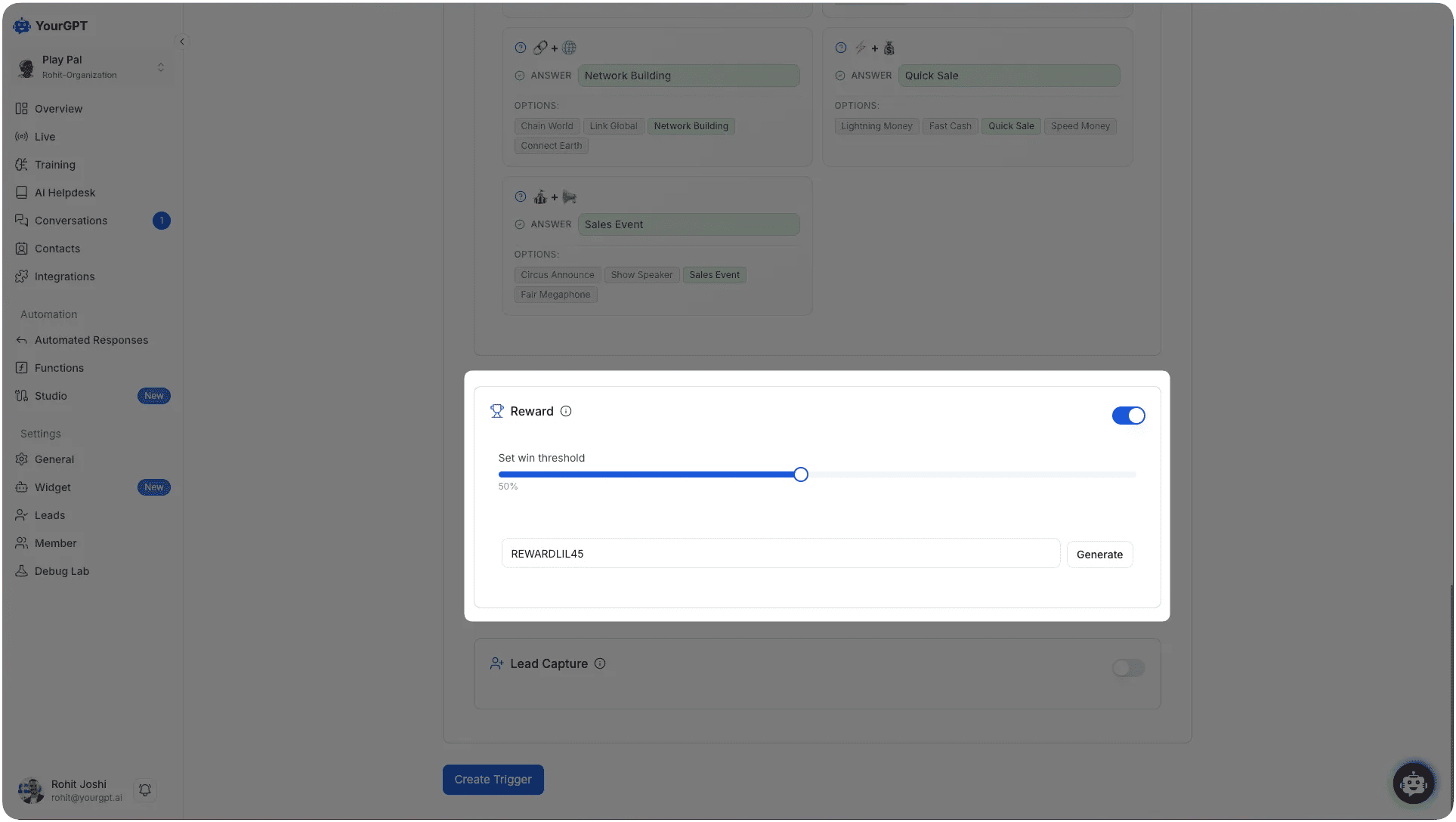
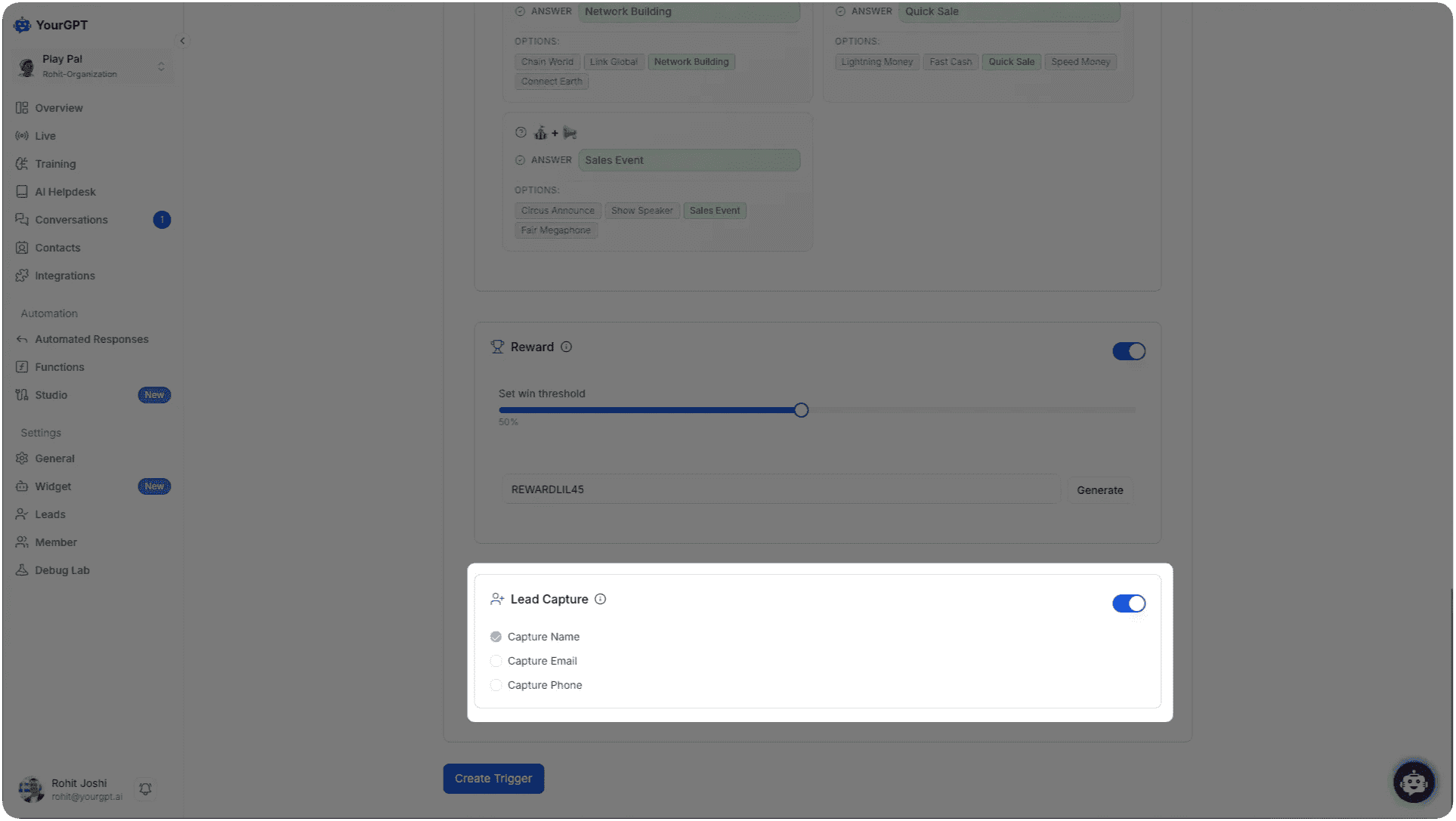
- Enable Rewards: Toggle the Reward switch to ON in the gamification configuration.
- Set Win Threshold: Use the slider to set the minimum score threshold required to earn a reward.
- Generate Coupon: Click the Generate button to create reward coupons for qualifying users.
Reward Configuration Options
- Automatic Distribution: Users who score above the specified threshold automatically receive rewards.
- Reward Types: Include discount coupons, special offers, or promotional codes.
- Custom Messages: Personalize reward delivery messages.
- Expiration Settings: Set validity periods for rewards.
- Usage Limits: Control how many times rewards can be used.
Lead Capture
Capture User Information
The gamification system can capture leads from engaged users, turning game participants into potential customers:
-
Enable Lead Capture: Toggle the Lead Capture switch to ON in the gamification settings.
-
Configure Data Fields: Select which information to collect from users:
- Capture Name: Toggle to collect user names.
- Capture Email: Toggle to collect email addresses.
- Capture Phone: Toggle to collect phone numbers.
Lead Management
Once leads are captured, you can manage them effectively:
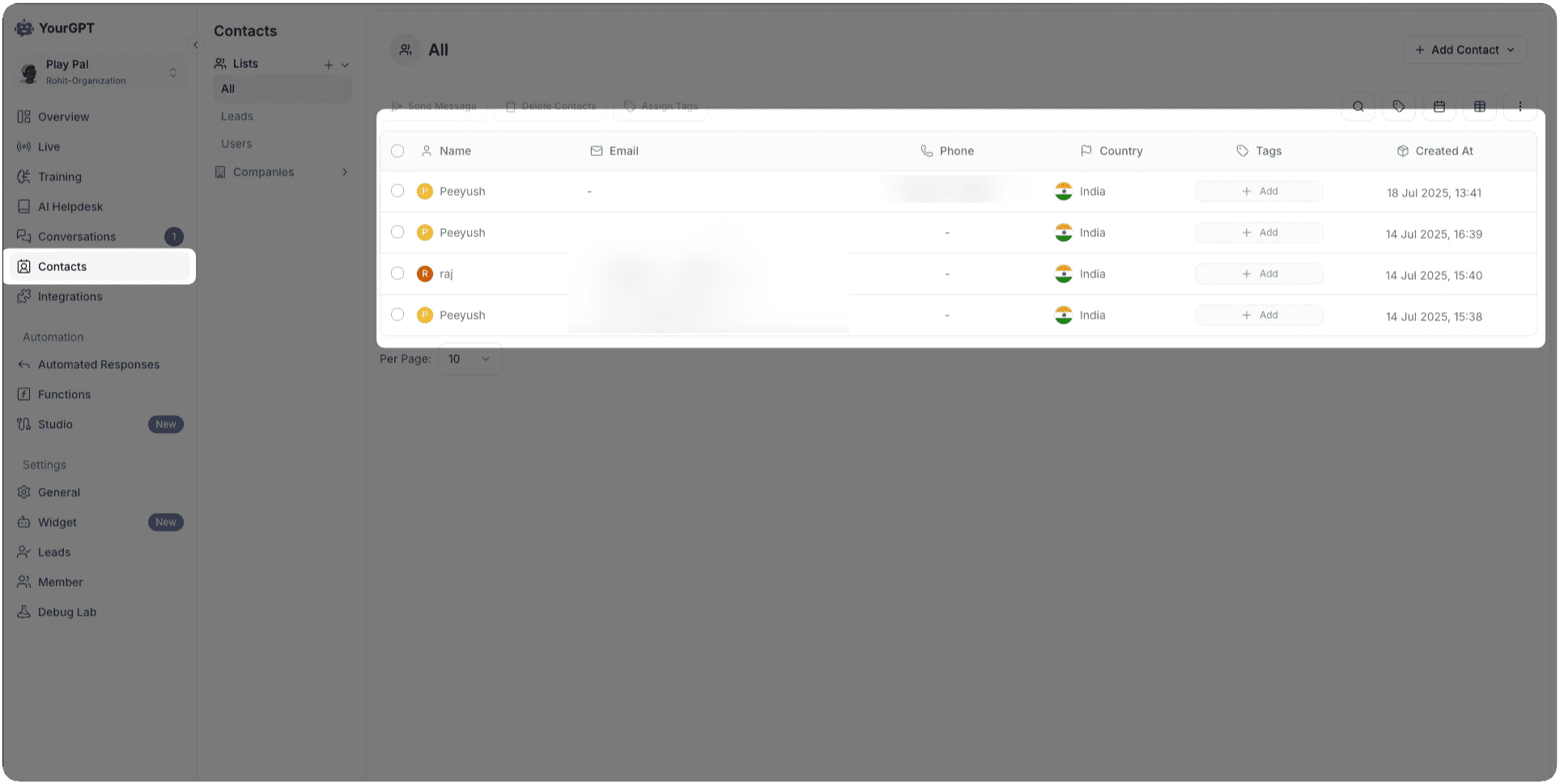
- Automatic Storage: All captured leads are automatically stored in your Contacts section.
- Dashboard Access: Access all leads through the main Contacts interface.
- Data Export: Export lead data for CRM integration or marketing campaigns.
Best Practices
Game Selection Strategy
- Brand Alignment: Choose games that align with your brand personality and values.
- Audience Targeting: Consider your target demographic when selecting game types.
- A/B Testing: Test different games to see which performs best with your users.
- Content Relevance: Ensure game content relates to your products or services.
Reward Strategy
- Balanced Difficulty: Set achievable but challenging score thresholds.
- Valuable Rewards: Offer meaningful rewards that provide real value to users.
- Tiered System: Consider multiple reward levels for different score ranges.
- Clear Communication: Clearly explain reward criteria and benefits.
Lead Capture Optimization
- Minimal Friction: Keep lead capture forms simple and non-intrusive.
- Value Proposition: Clearly communicate the value users receive for sharing information.
- Privacy Compliance: Ensure compliance with GDPR, CCPA, and other data privacy regulations.
- Progressive Profiling: Collect additional information over time rather than all at once.
Learn More
Gamification
Enhance user engagement with interactive games during waiting periods.