Appearance
Custom Domain
Everything you need to know to add your custom domain to your AI Chatbot
💡 Setting Up Custom Domain
To add a custom domain for your widget, follow these steps:
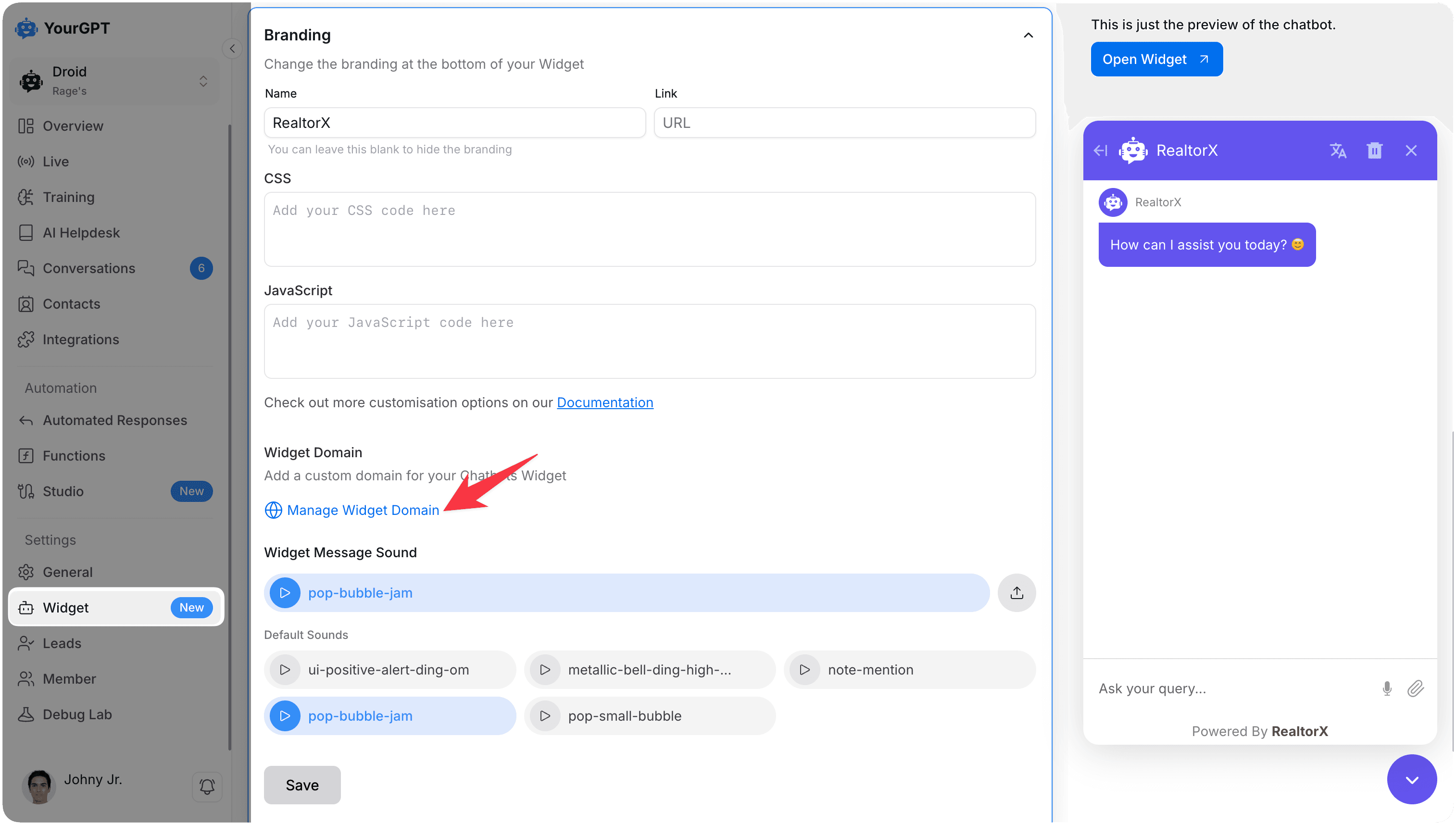
Access Branding Settings
Click on the Branding option in the menu.
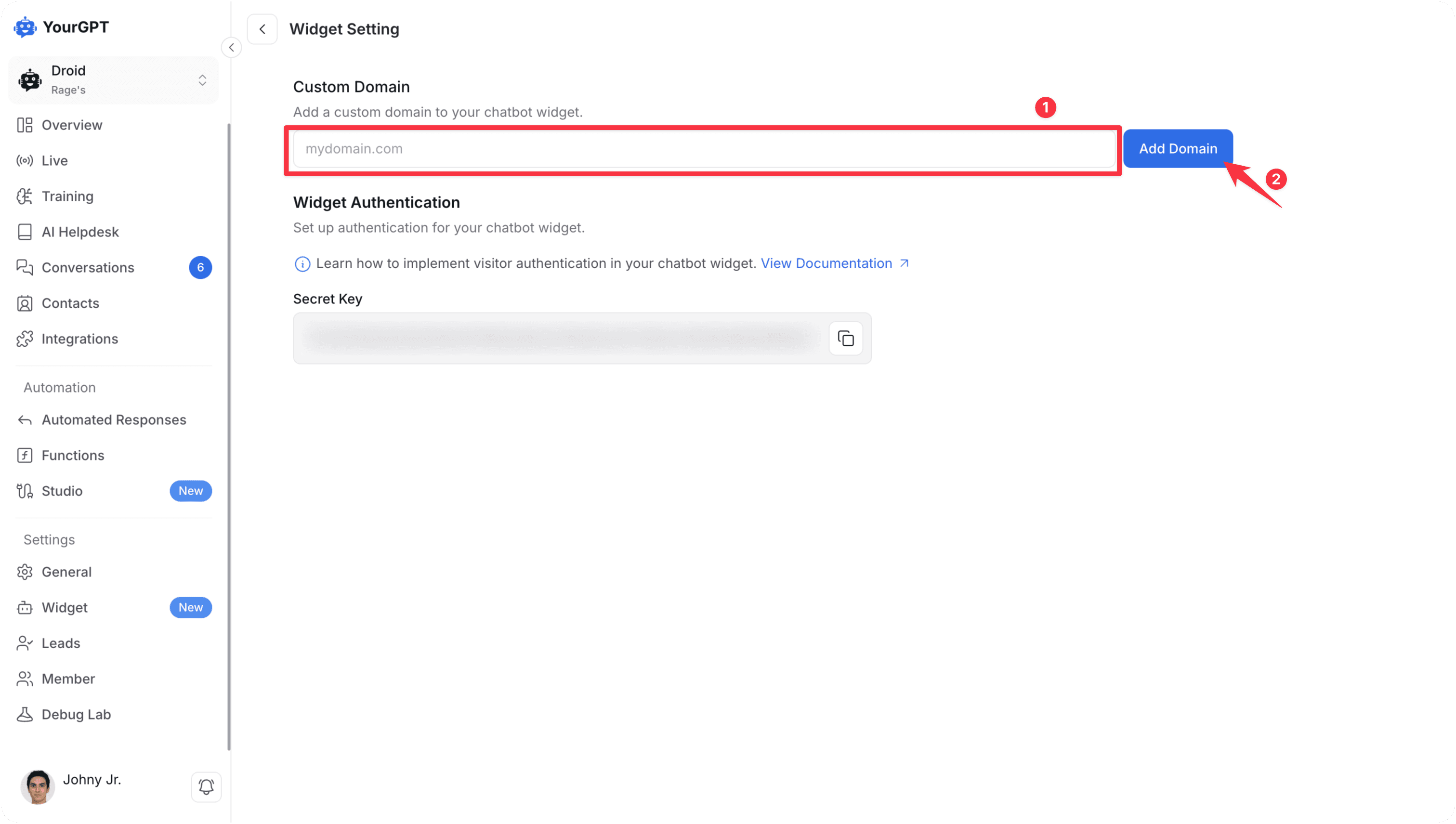
Add Your Domain
Enter your desired domain name in the provided field.
Confirm and Verify
Click on Add Domain to submit your domain.
Follow the verification process to complete the setup.
Once verified, your widget will be accessible through your custom domain.
By following these steps, you can add a custom domain to your AI Chatbot. For any questions, contact our team via Live support or Mail Us.