Testing Your AI Agent
Learn how to test and share your AI agent to ensure it's working correctly before deployment.
Sharing a link is the fastest way to let teammates, customers, or beta testers chat with your bot—no widget installation or code deployment required. Use it to collect feedback before going live on your website or to offer a lightweight support channel.
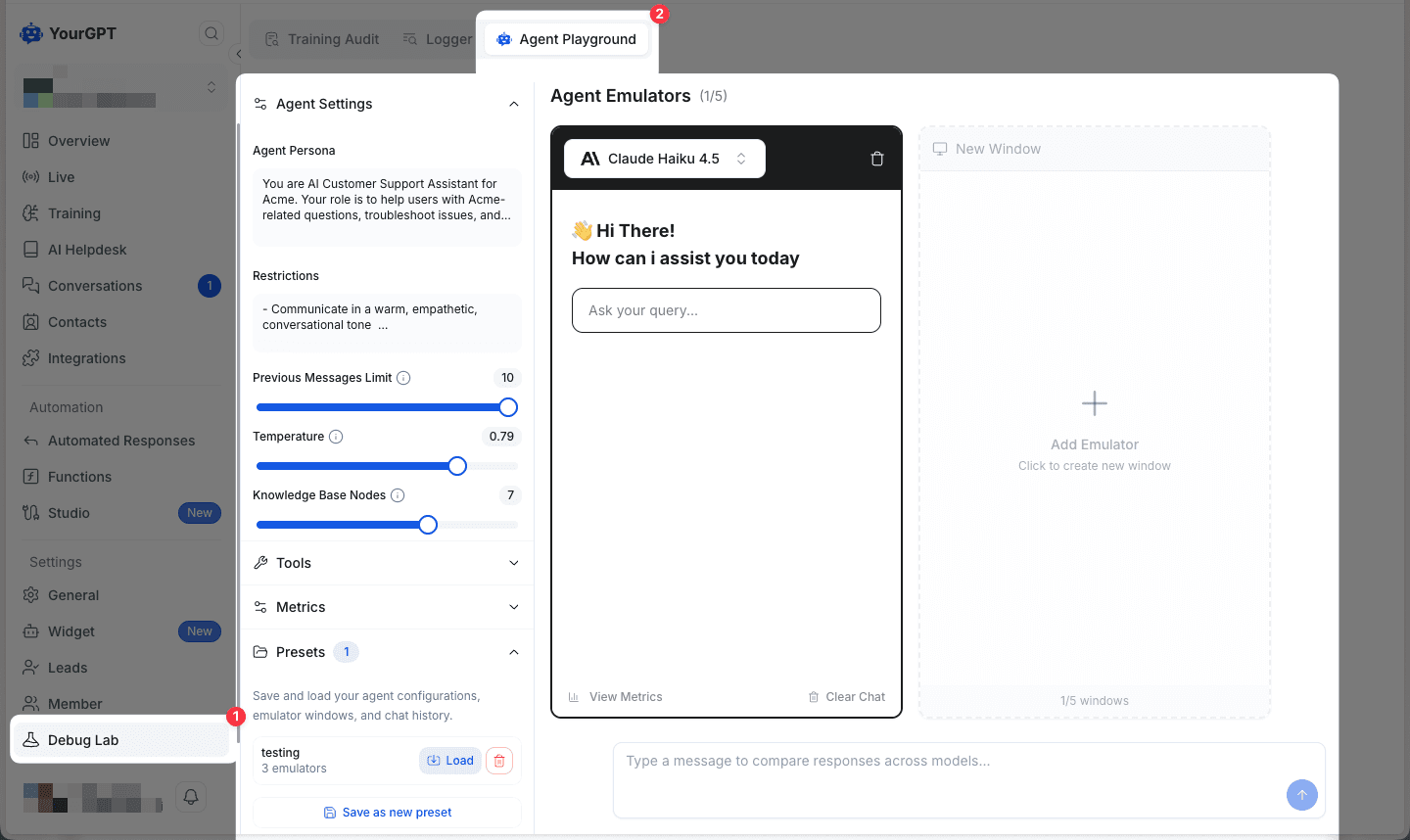
1. Agent Playground
The Agent Playground is the modern way to test multiple agents together. It allows you to simulate conversations where multiple agents interact, helping you verify their collaborative behavior and performance.
2. Shareable Link
🔗 Share your custom chatbot using a link
Use this method when you want quick access without installing the widget.
Open the Integration tab
Log into YourGPT Dashboard, choose the chatbot you want to share, and click Integration in the sidebar.
This page holds every embed and sharing option.
Copy the shareable link
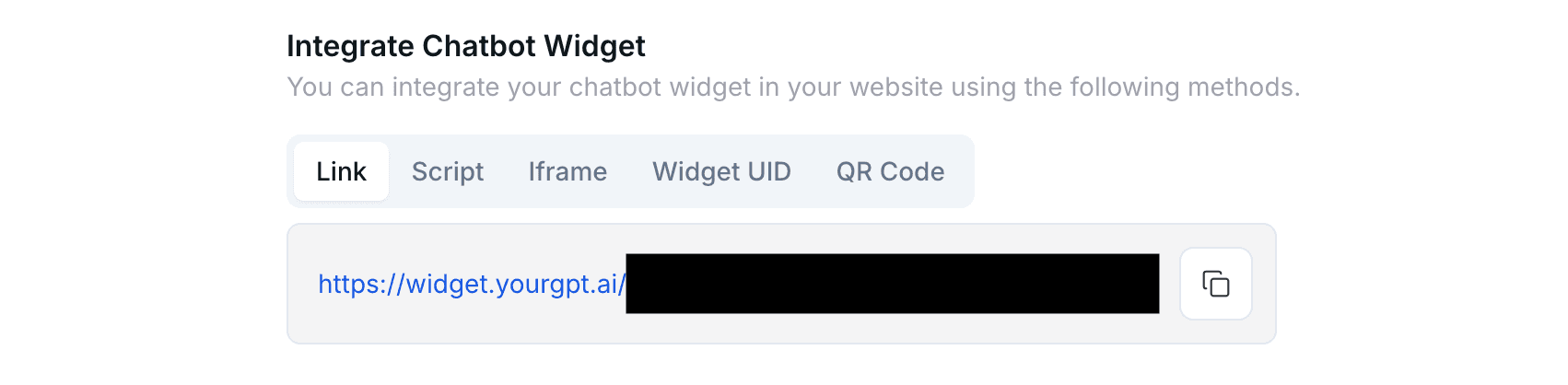
At the top of the integration page you will see the toolbar with Link, Script, Iframe, WidgetUID, and QR.
Choose Link to reveal the public URL, then click the copy icon (or select the text manually) to place it on your clipboard.
Test the link
Paste the URL into an incognito/private browser window to ensure the chatbot loads without requiring dashboard access.
This catches permission or publishing issues before you share it widely.
Distribute the link
Send the URL to your reviewers, customers, or support team via email, chat, or documentation.
Anyone with the link can start a conversation immediately.
Important
The shared link exposes your chatbot publicly, so only distribute it to trusted audiences or bots configured with limited knowledge.
Best practices
- Provide Context & Scope: Inform testers about the chatbot's role, what it should know, and what it shouldn't do. This helps distinguish between a hallucination and simply out-of-scope knowledge.
- Review Conversations: Check the conversation logs in your dashboard to see exactly what users asked and how the AI responded.
- Secure Your Testing: Use security settings to whitelist specific domains or countries to restrict access to your chatbot.
- Use QR Codes for Events: When presenting at conferences or meetings, use the generated QR code for easier mobile access.