Website & Links
Train your AI chatbot using website links to improve its responses and knowledge about your product.
Quick Start
Copy your website link
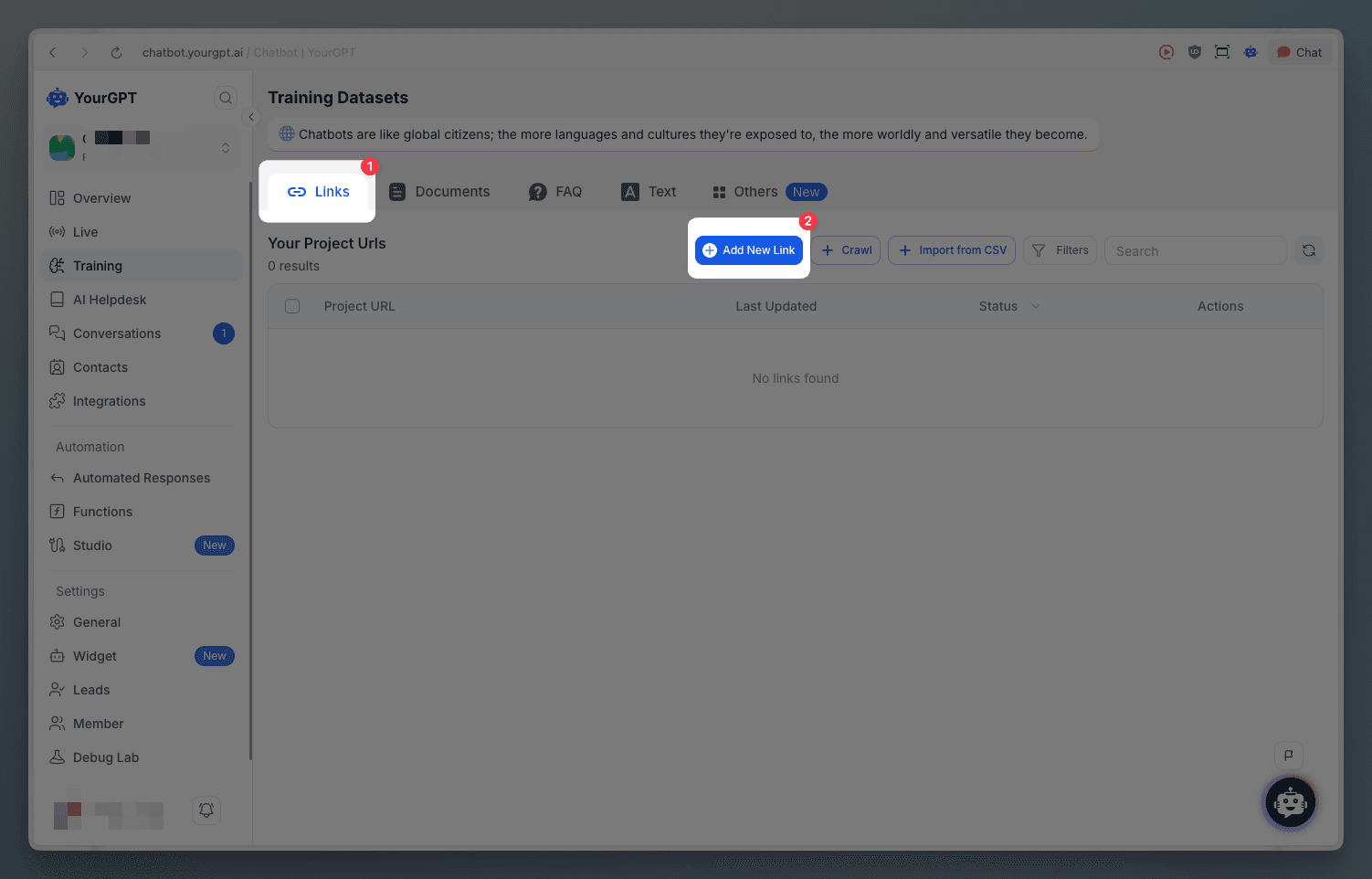
Go to the Training section in YourGPT Dashboard
Click Add New Link
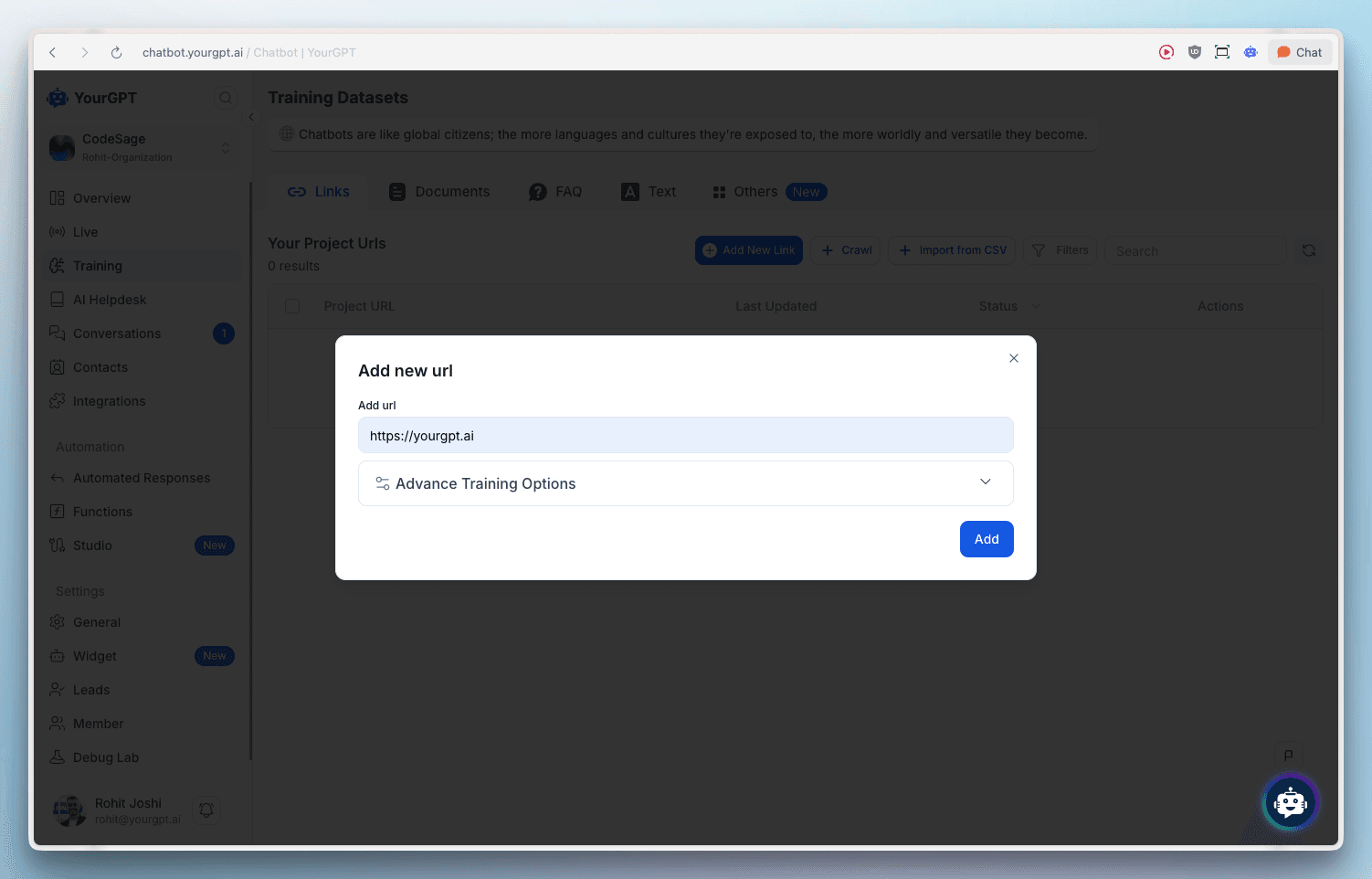
Paste the link and click Add
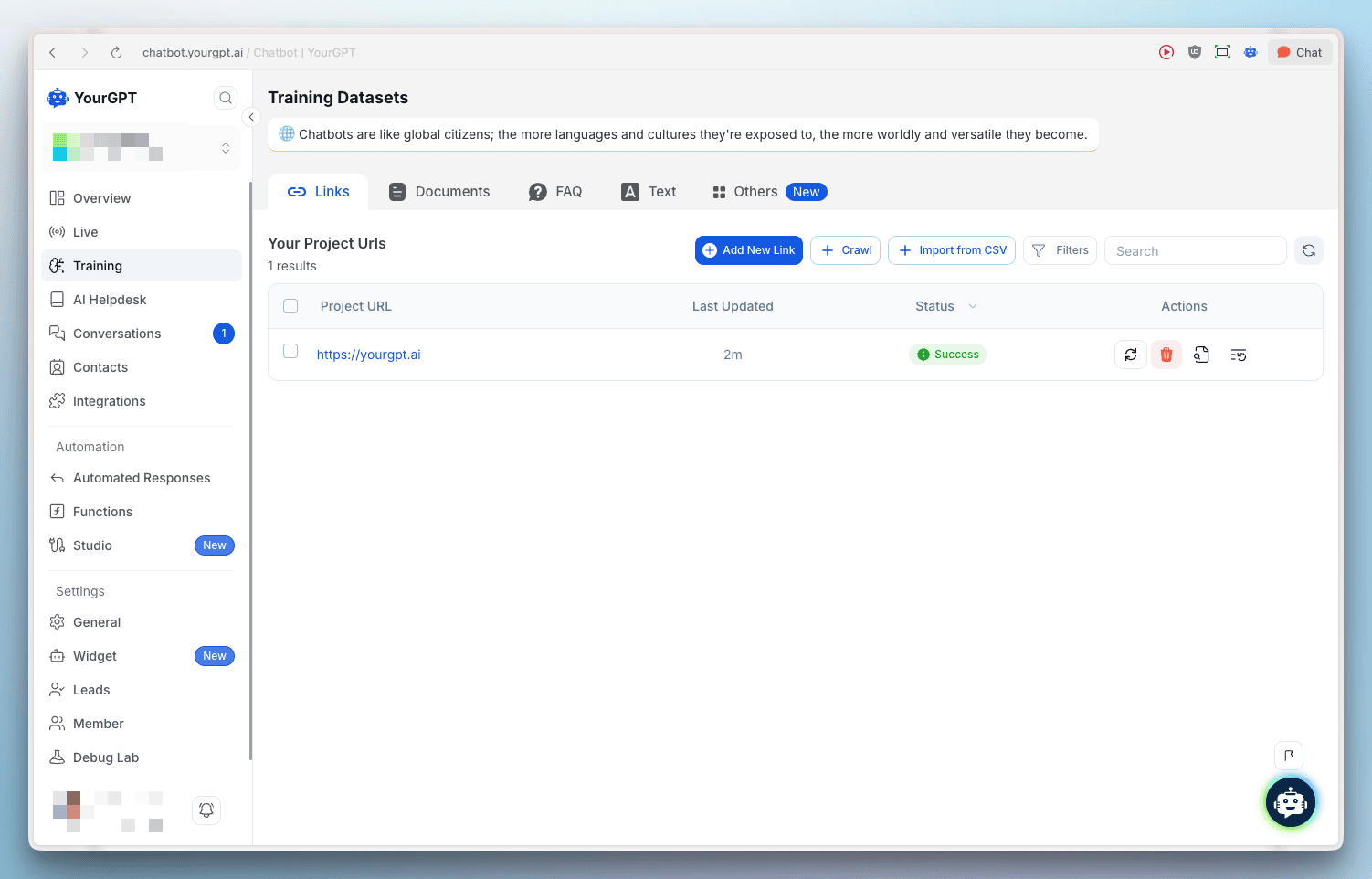
Wait a few minutes, then refresh the page to verify the status shows success
Multiple Links
To add multiple training links at once:
Go to Training → Crawl
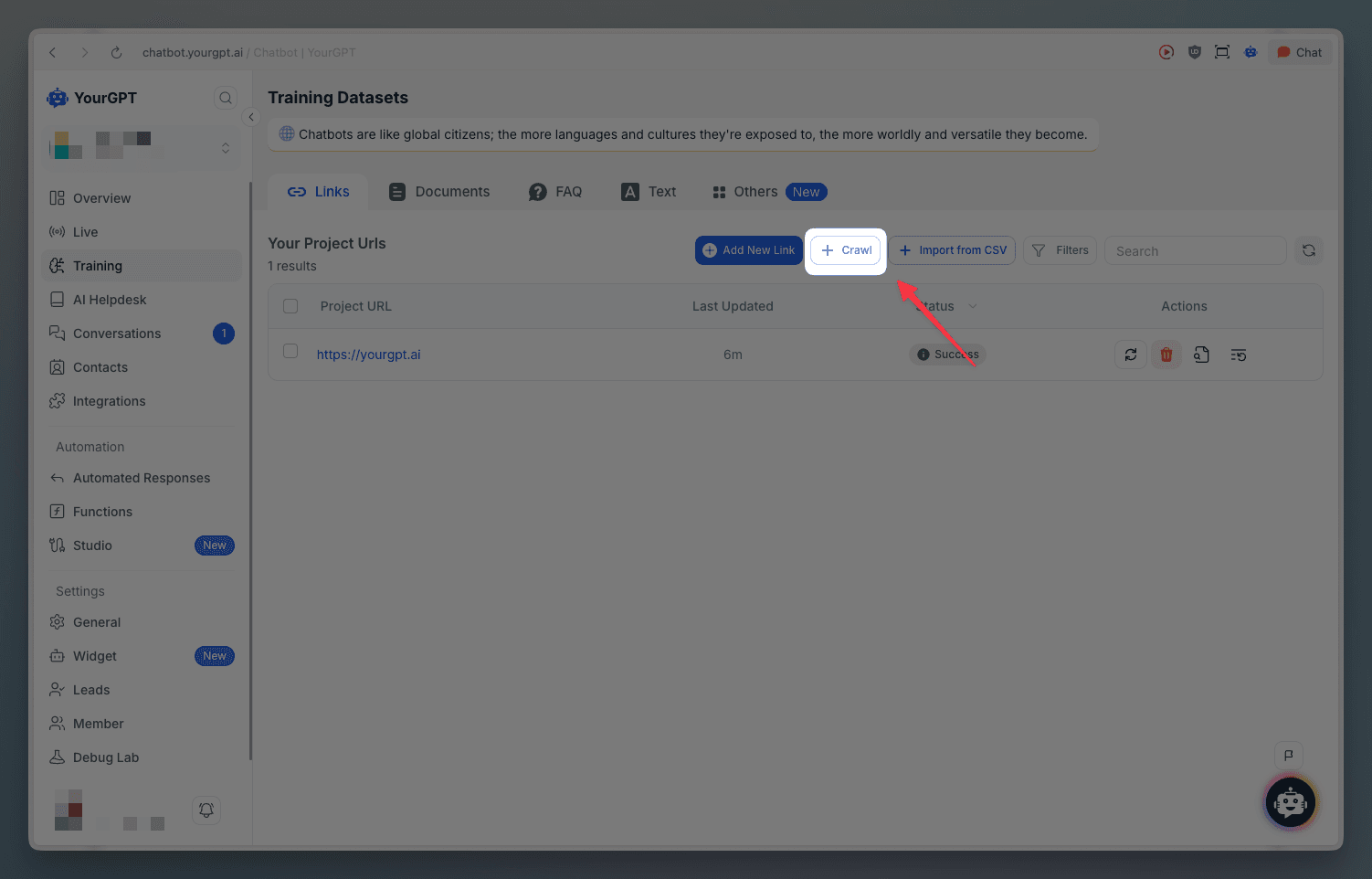
Paste your link in the designated field
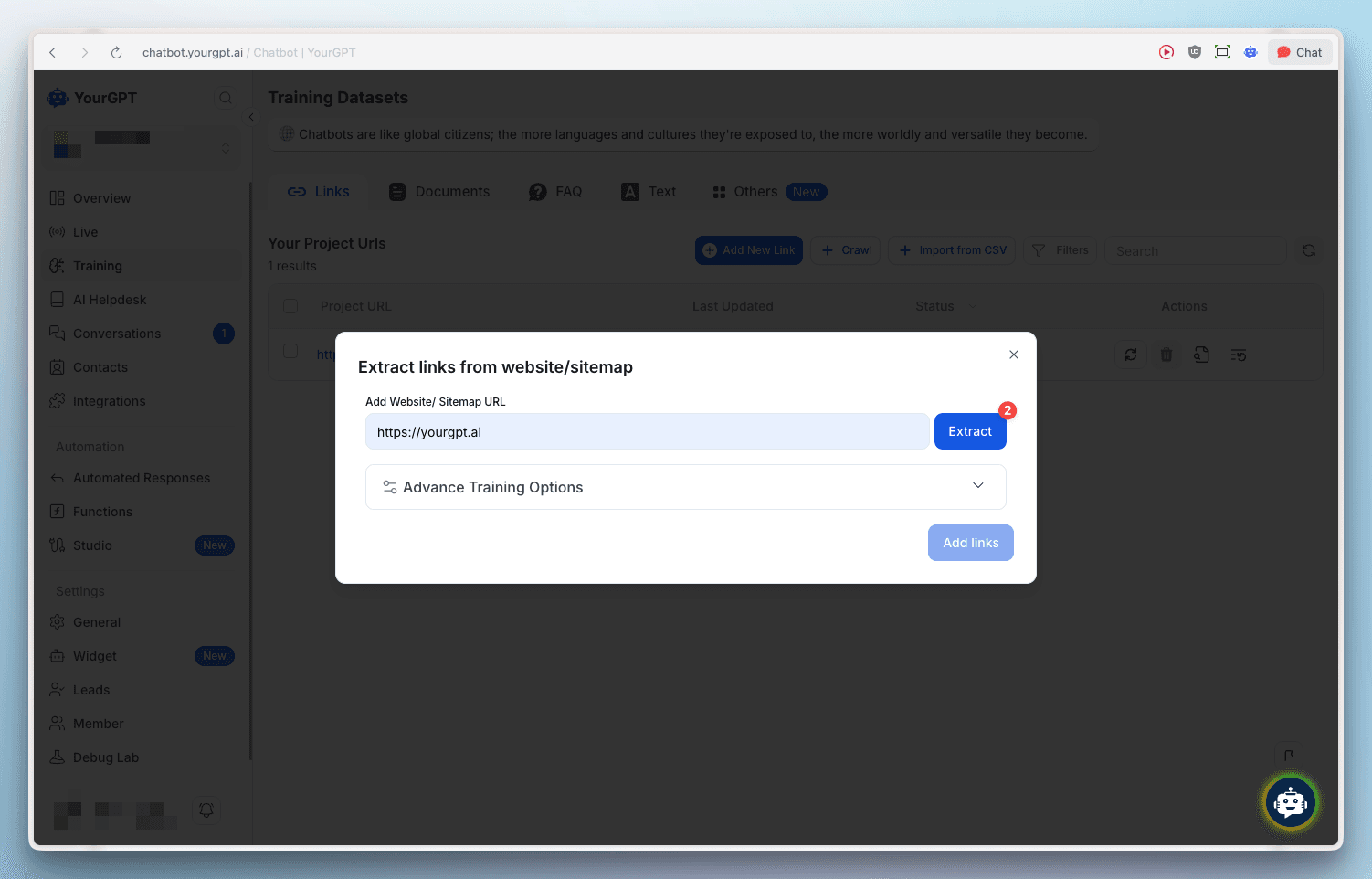
Click Extract to initiate the process
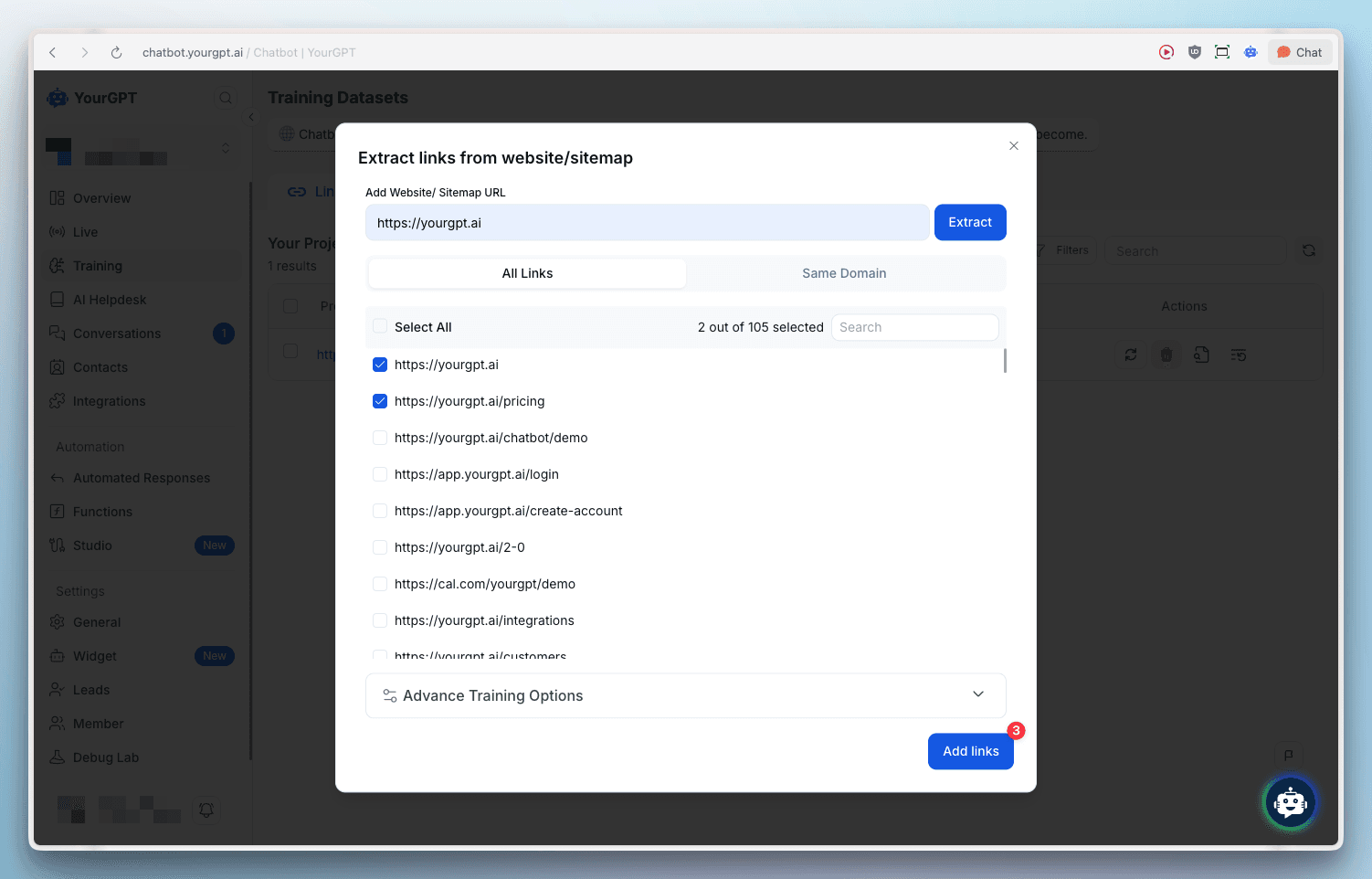
Advanced Link Training
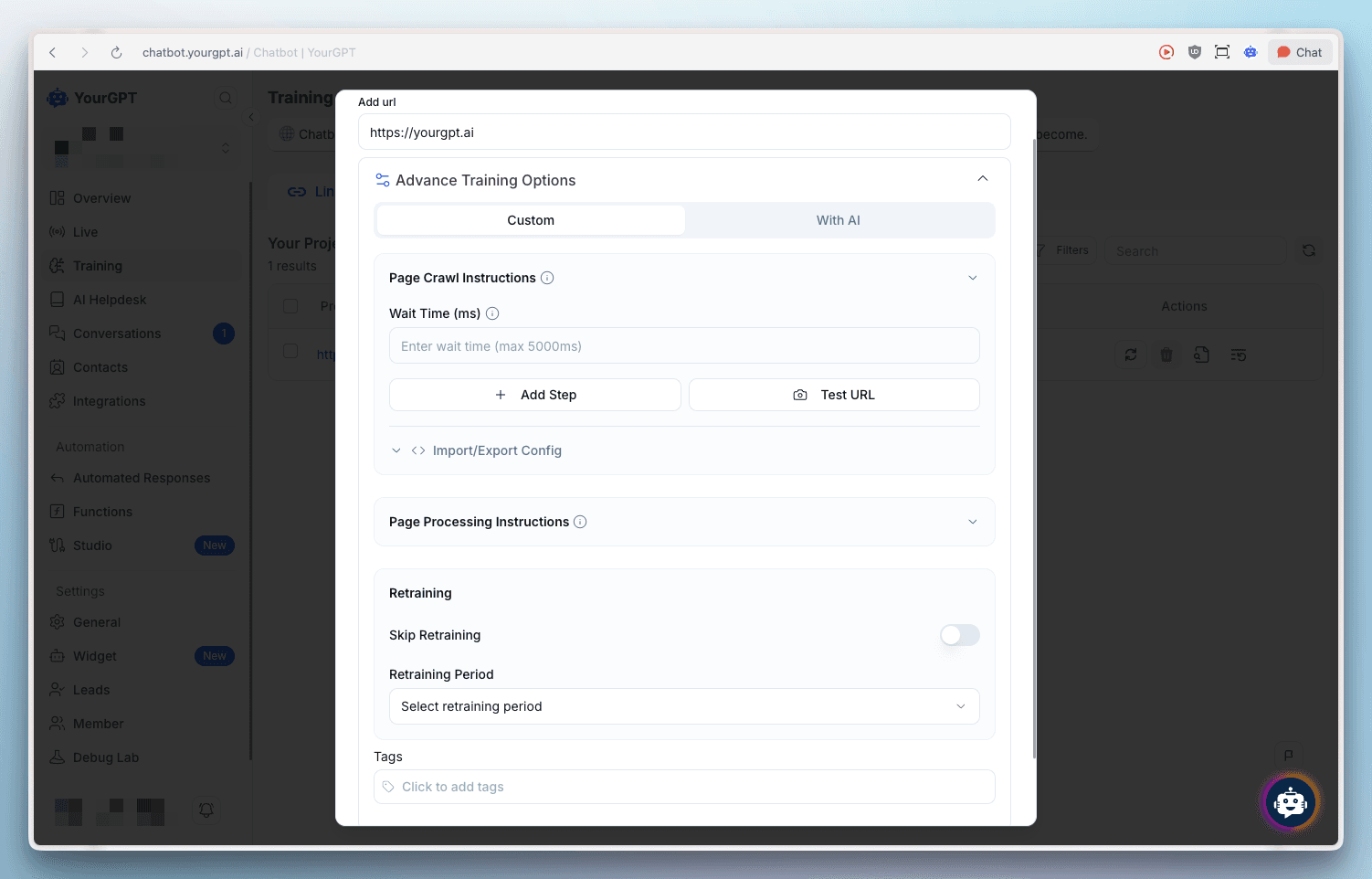
Advanced Training provides enhanced control over how your website content is crawled and processed. The modal offers two training modes: Custom and With AI.
Page Crawl Instructions
Configure how the chatbot crawls your website:
- Wait Time (ms): Set a delay for page loading (maximum 5000ms) to ensure dynamic content is fully loaded before crawling
- Add Step: Add custom crawl steps to control the crawling process
- Test URL: Test your URL configuration before training
- Import/Export Config: Manage crawl configurations for reuse
Page Processing Instructions
Control how extracted content is processed:
- Skip Retraining: Toggle to skip automatic retraining of the content
- Retraining Period: Select how often the content should be retrained automatically
- Tags: Add tags to categorize and organize your training data
Learn More
For detailed step-by-step instructions and advanced training options, visit our help article on How to Train Bot with the links.