Others
Train your chatbot using OCR, self-learning, Drive imports, and more
Quick Start
The Others tab groups additional training sources beyond Links, Documents, and FAQs—like OCR (images), self-learning from unresolved queries, website-to-FAQ generation, and imports from popular knowledge tools.
Go to the Training section in your YourGPT dashboard.
Click Add New, then open the Others tab.
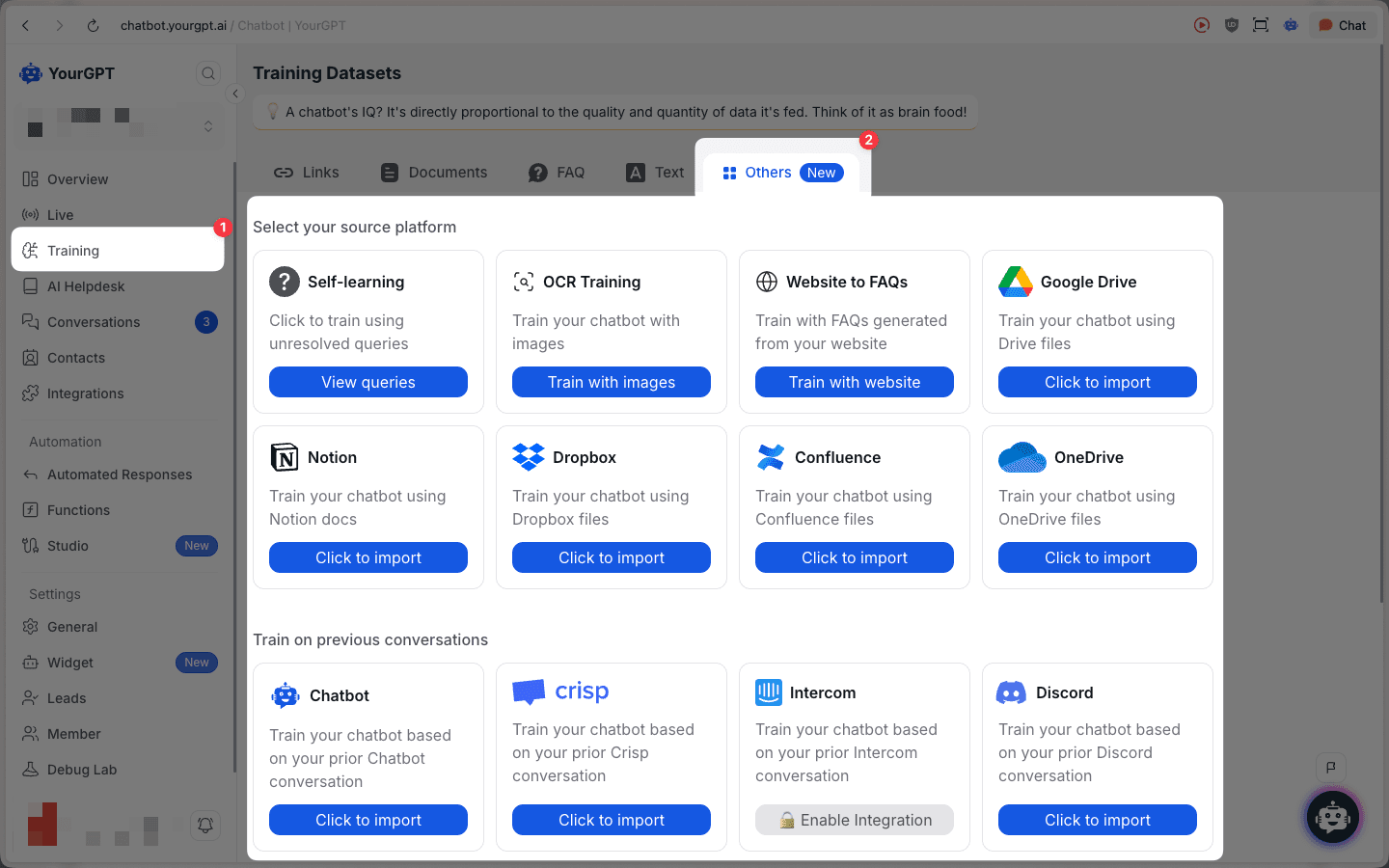
Available Sources
Self-learning
Train using unresolved user queries (review queries before training).
OCR Training
Train your chatbot using images (extracts text via OCR).
Website to FAQs
Generate FAQs from your website and use them for training.
Google Drive
Import files directly from your cloud storage.
OneDrive
Import files directly from your cloud storage.
Dropbox
Import files directly from your cloud storage.
Notion
Import docs from your Notion workspace.
Confluence
Import pages and spaces from your Confluence workspace.
Train on Previous Conversations
You can also train using historical conversations from connected channels:
Chatbot
Train from prior chatbot conversations.
Crisp
Train your chatbot based on your prior Crisp conversation.
Intercom
Train your chatbot based on your prior Intercom conversation.
Discord
Train your chatbot based on your prior Discord conversation.
Slack
Train your chatbot based on your prior Slack conversation (may require enabling the integration).
Zendesk
Train your chatbot based on your prior Zendesk tickets.
Freshdesk
Train your chatbot based on your prior Freshdesk tickets.
Zoho
Train your chatbot based on your prior Zoho tickets.
Gmail
Train your chatbot based on your Gmail emails.
Outlook
Train your chatbot based on your Outlook emails.