Documents
Train your AI chatbot using document files like DOC, CSV, PDF, PPT and more
Quick Start
Train your bot easily by adding documents like DOC, CSV, PDF, PPT and more.
Go to the Training section in YourGPT Dashboard
Click Add New
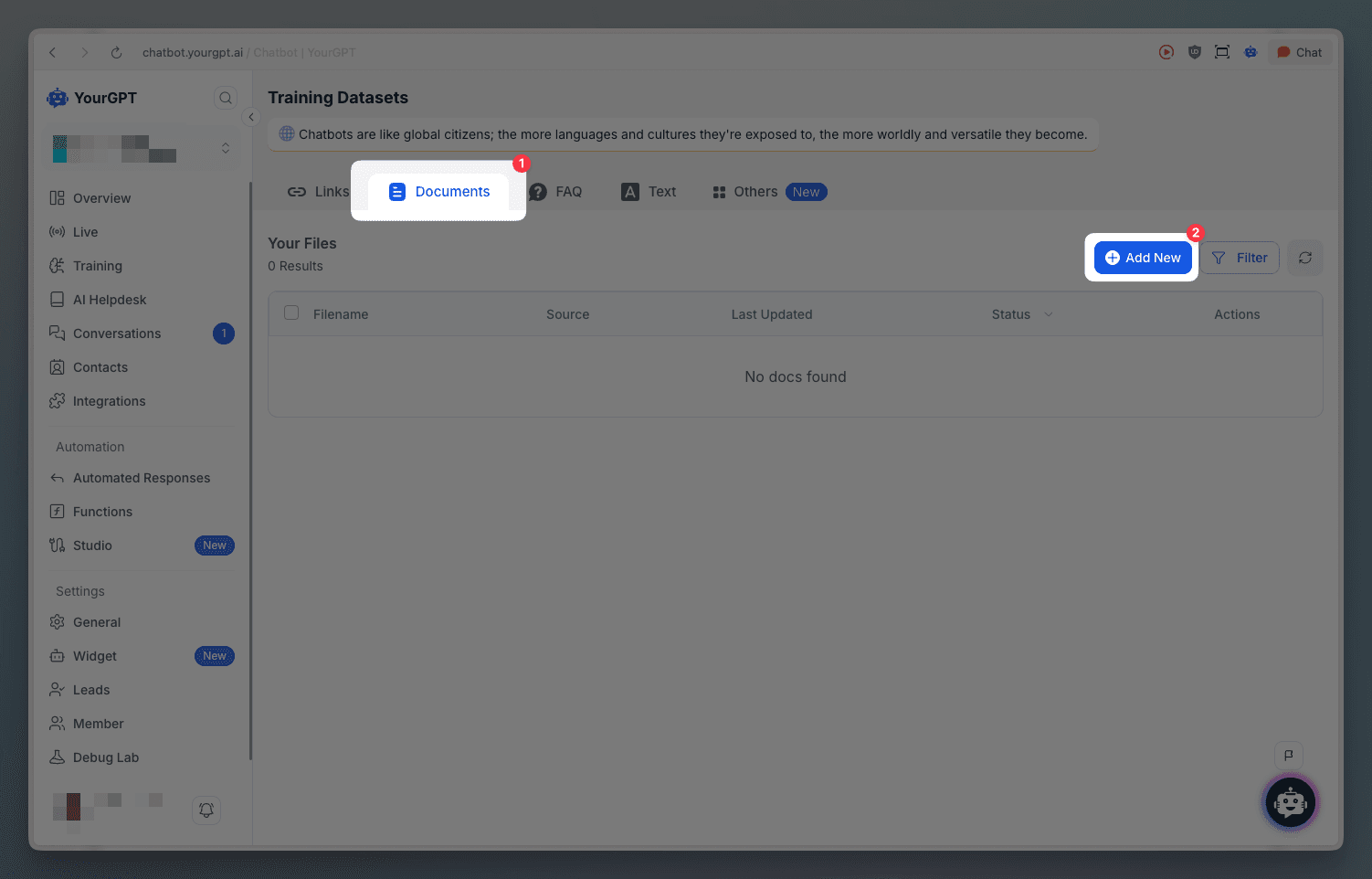
A window will pop up to add your documents
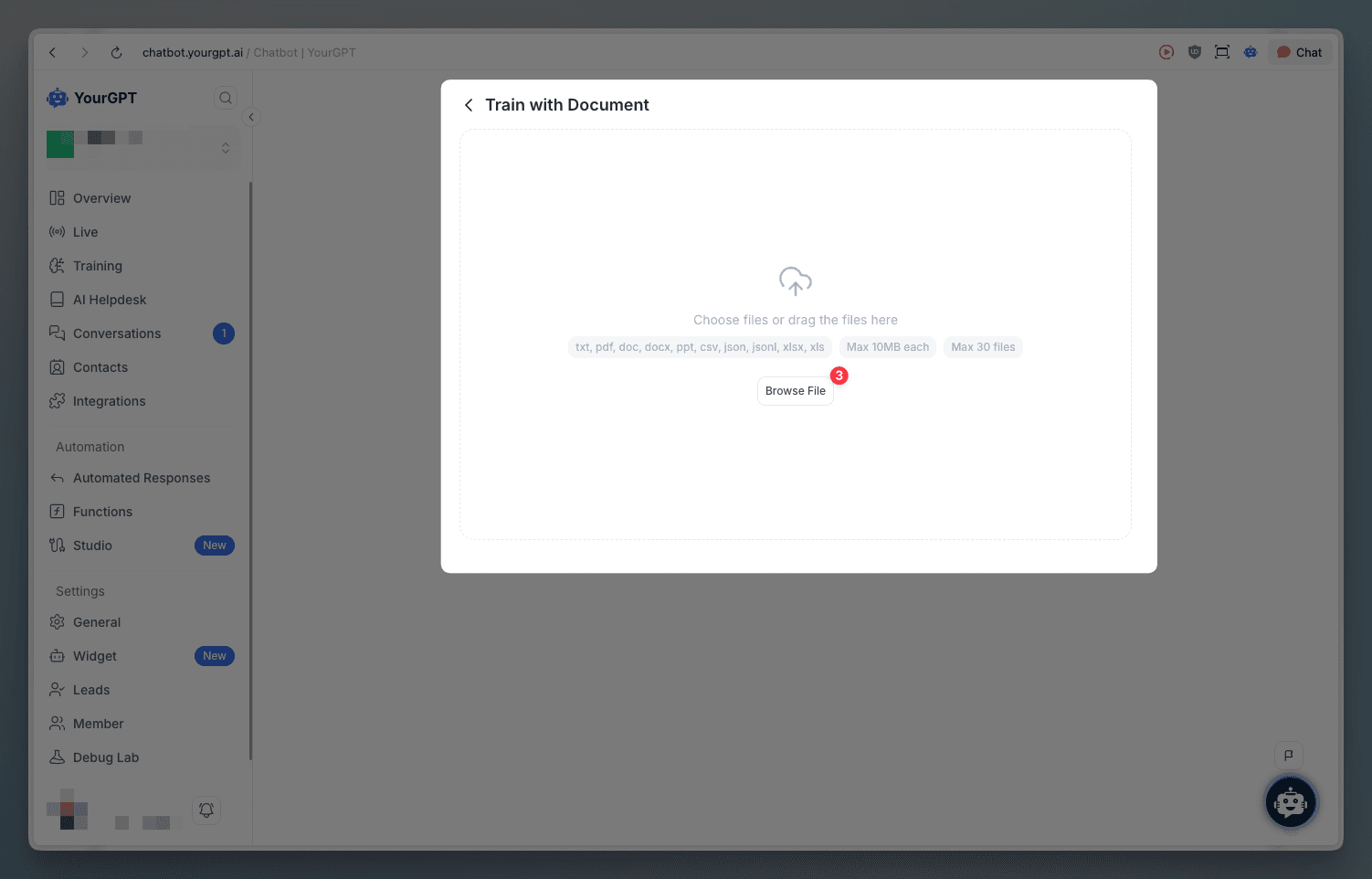
Add your document and start training
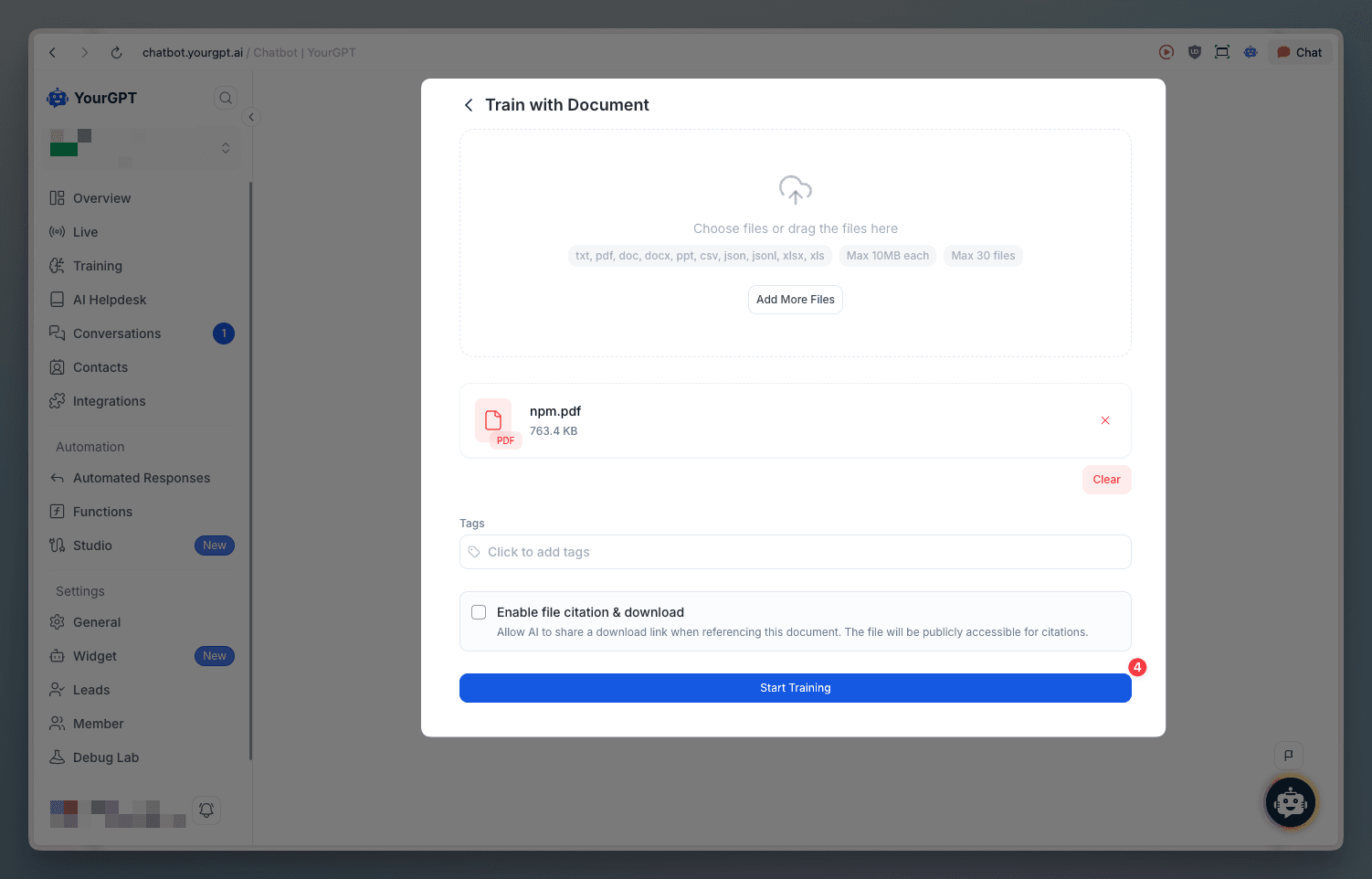
Check Training Source
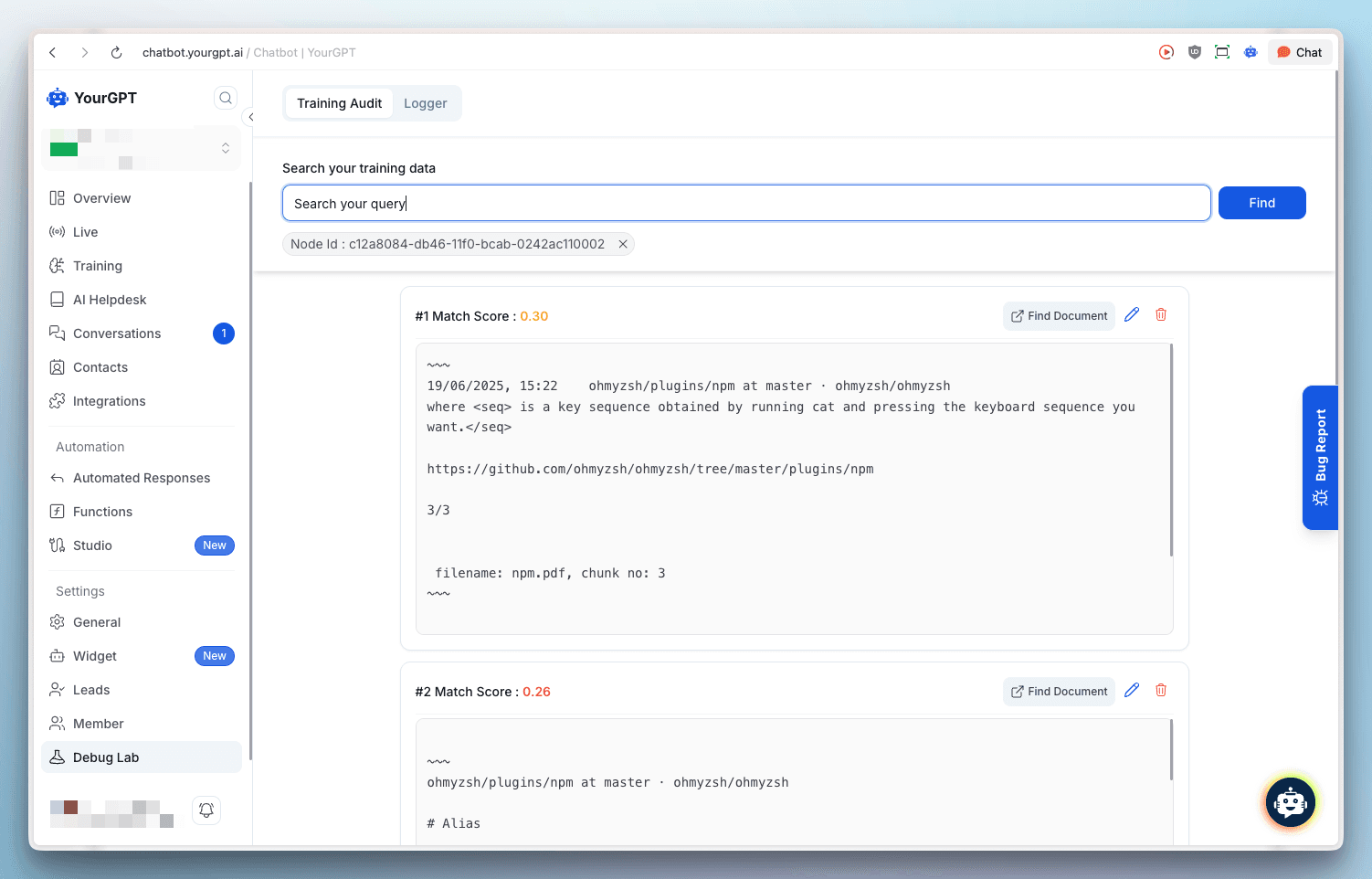
To see how your chatbot is being trained from a document, follow these steps:
Click on the document search icon
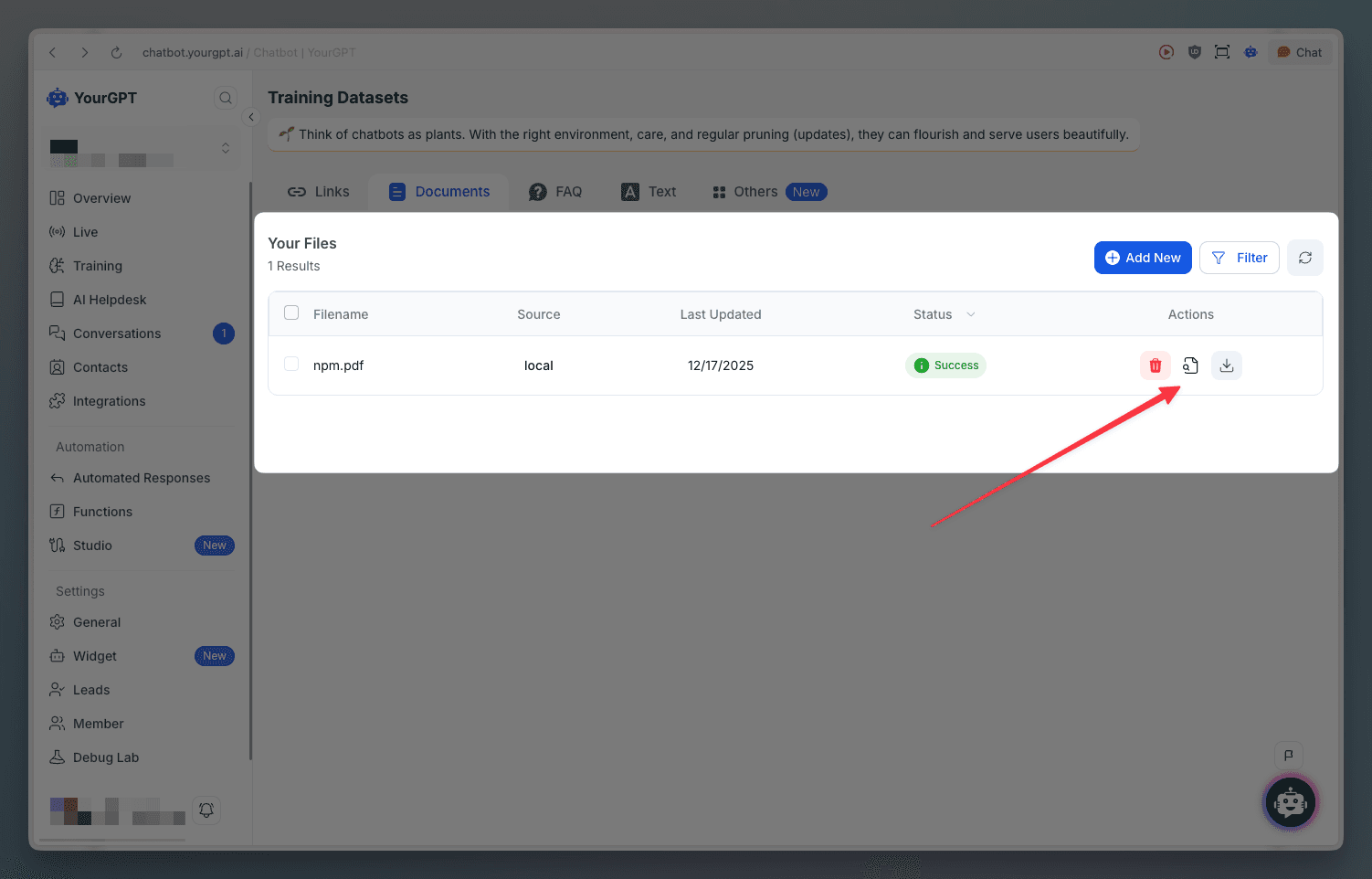
You will be redirected to debug lab where you can see the document source
Learn More
For more information on searching, making changes, and removing chunks from trained documents, check out the Training View Source documentation.
Delete Document
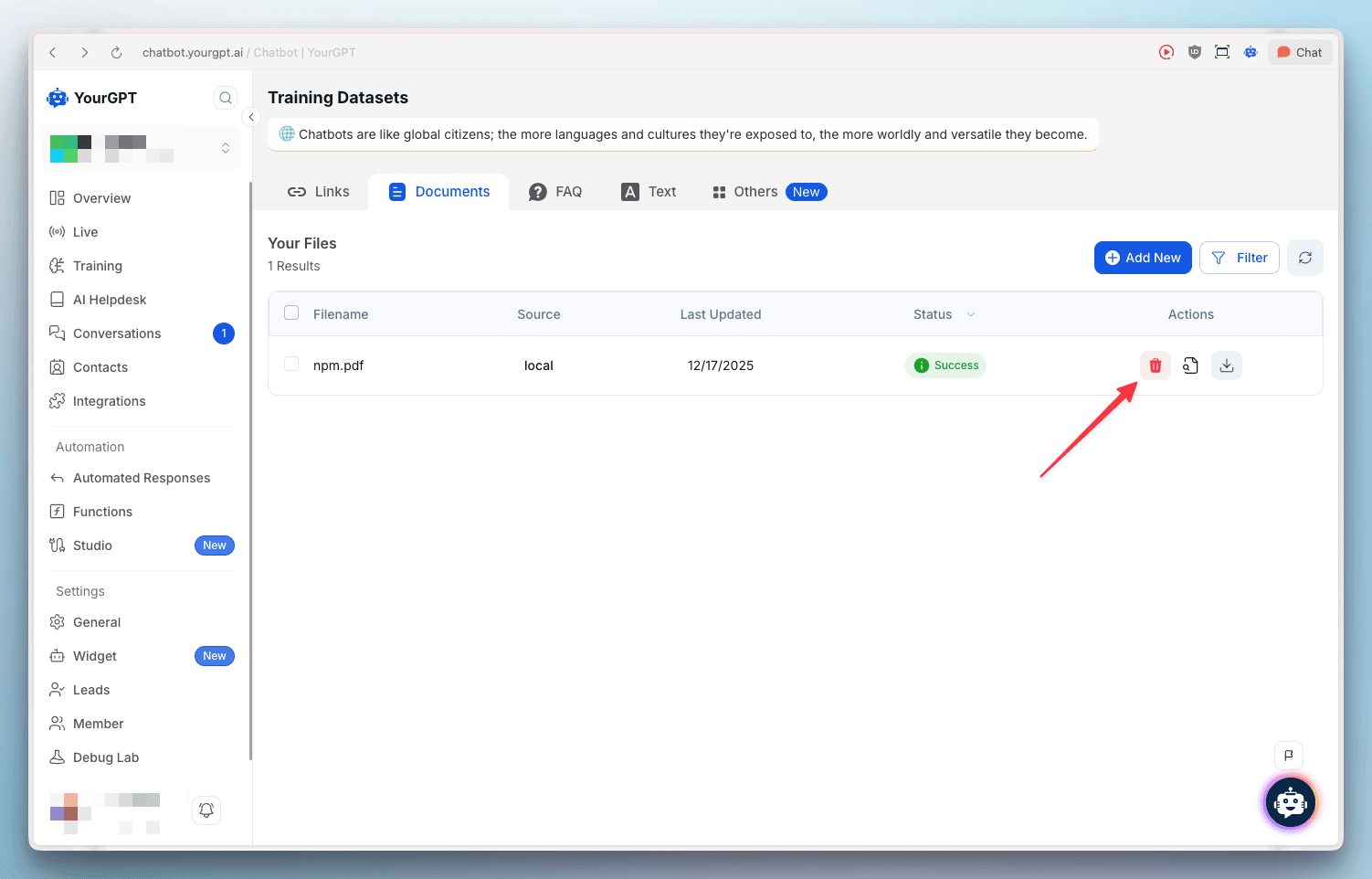
To remove a document from your training data:
Click on the remove document icon
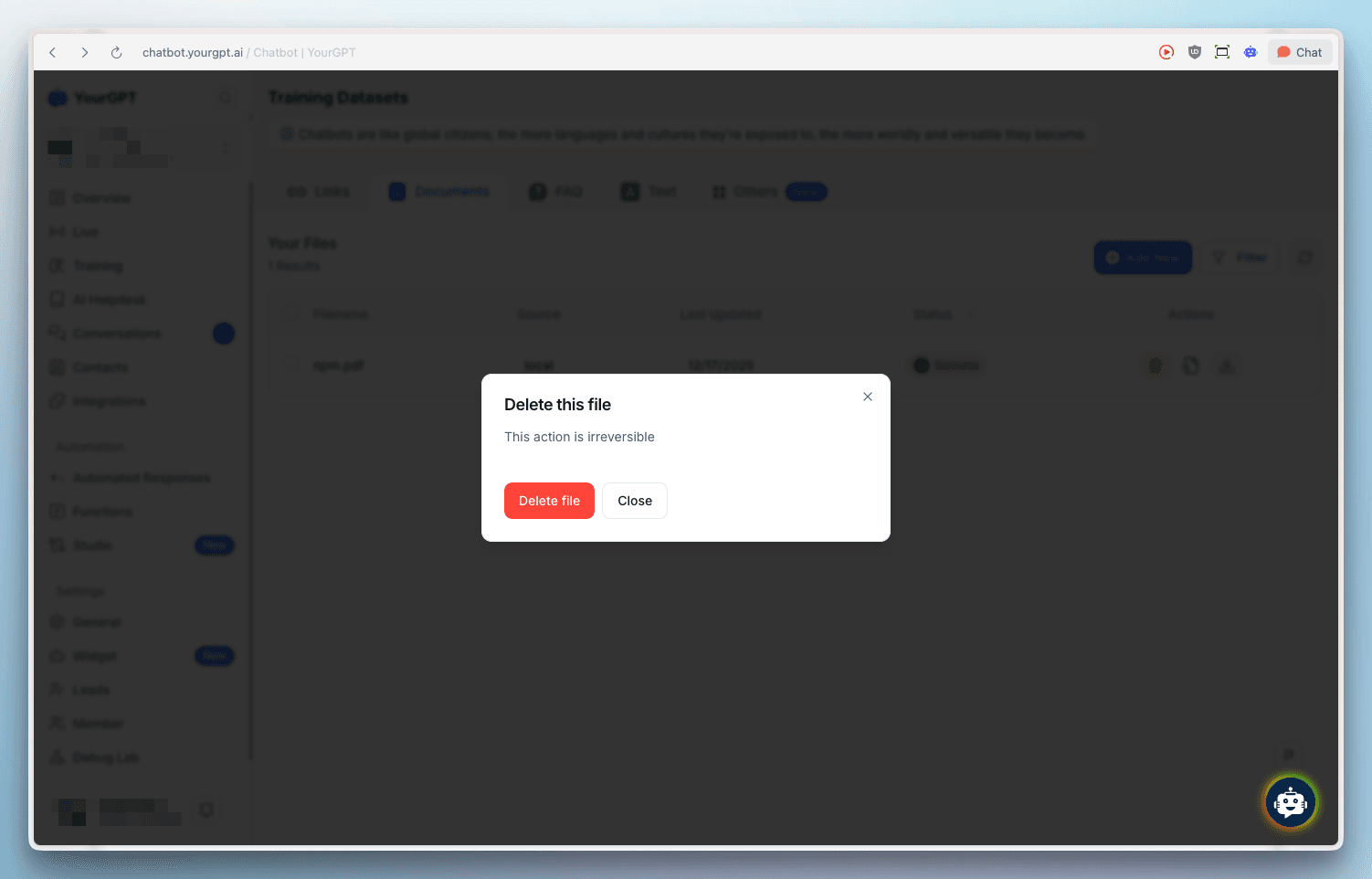
Confirm the deletion
Learn More
For detailed step-by-step instructions, visit our help article on How to Train Chatbot using Documents Files.