Squarespace
Learn more to add YourGPT in your Squarespace
💡 Connecting Your Chatbot with Squarespace
Installation
Integrating YourGPT Chatbot with your Squarespace website. Follow these simple steps:
Sign in to Squarespace
Log in to your Squarespace account.
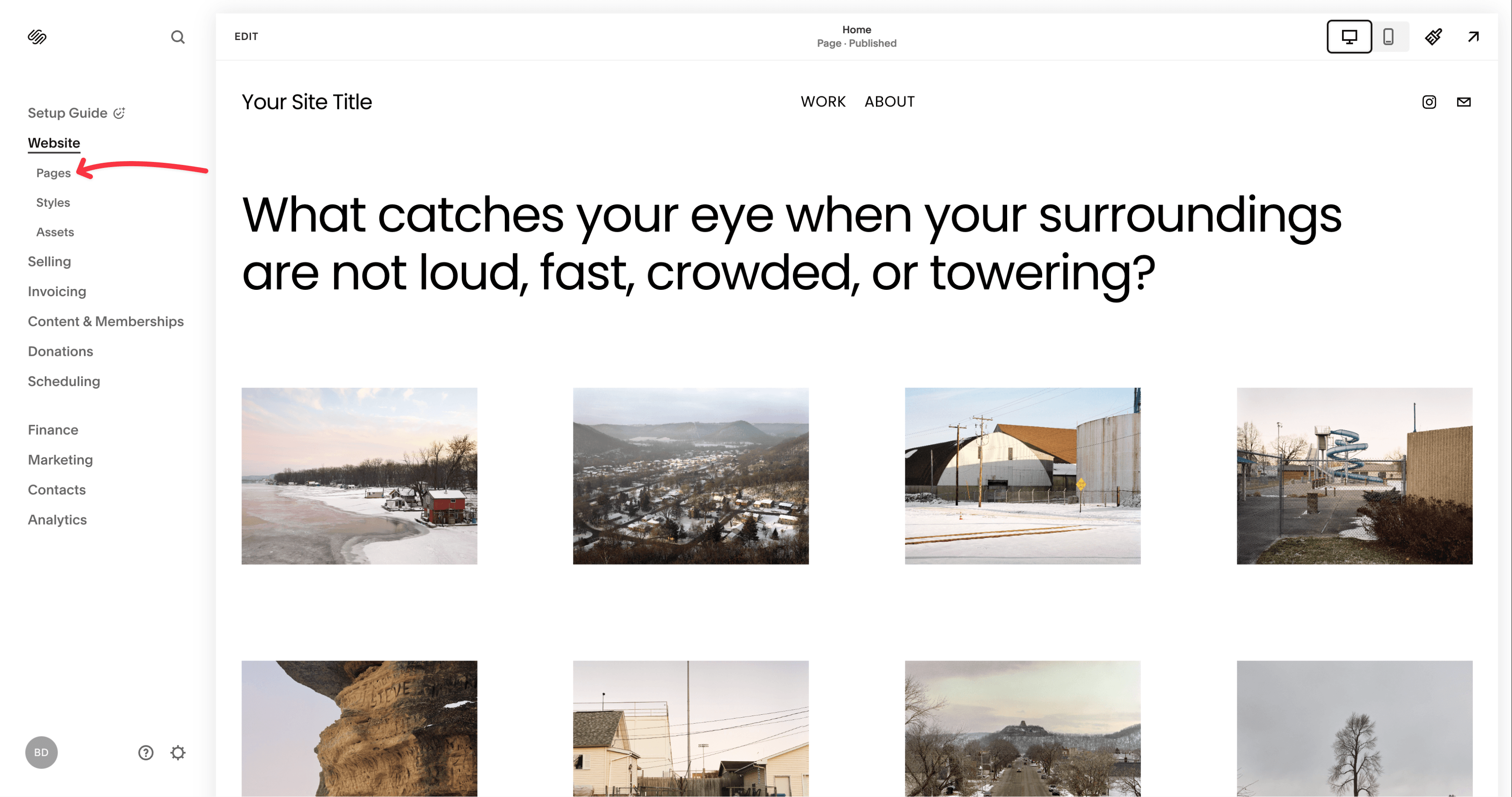
Edit Footer
Scroll down until you see the EDIT FOOTER button, click on it. Now click on the ADD BLOCK button in the left-hand corner.
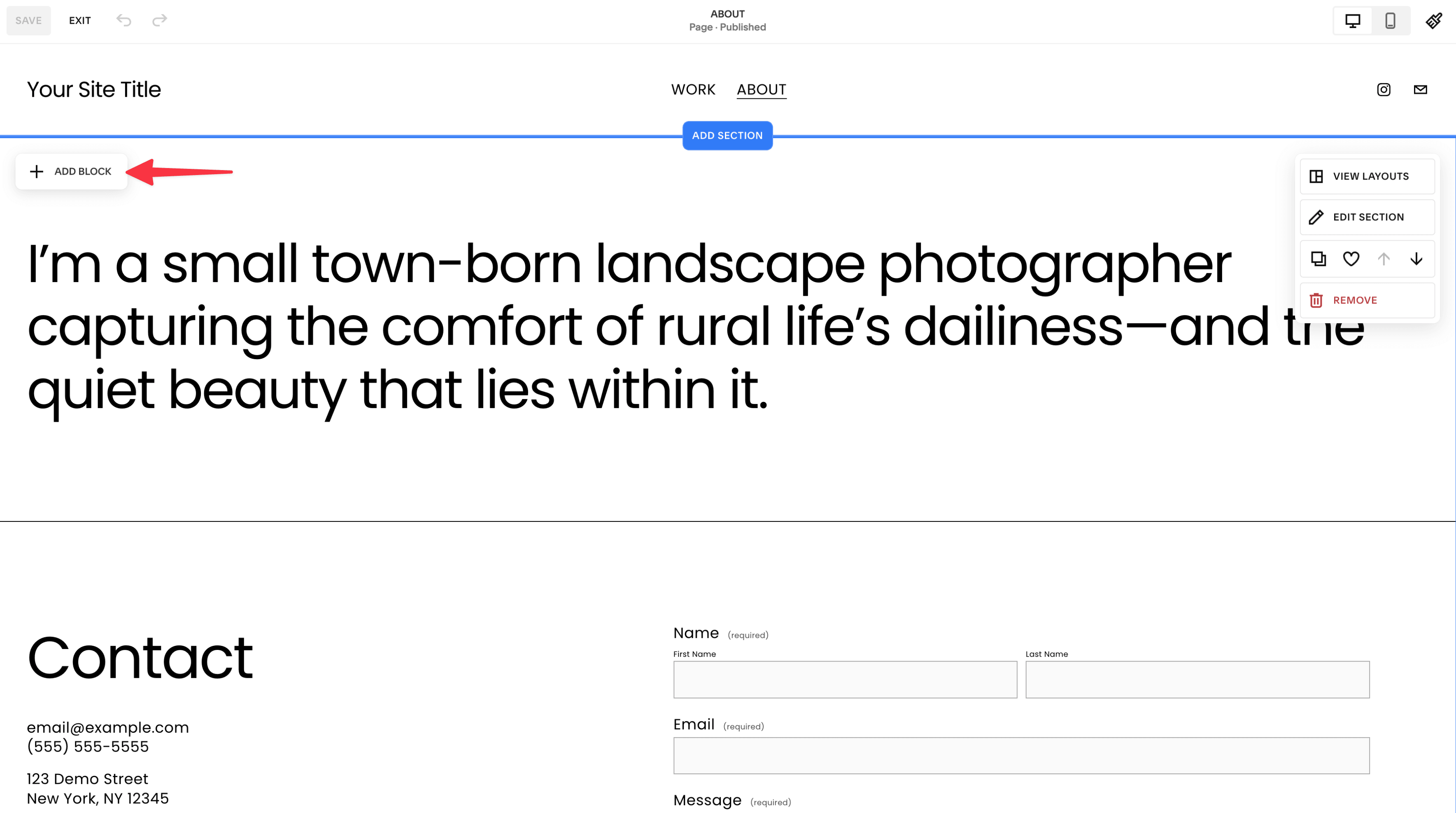
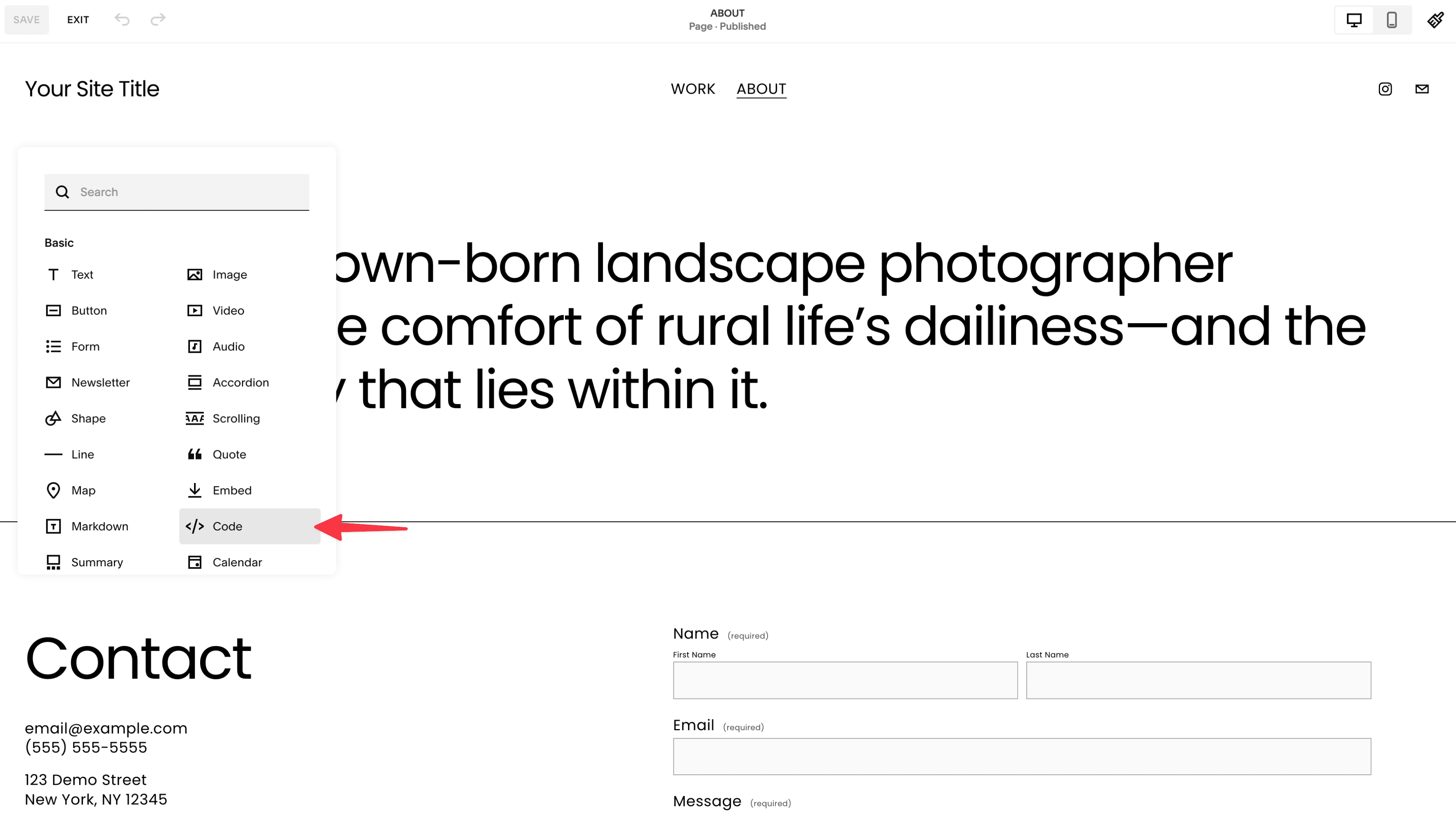
YourGPT Chatbot Integration
Visit the YourGPT Chatbot integration page.
Copy the provided code snippet from the Scripts section.
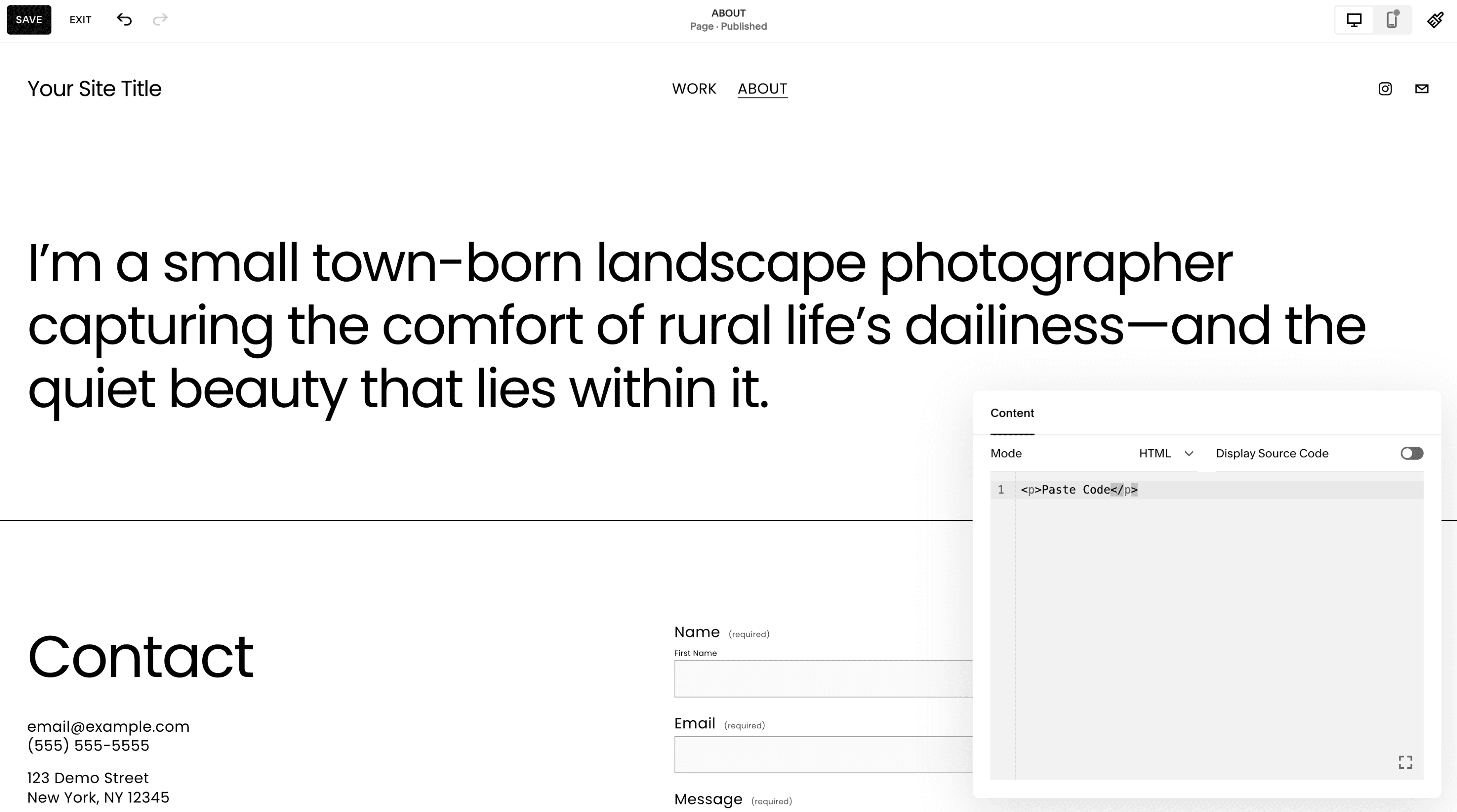
Paste the Code
Paste the chatbot widget Script code into the Block.
Save Changes
Save your changes and then select DONE.
The ChatBot's chat widget should now appear on your website.
Troubleshooting
Need Help?
For any further inquiries or technical support regarding GPT Chatbot integration with Squarespace, feel free to contact us at Mail YourGPT Support or Chatbot Live Support.