PrestaShop
Learn more to install YourGPT in your PrestaShop store for enhanced customer support and engagement
💡 Connecting Your Chatbot with PrestaShop
Enhance your PrestaShop store with an intelligent AI chatbot! This guide covers every aspect of adding YourGPT to your PrestaShop store to answer customer questions, provide 24/7 assistance, and dramatically improve user engagement across your entire e-commerce website.
Step-by-Step Integration Guide
Integrating YourGPT with your PrestaShop store is a seamless process that enhances customer interaction and boosts conversions. Follow these simple steps to get started:
Download the YourGPT PrestaShop Module
Download the latest YourGPT module (ZIP file) from the github repo.
Log in to Your PrestaShop Admin
Go to your PrestaShop Admin Panel.
In the left menu, navigate to Modules → Module Manager.
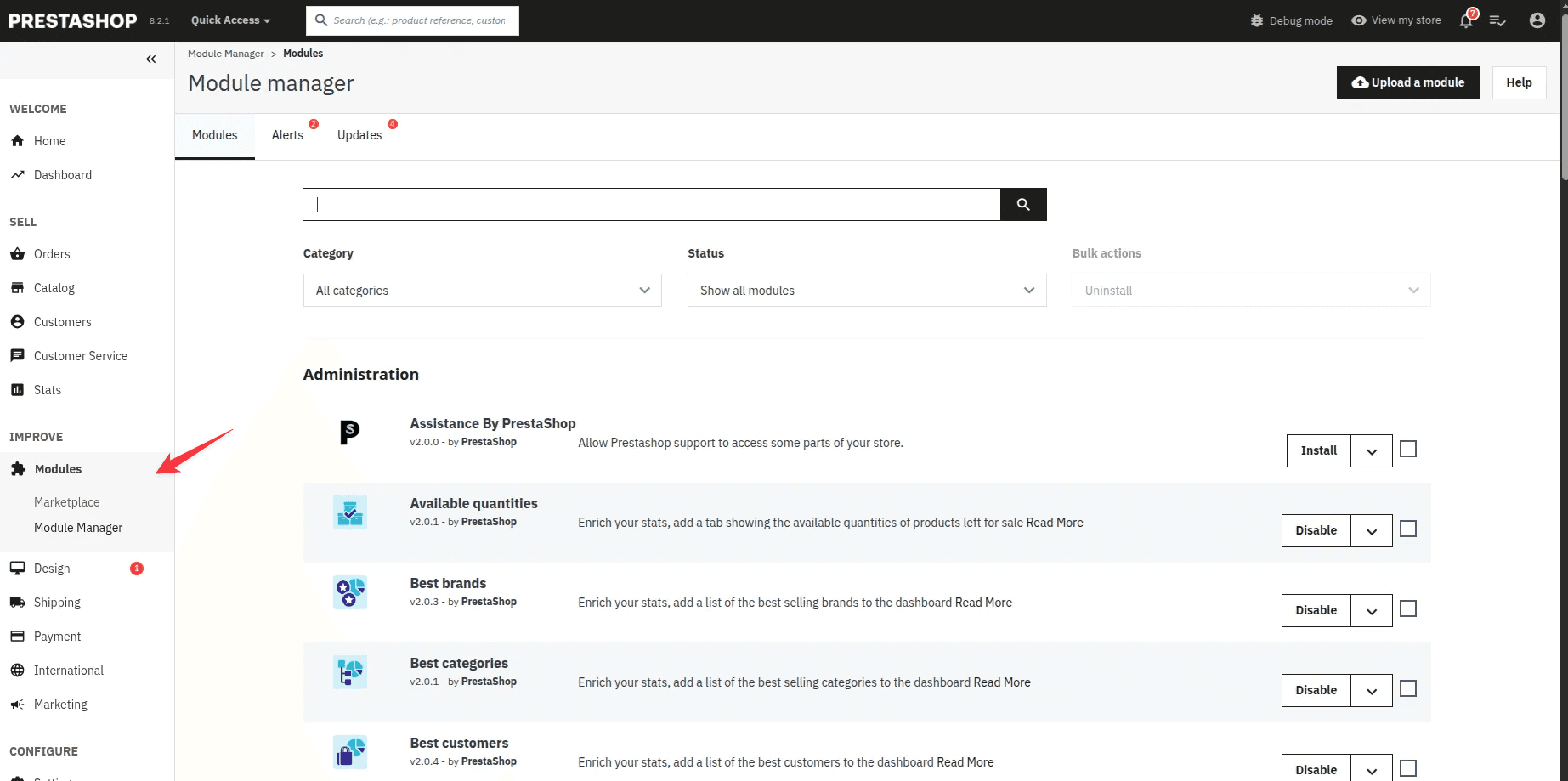
Upload the YourGPT Module
Click the Upload a Module button (top-right).
Upload the yourgptchatbot.zip file you downloaded earlier.
Wait for the module to install.
Once installed, click Configure.
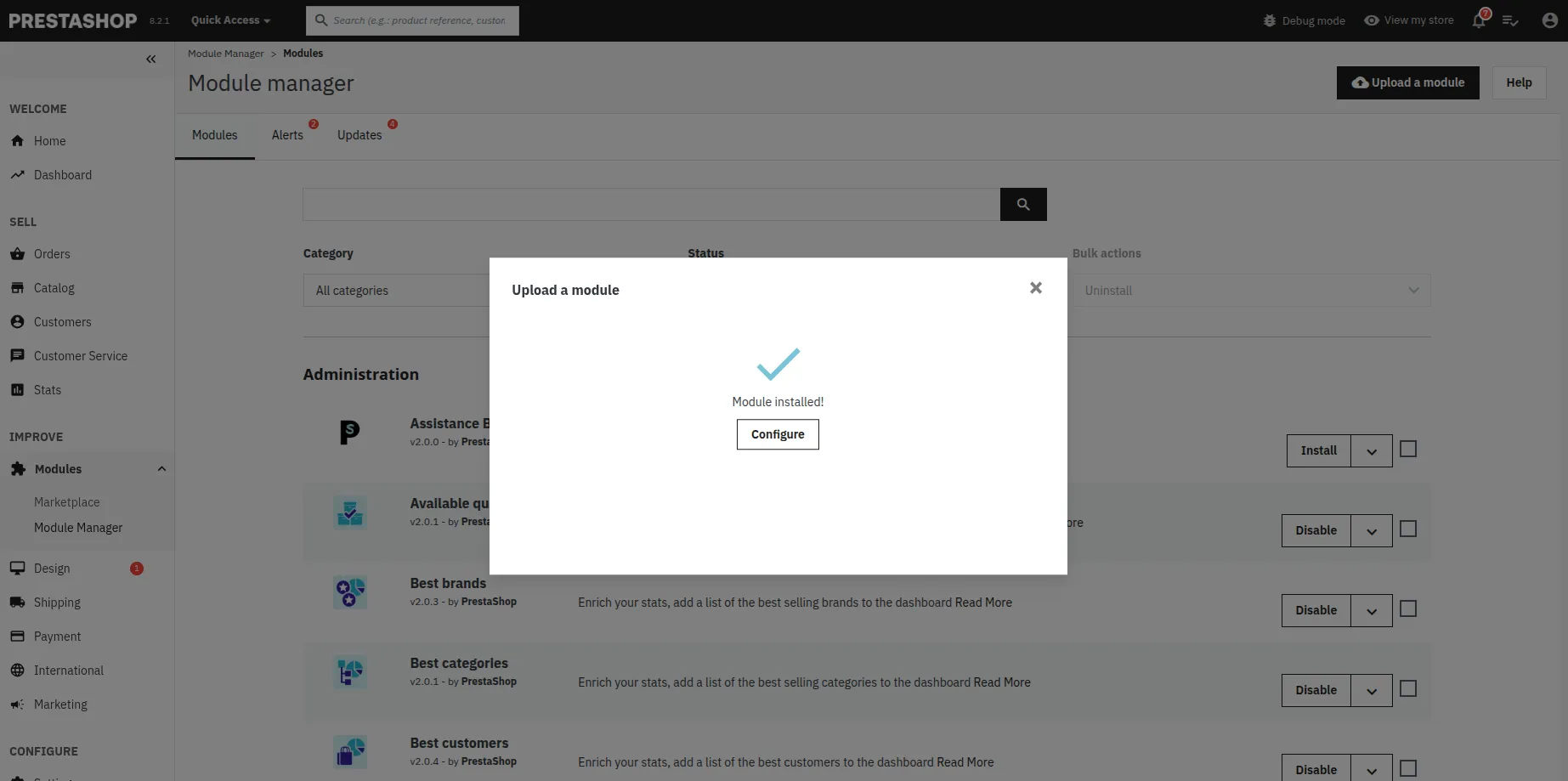
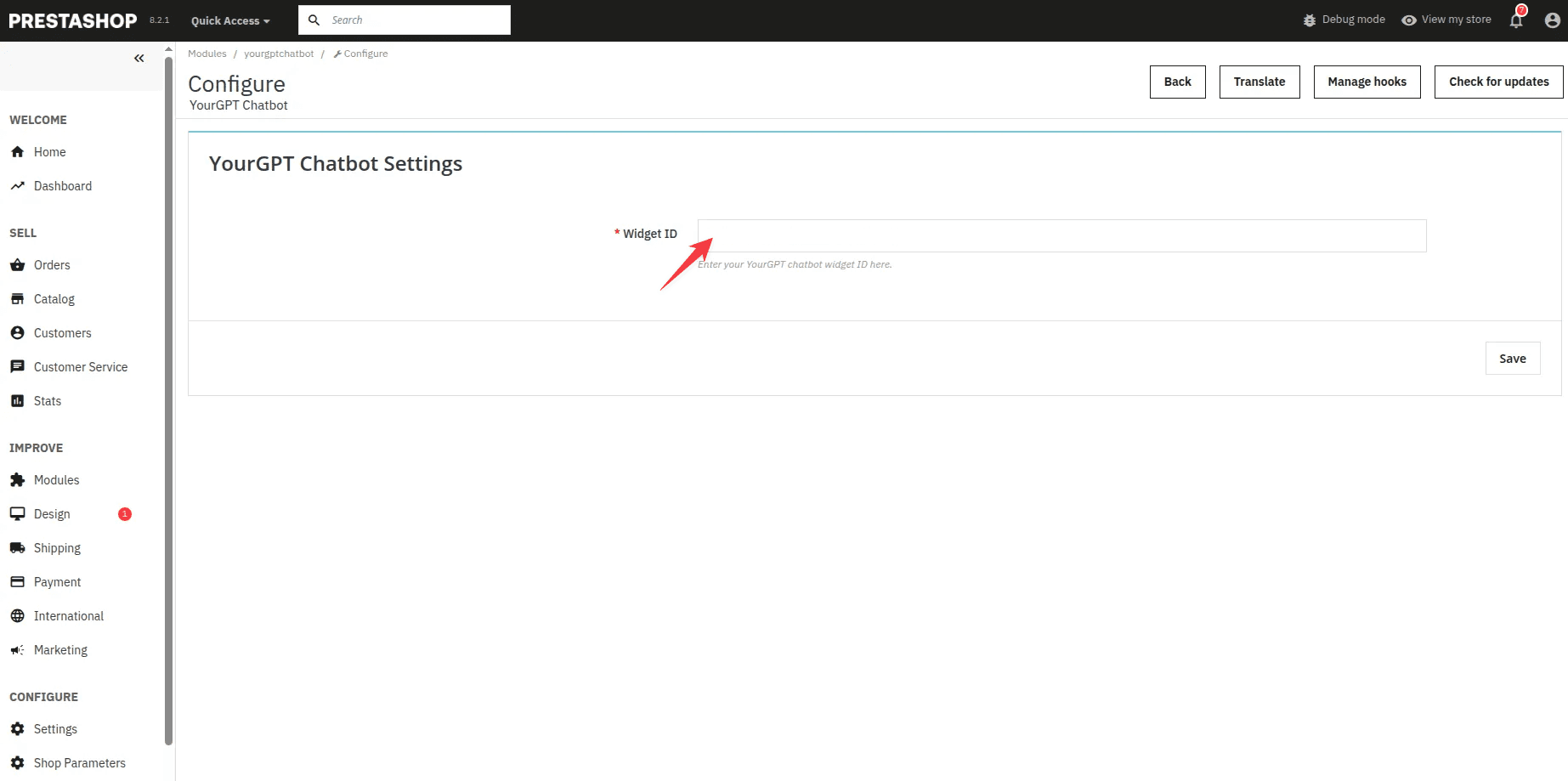
Add Your Widget UID
Head to your YourGPT Dashboard and copy your Widget UID.
Paste the Widget UID into the input field inside the YourGPT module settings.
Click Save.
That's it!
The YourGPT chatbot will now appear on your PrestaShop store.
Pro Tip
Test your chatbot on multiple devices (desktop, tablet, mobile) to ensure responsive behavior across all screen sizes.
How to Manage or Update the YourGPT Module
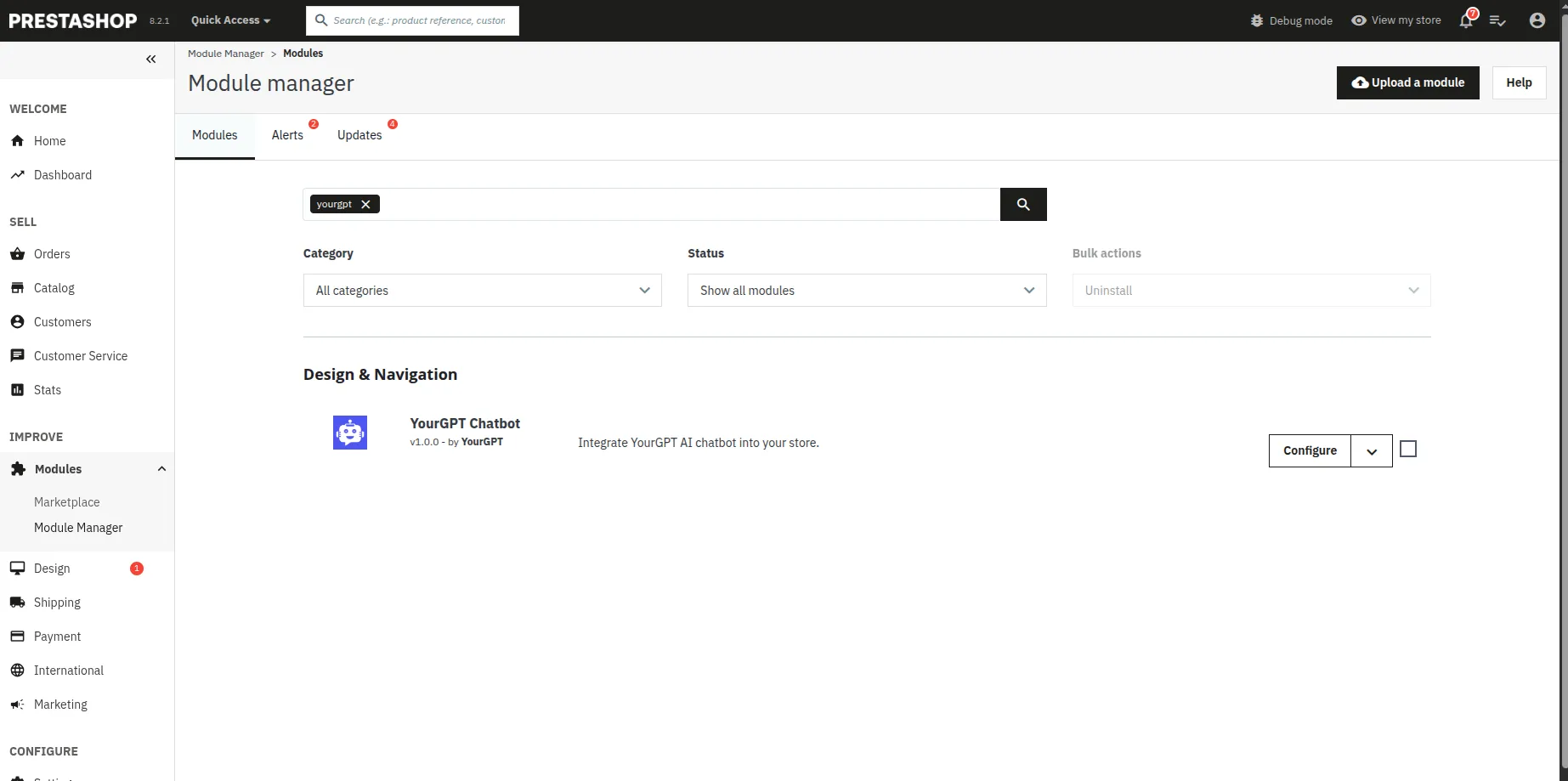
- Go to Modules → Module Manager
- Search for YourGPT
- From here, you can configure, disable, or uninstall the module anytime
Note
To update first uninstall the module and then install the new version.
Troubleshooting
If you encounter issues with your YourGPT chatbot on PrestaShop, try these troubleshooting steps:
Chatbot Not Appearing
- Clear your browser cache and reload the page
- Verify the module is enabled in Module Manager
- Check that your Widget UID is correctly entered
- Ensure your PrestaShop theme is compatible with the module
- Temporarily disable other chat or popup modules that might conflict
Performance Issues
- Optimize your chatbot's knowledge base size
- Check your PrestaShop store's overall performance
- Consider upgrading your hosting if your store experiences slowdowns
- Verify that your PrestaShop version is compatible with the YourGPT module
Need Help?
For further inquiries or technical support regarding YourGPT Chatbot integration with PrestaShop, feel free to contact us at Mail YourGPT Support or Chatbot Live Support.
Congratulations!
Your YourGPT AI Chatbot is now successfully integrated with your PrestaShop store, providing intelligent assistance to your customers 24/7 and enhancing their shopping experience.