Telegram
Connect YourGPT Chatbot to Telegram using BotFather and the YourGPT integration steps.
💡 Connecting Your Chatbot with Telegram
To create a chatbot for Telegram, you can use the BotFather platform. BotFather is the official bot creation platform provided by Telegram.
Open Telegram
Open Telegram and search for BotFather in the search bar.
Start a Chat
Start a chat with BotFather by clicking on the Start button.
Create a Bot
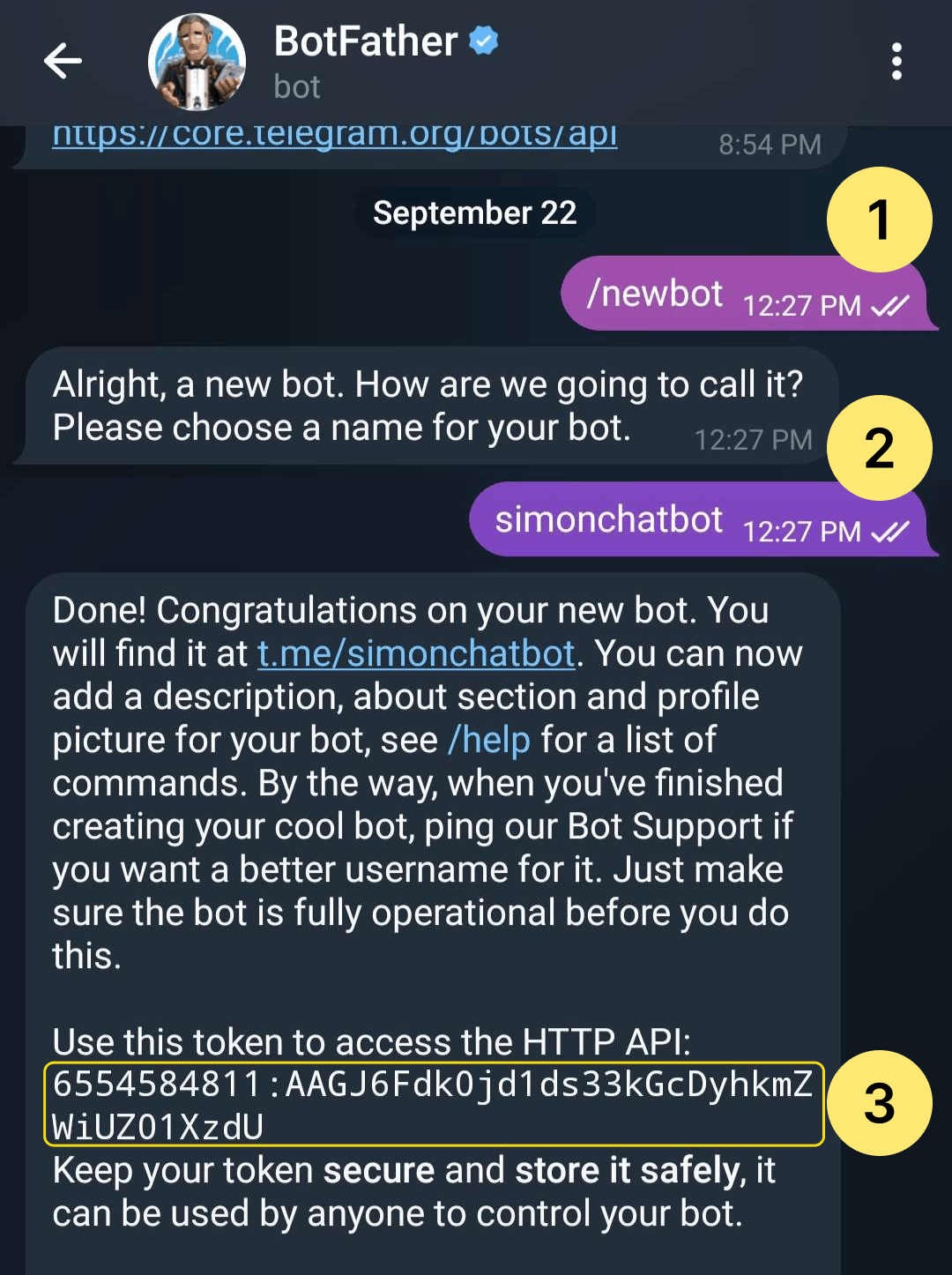
Follow the instructions provided by BotFather to create a new bot.
Get API Token
Once the bot is created, BotFather will provide you with an API token. Make sure to save this token as you will need it to interact with your bot.
Integrate with YourGPT AI Chatbot
Simply paste that token into the Bot Token field within YourGPT AI Chatbot's Telegram integration settings.
Integration Supported Types
The Integration ID for Telegram is 10 and the supported types are:
Supported Types
- Text
- Image (Note: This feature is specifically designed for integration with our platform and may not work as intended when connected with other platforms like Crisp and Intercom.)
- Video (Note: only supported when integrated with our platform.)
- Audio (Note: only supported when integrated with our platform.)
- File
- Button
- Carousel
- Card
Not Supported
Forms are not supported on Telegram.
By following these steps, you can integrate YourGPT AI chatbot with Telegram. For any questions, contact our team via Live support or Mail Us.