Line
Learn how to connect YourGPT AI to your Line app with this integration guide.
💡 Connecting Your Chatbot with Line
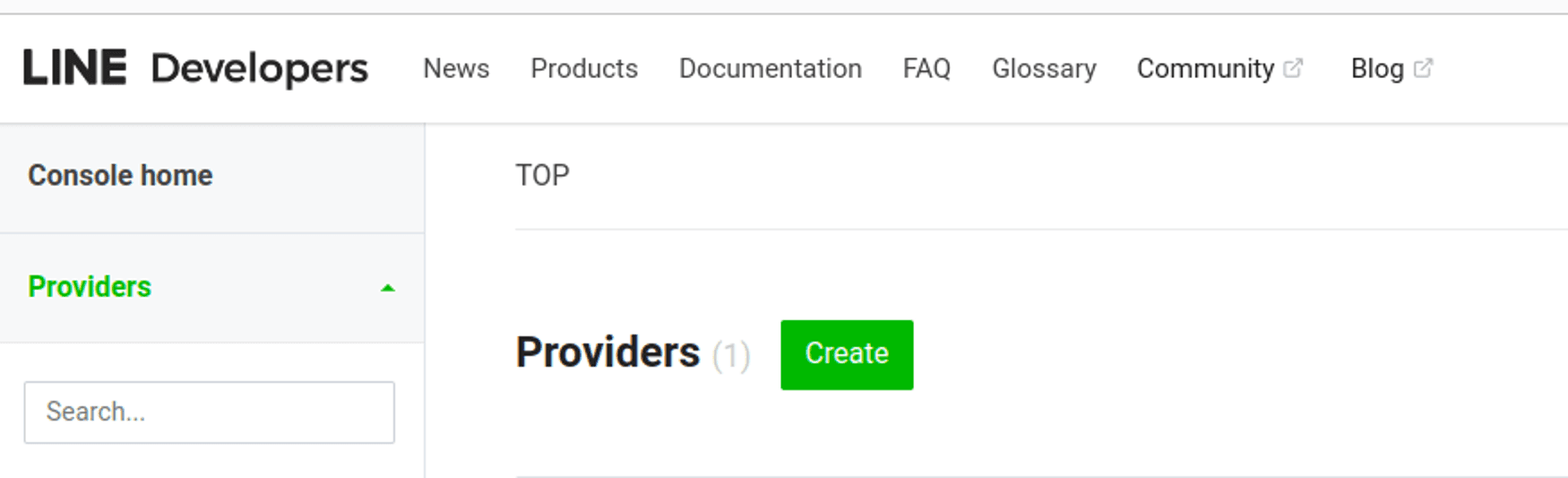
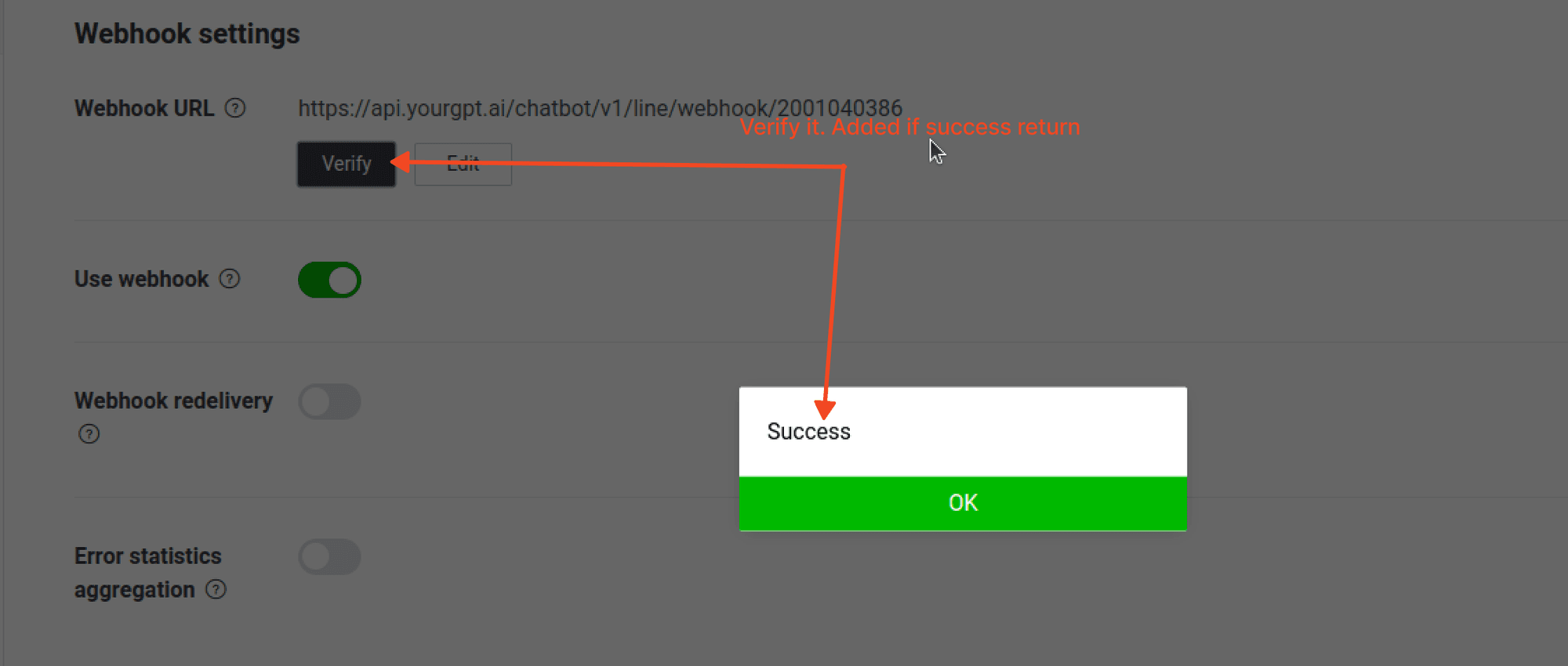
Sign Up on Line Console
Go to Line Developers and sign up if you have not done already.
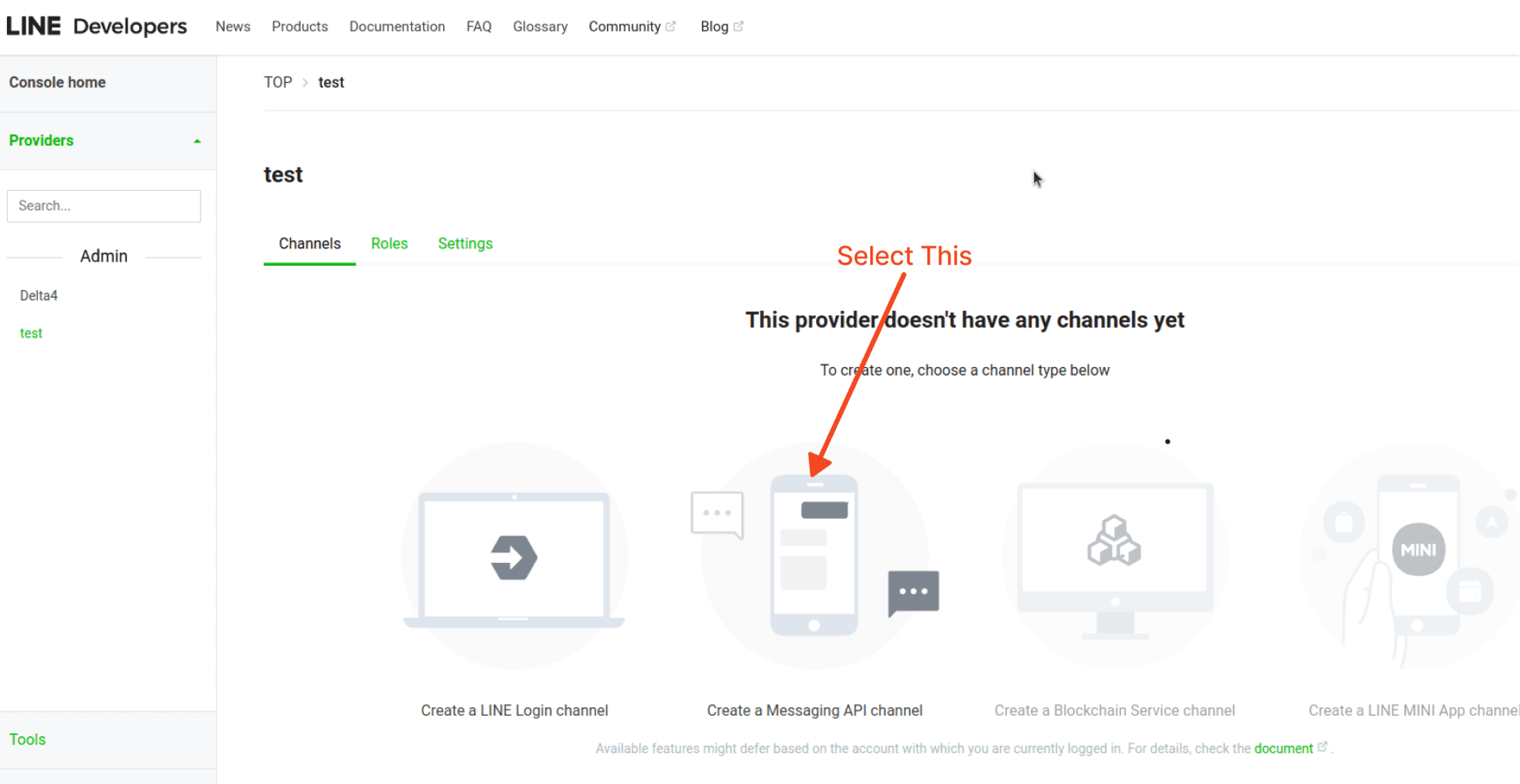
Create a Message API Channel
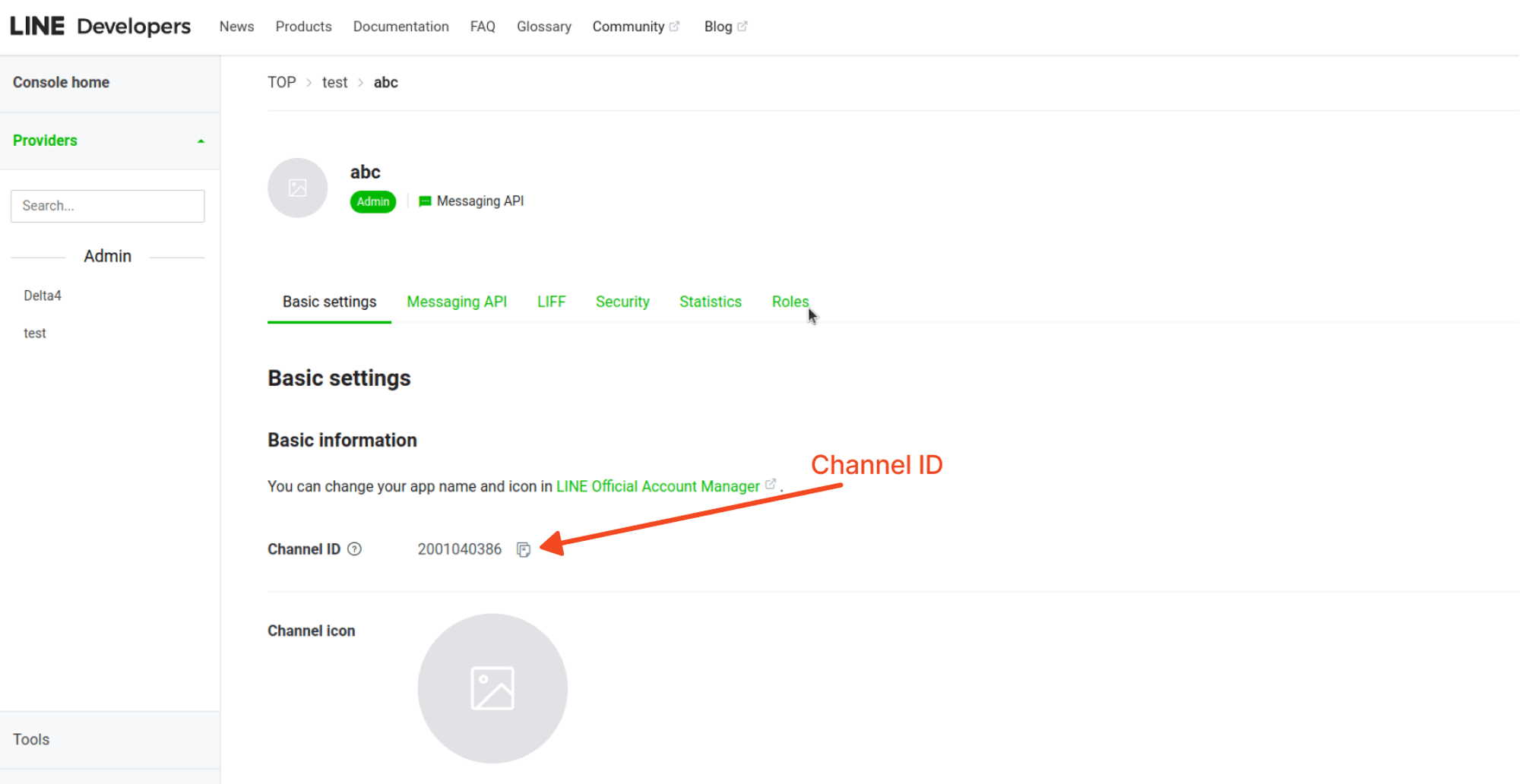
Create a Message API Channel.
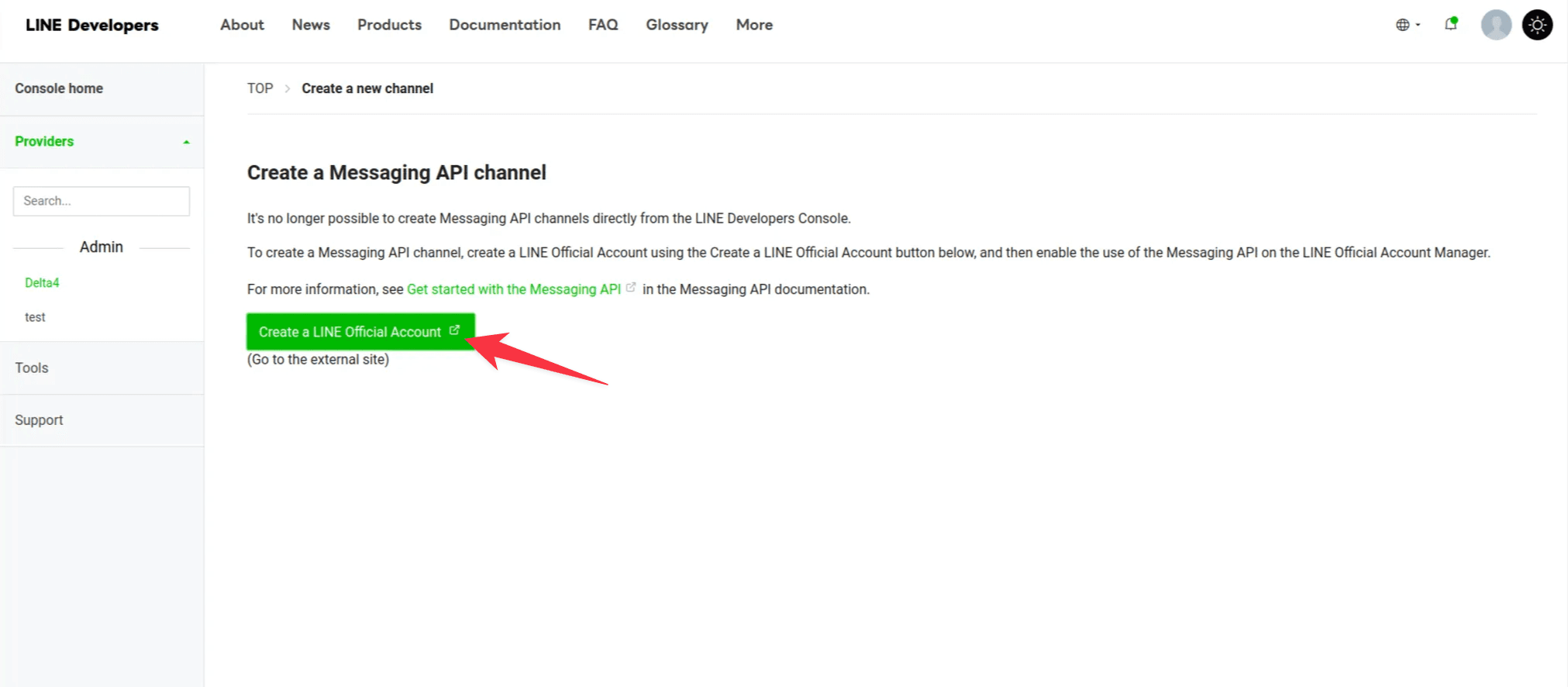
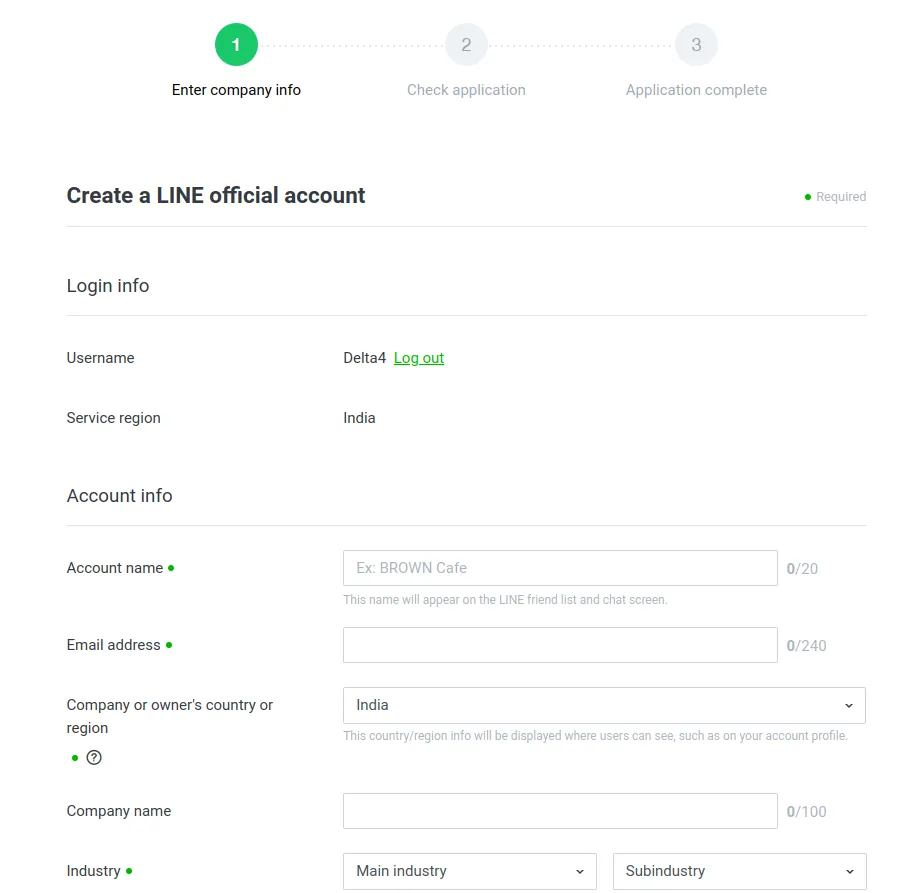
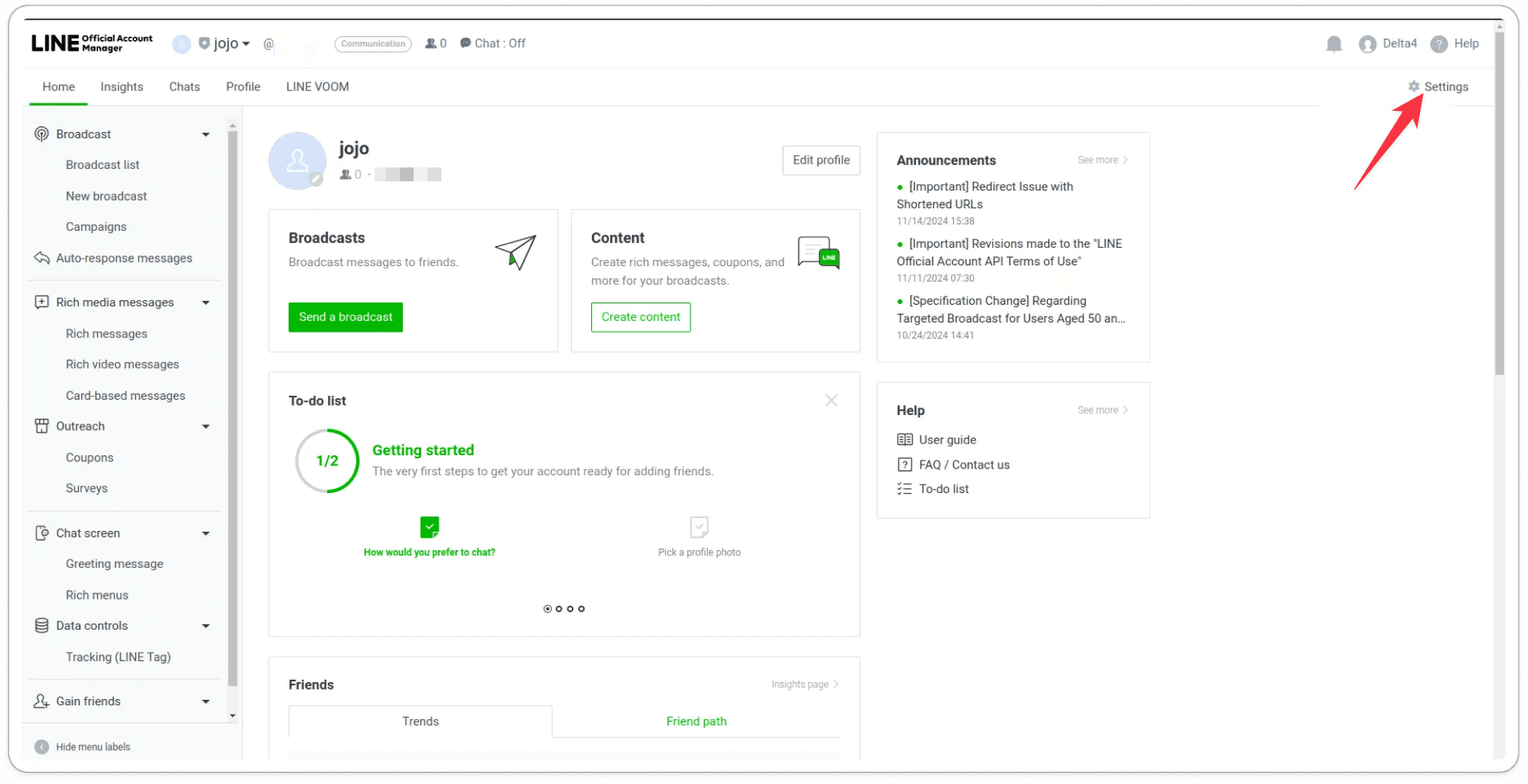
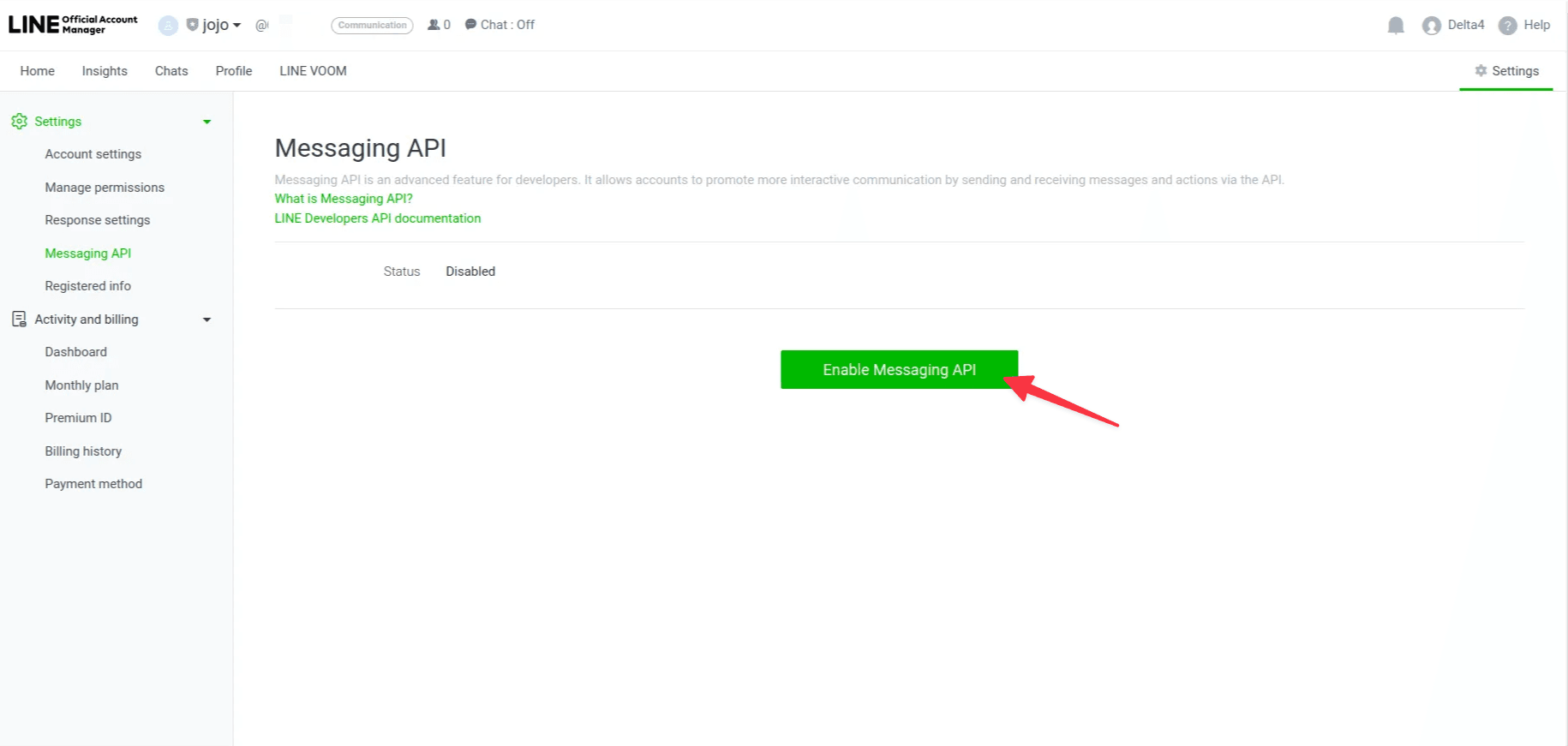
Enable the message API.
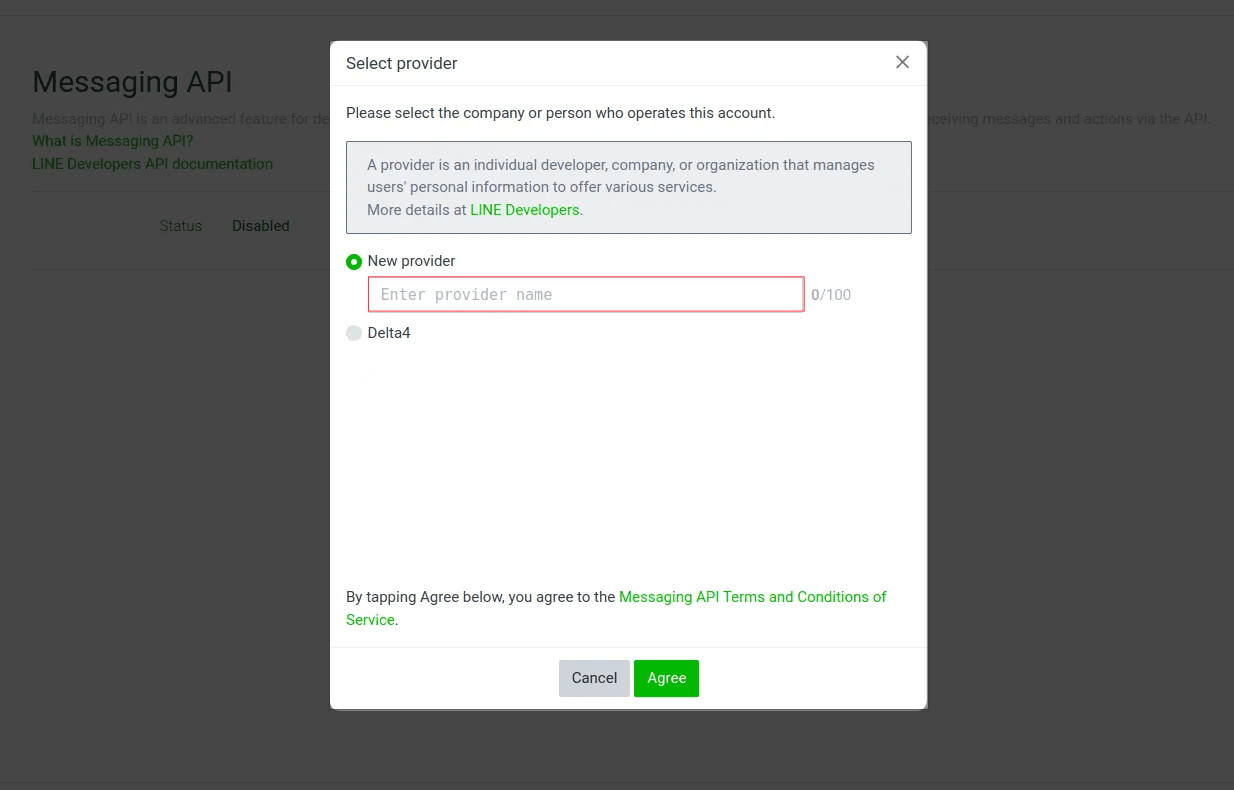
Choose or create a provider.
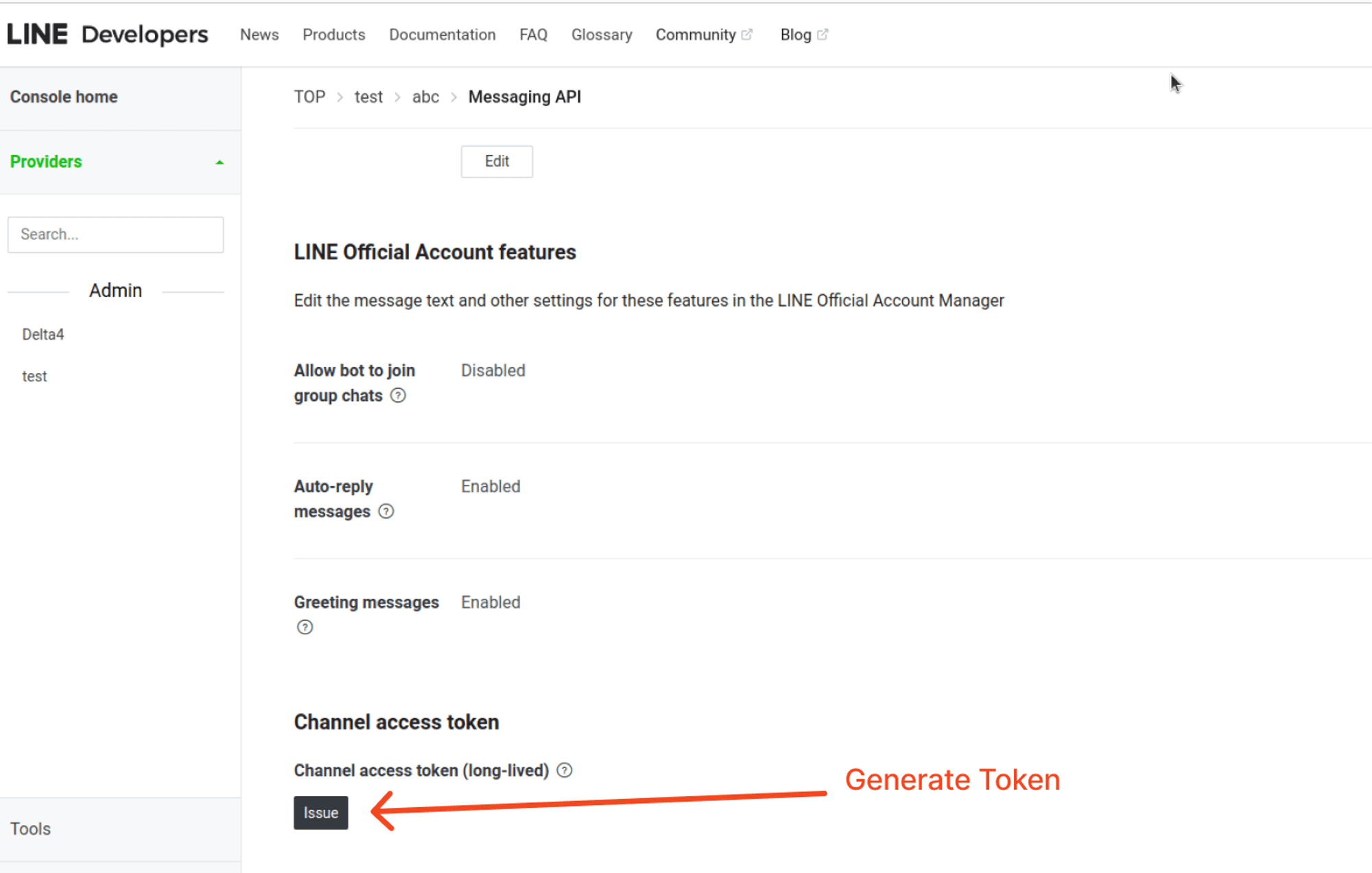
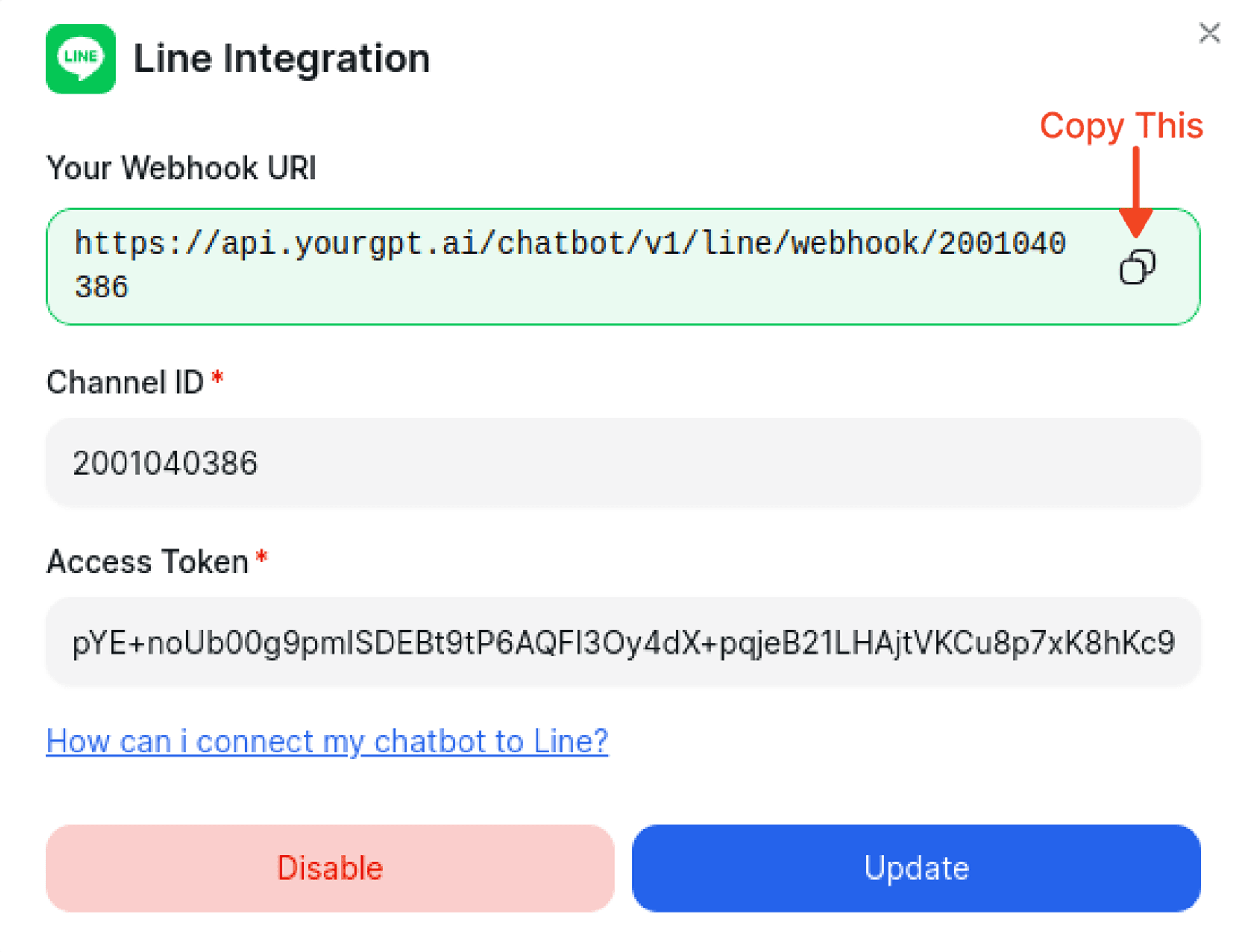
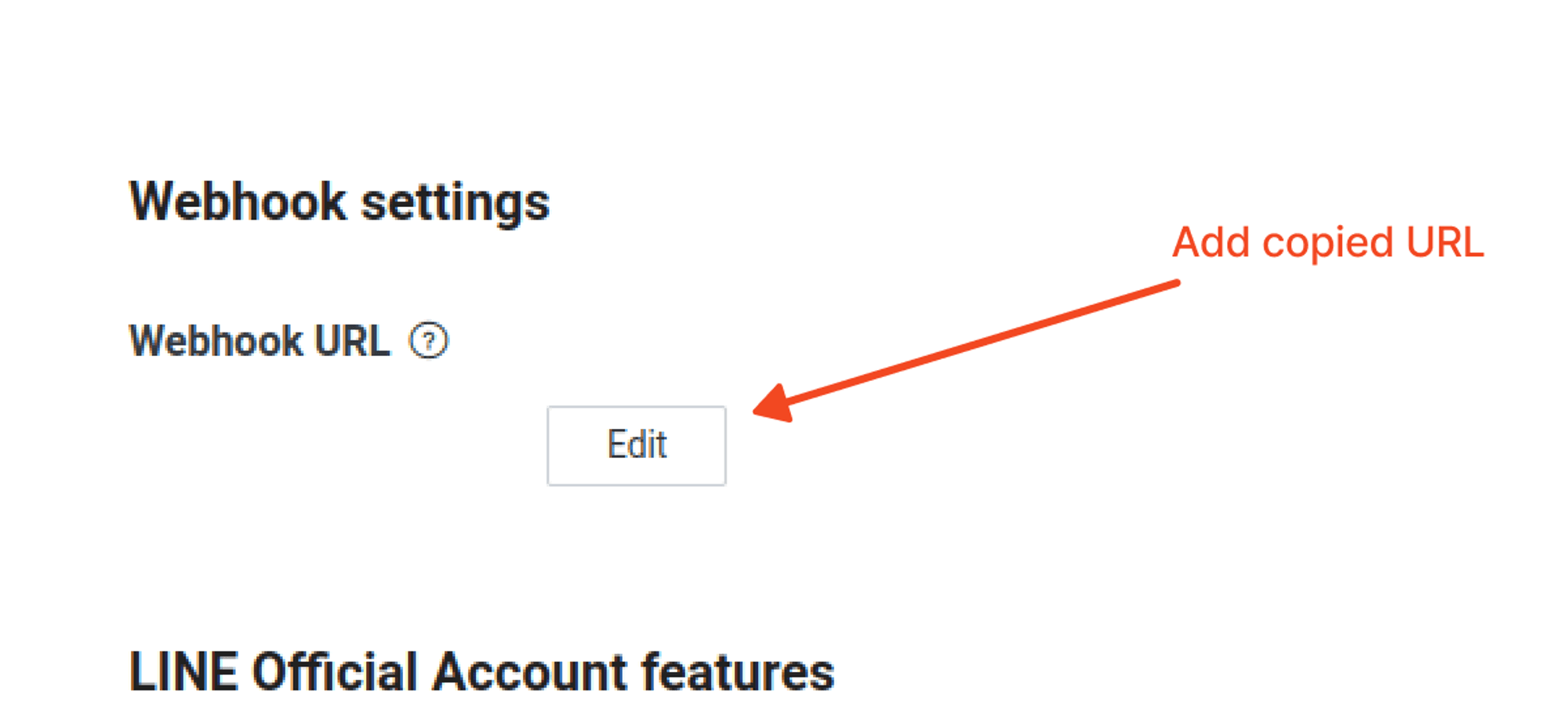
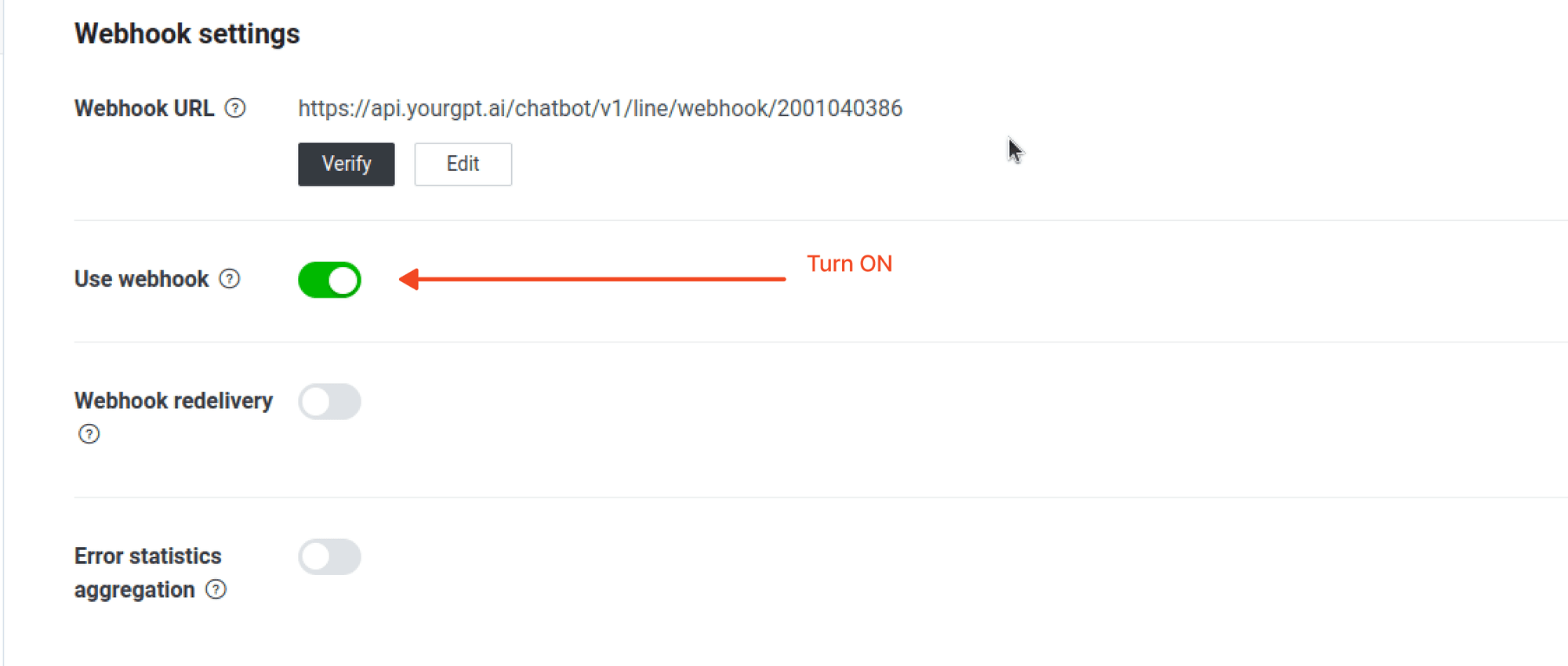
Test the Integration
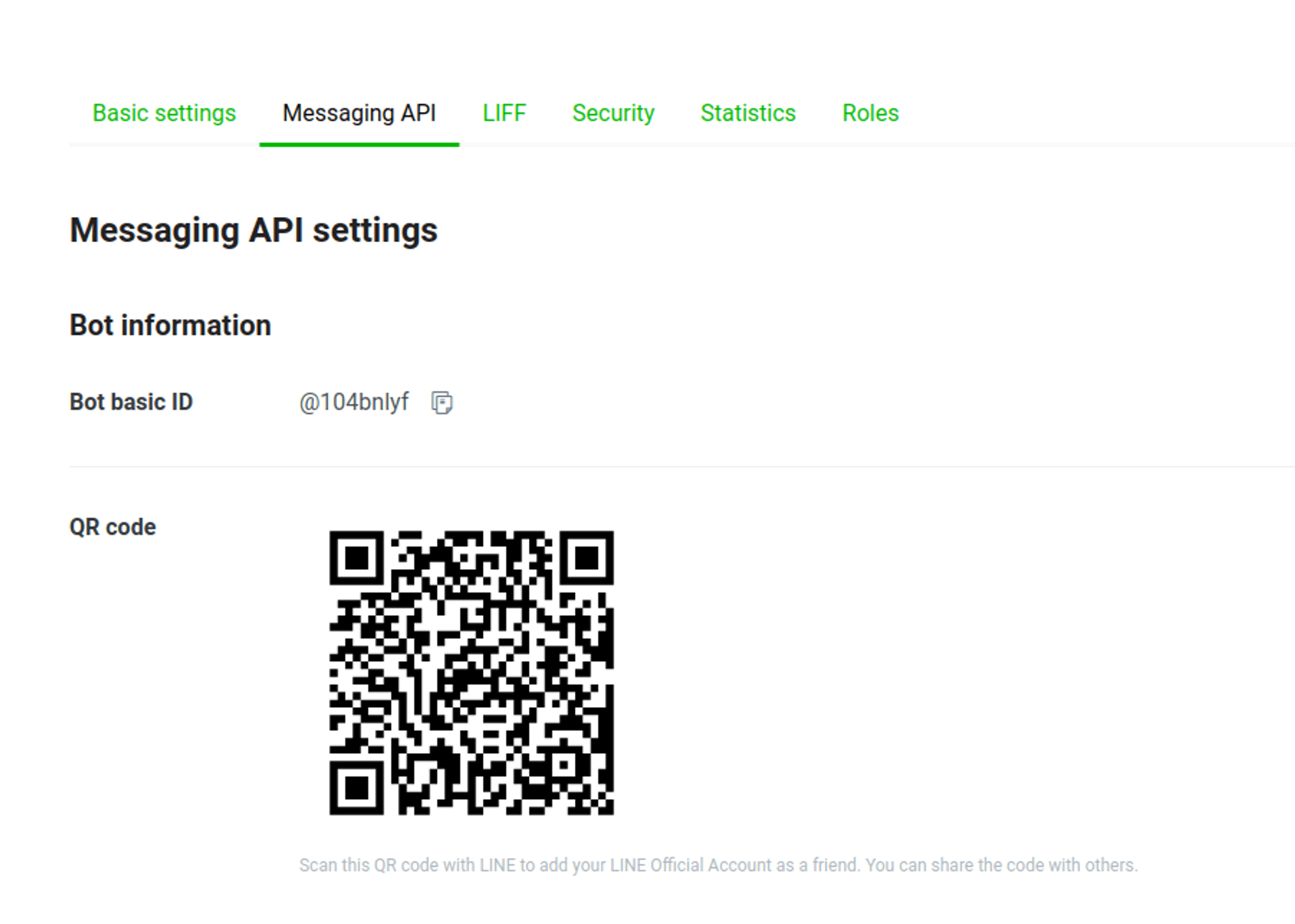
Test the integration:
- Download and Install the Line App on your mobile device.
- Use it to scan the provided QR code.
Group Chat
Your chatbot can also reply inside LINE group chats and multi-person rooms, not just one-to-one conversations.
Enable this in LINE first
Before the bot can receive group messages, open the LINE Developers Console (or the LINE Official Account Manager) and turn on Allow bot to join group chats. Until this is enabled, LINE never delivers group messages to the bot, so the settings below have no effect.
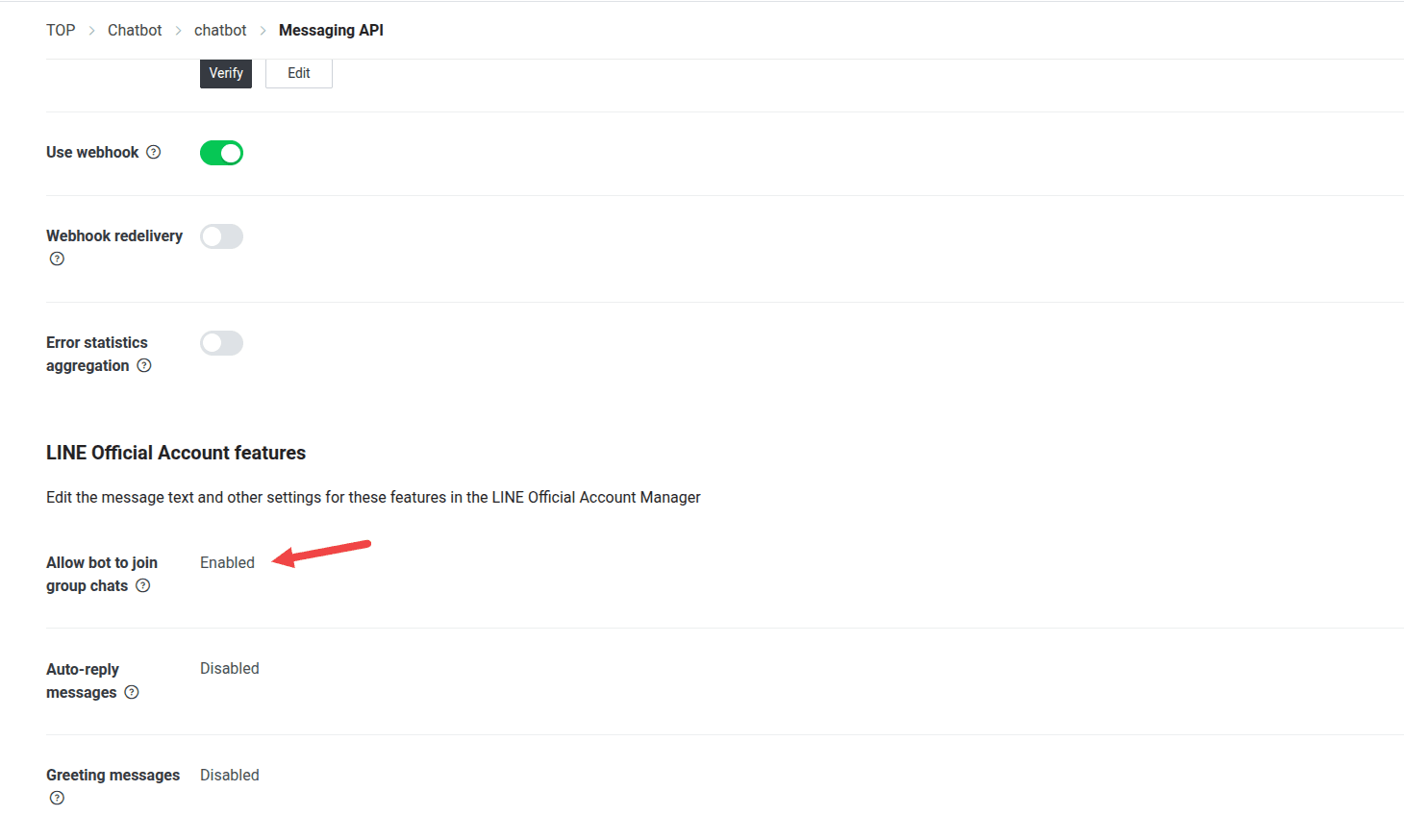
Once that's on, open the LINE integration's Settings in YourGPT and choose how the bot should behave in group chats under Group Chat:
| Mode | When the bot replies |
|---|---|
| @ Mention Bot (default) | Only when someone @mentions the bot |
| All Messages | To every message in the group |
| Keyword | Only when a message contains one of your configured keywords |
| Disabled | Never — the bot stays silent in group chats |
Integration Supported Types
The Integration ID for Line is 14 and the supported types are:
Supported Types
- Text
- Image: JPEG or PNG (Note: This feature is specifically designed for integration with our platform and may not work as intended when connected with other platforms like Crisp and Intercom.)
- Video: mp4 (Note: only supported when integrated with our platform.)
- Audio: mp3 or m4a (Note: only supported when integrated with our platform.)
- Button
- Carousel
- Card
Not Supported
- Form
- File
By following these steps, you can integrate YourGPT AI chatbot with Line. For any questions, contact our team via Live support or Mail Us.