Intercom
Link YourGPT Chatbot with Intercom to sync conversations and contacts.
💡 Connecting Your Chatbot with Intercom
Intercom integration allows seamless communication between YourGPT AI Bot and Intercom, enabling efficient customer interactions.
Prerequisites
- Create an account on Intercom at app.intercom
- Enable Intercom from YourGPT dashboard at chatbot.yourgpt
- Create an Intercom developer account at developers.intercom
Integration Steps
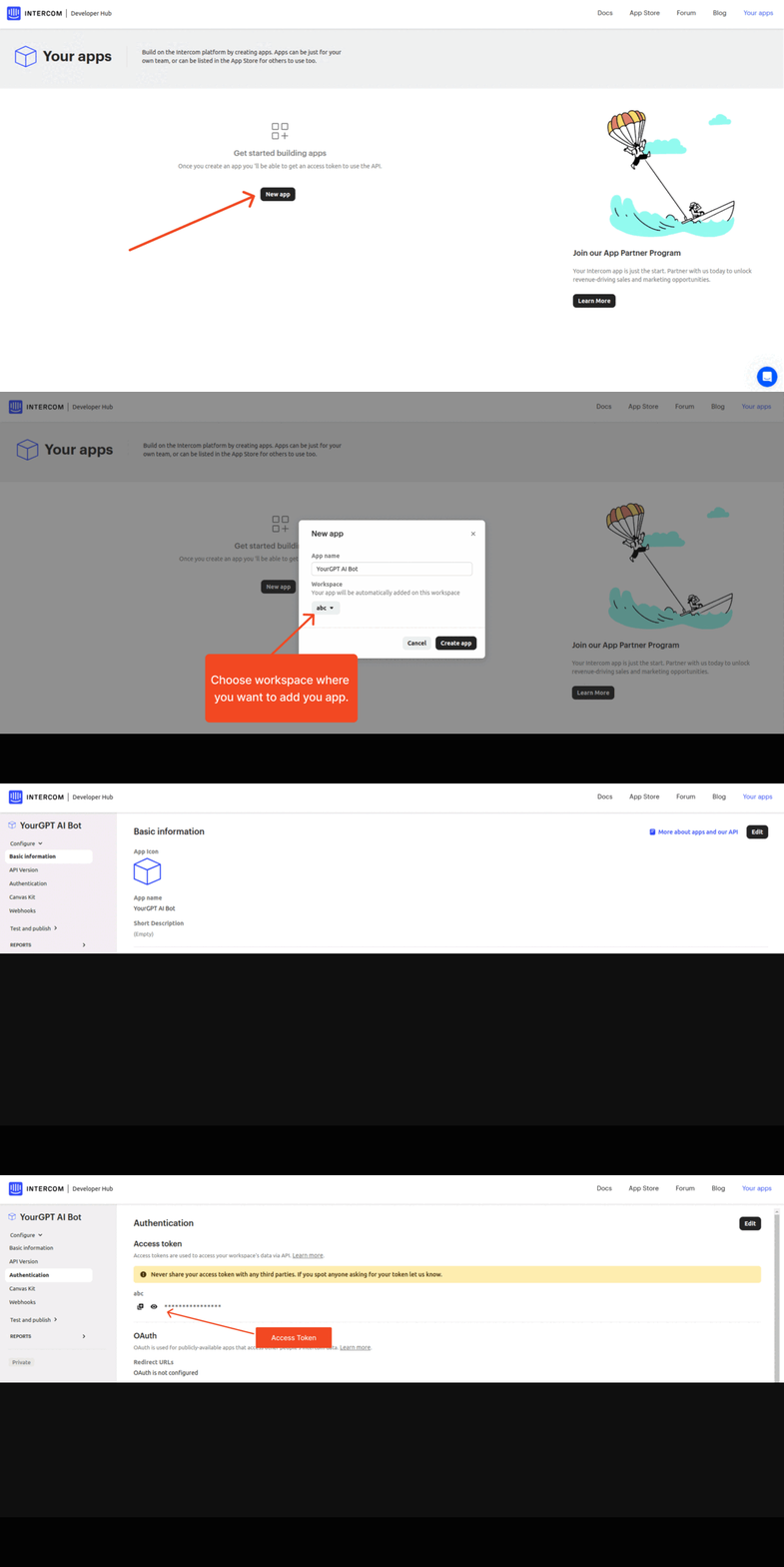
Create an Intercom App
Log in to your Intercom developer account.
Create the app that you want to integrate with.
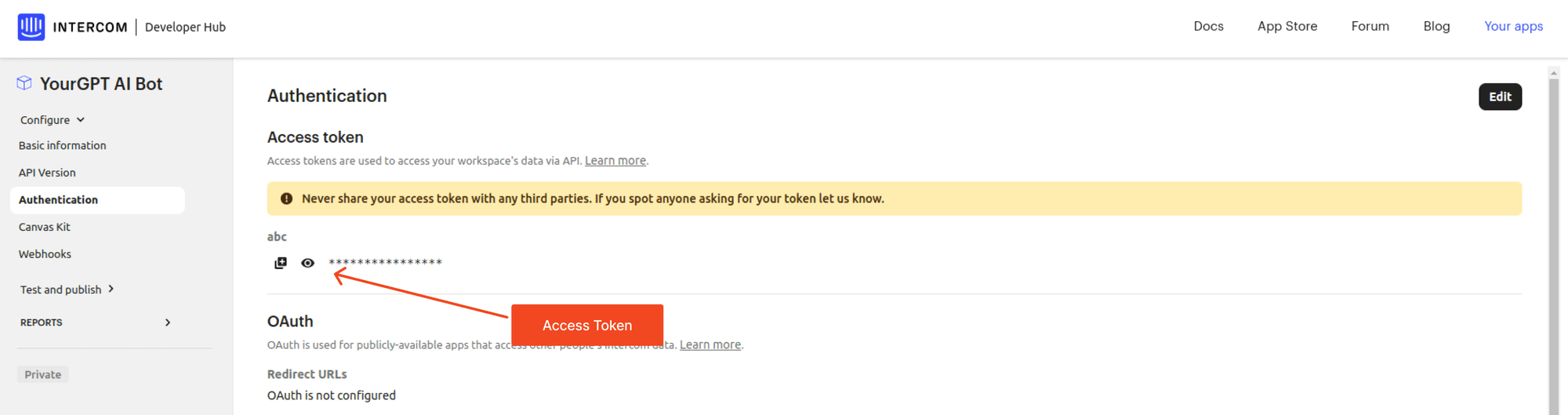
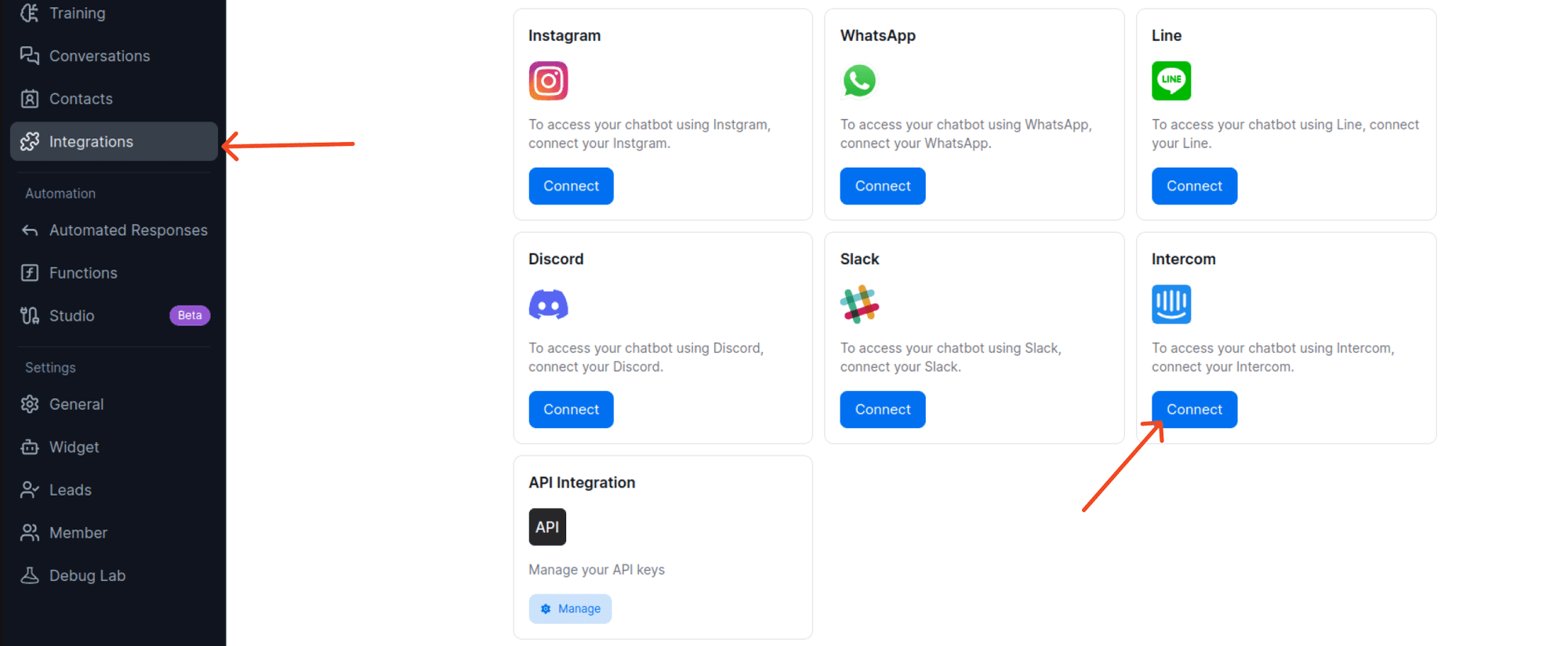
Paste Credentials in YourGPT Dashboard
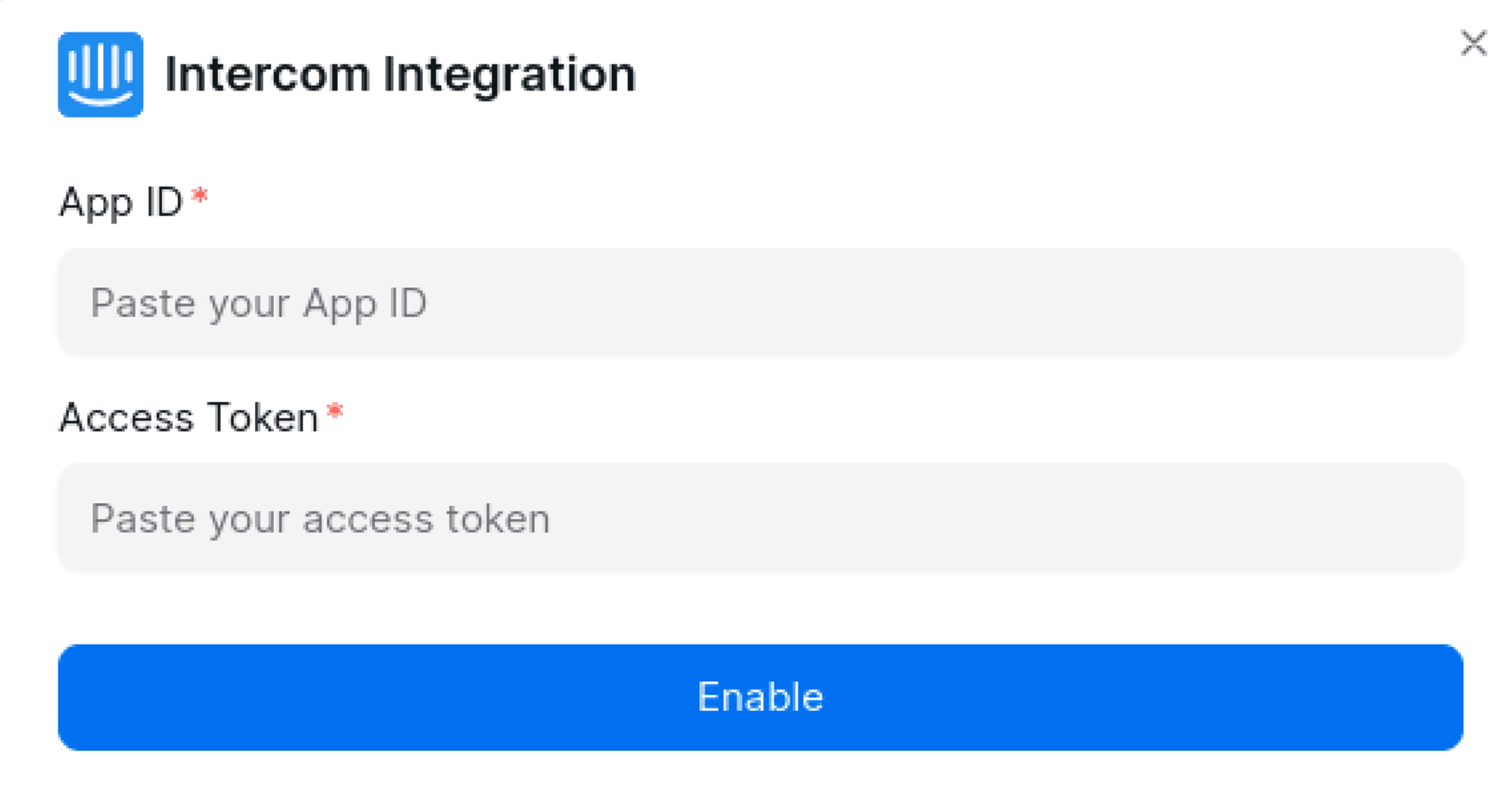
Paste the copied App ID and Access Token into the YourGPT dashboard.
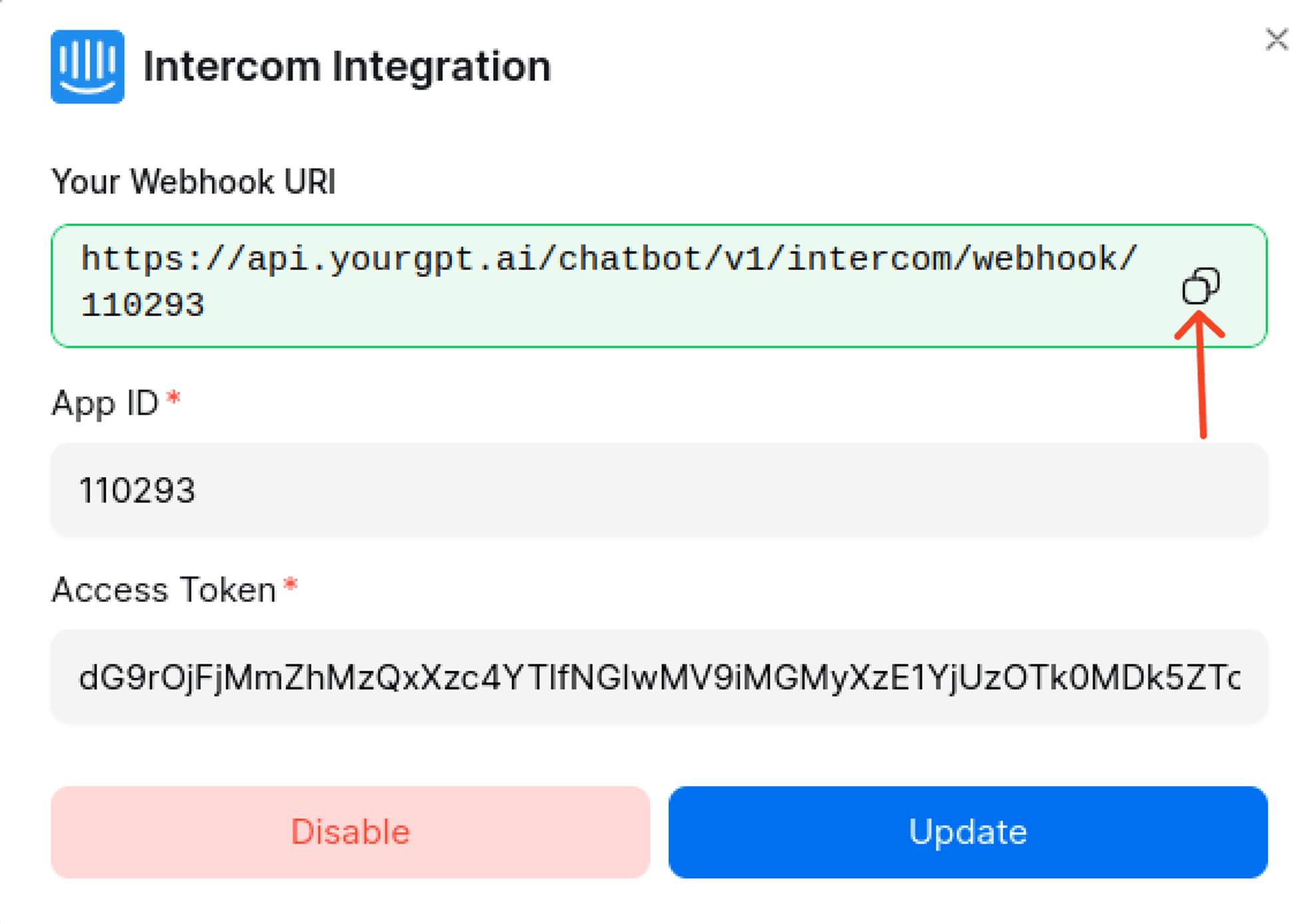
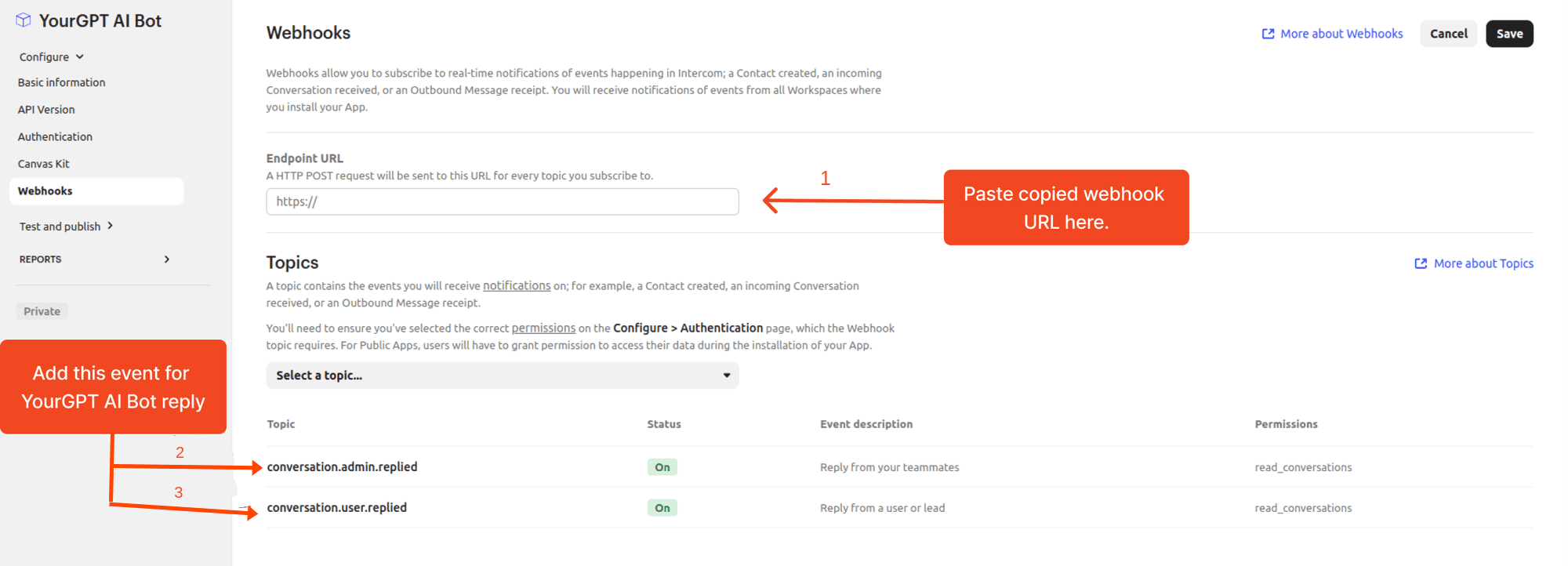
Verify Webhook
Confirm the successful addition of the webhook. You will receive a confirmation message.
Chat Integration (Optional)
For more customization and control, implement Canvas kit.
Initialize flow webhook URL:
https://api.yourgpt.ai/chatbot/v1/intercom/canvas/{your app_id}Submit flow webhook URL:
https://api.yourgpt.ai/chatbot/v1/intercom/canvas/webhook/{your app_id}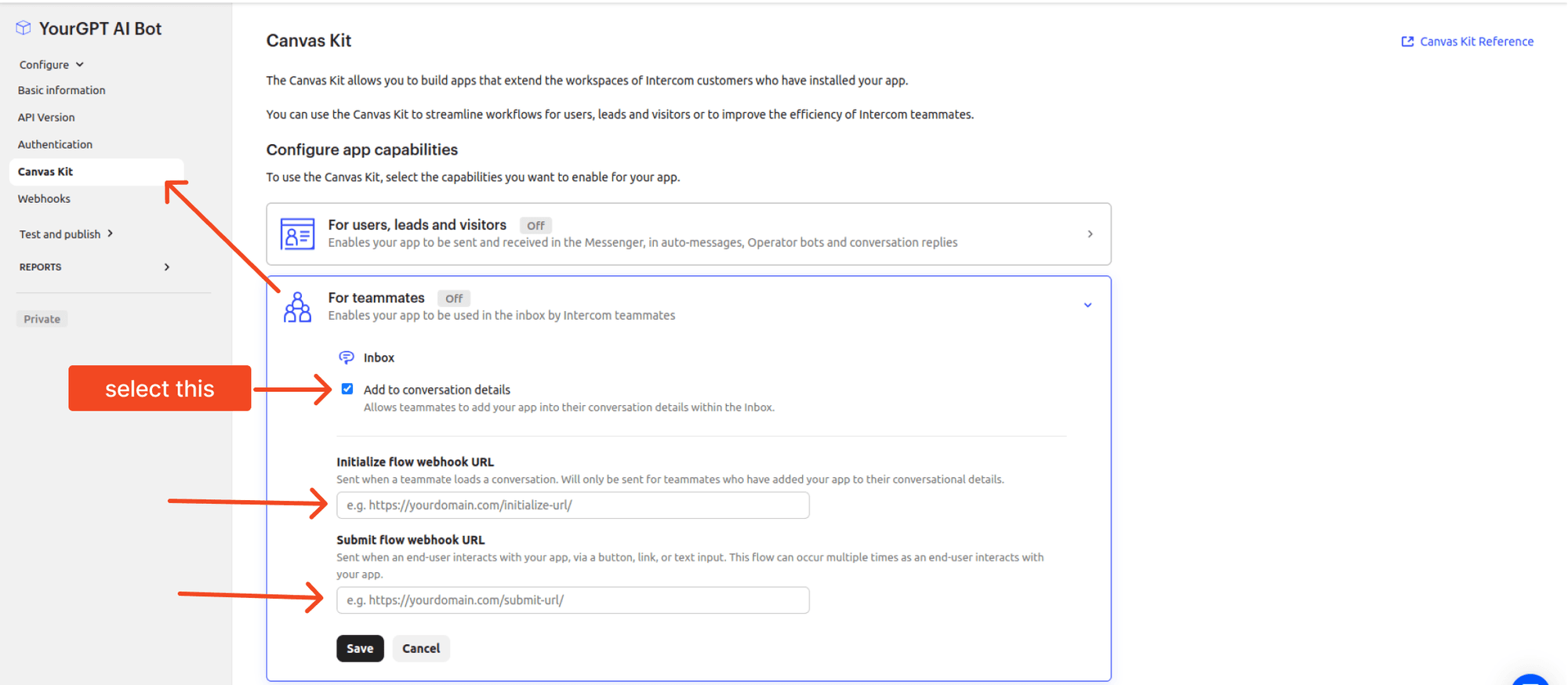
Troubleshooting
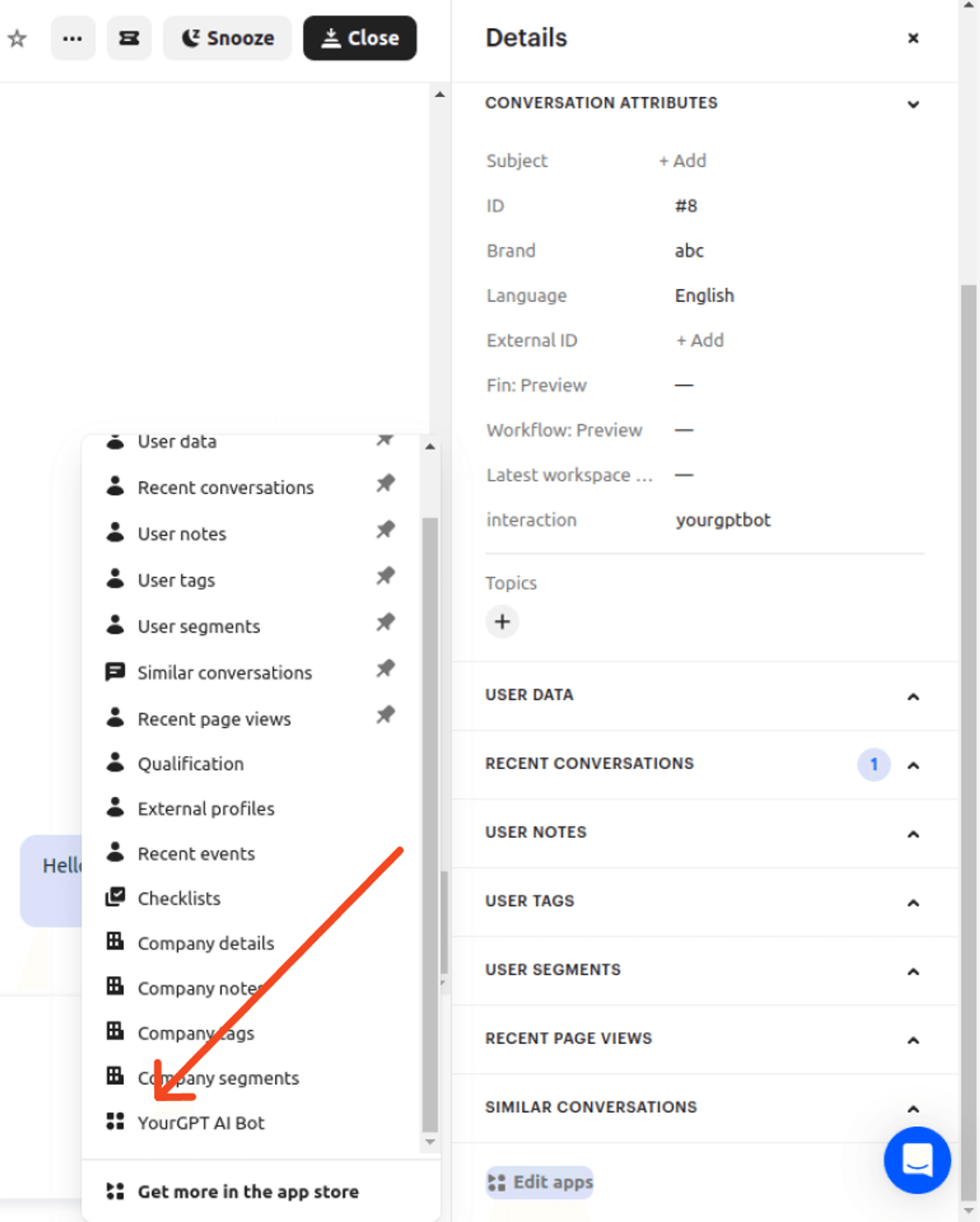
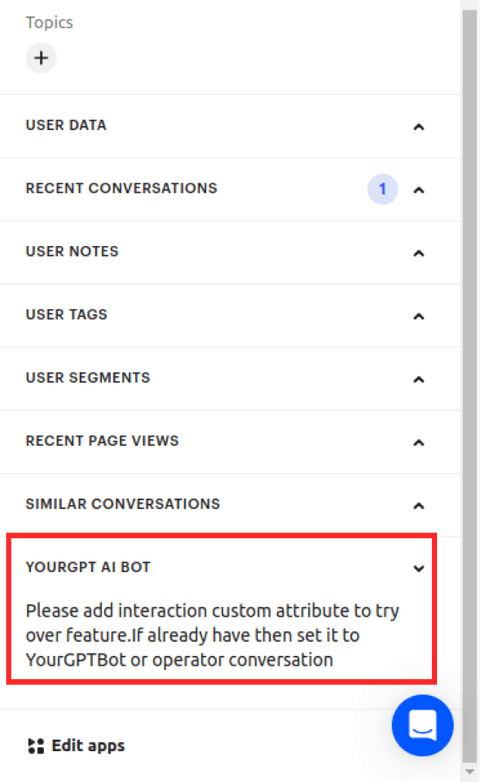
Ensure Interaction Key is Added
Ensure you have added the interaction key in the custom data to avoid errors.
Integration Supported Types
The Integration ID for Intercom is 18 and the supported types are:
Supported Types
- Text
- Image
Not Supported
- Form
- Video
- Audio
- File
- Button
- Carousel
- Card
By following these steps mentioned above help you integrate YourGPT AI Bot with Intercom.
Support
If you require any assistance or have any questions, please feel free to contact us at YourGPT Support.