Twilio Voice
Learn how to integrate your AI Chatbot with Twilio Voice
💡 Connecting Your Chatbot with Twilio Voice
To set up Twilio Voice integration, follow these steps:
Obtain Twilio Credentials
Log into your Twilio account.
Go to the Develop tab to find your Account SID and Auth Token.
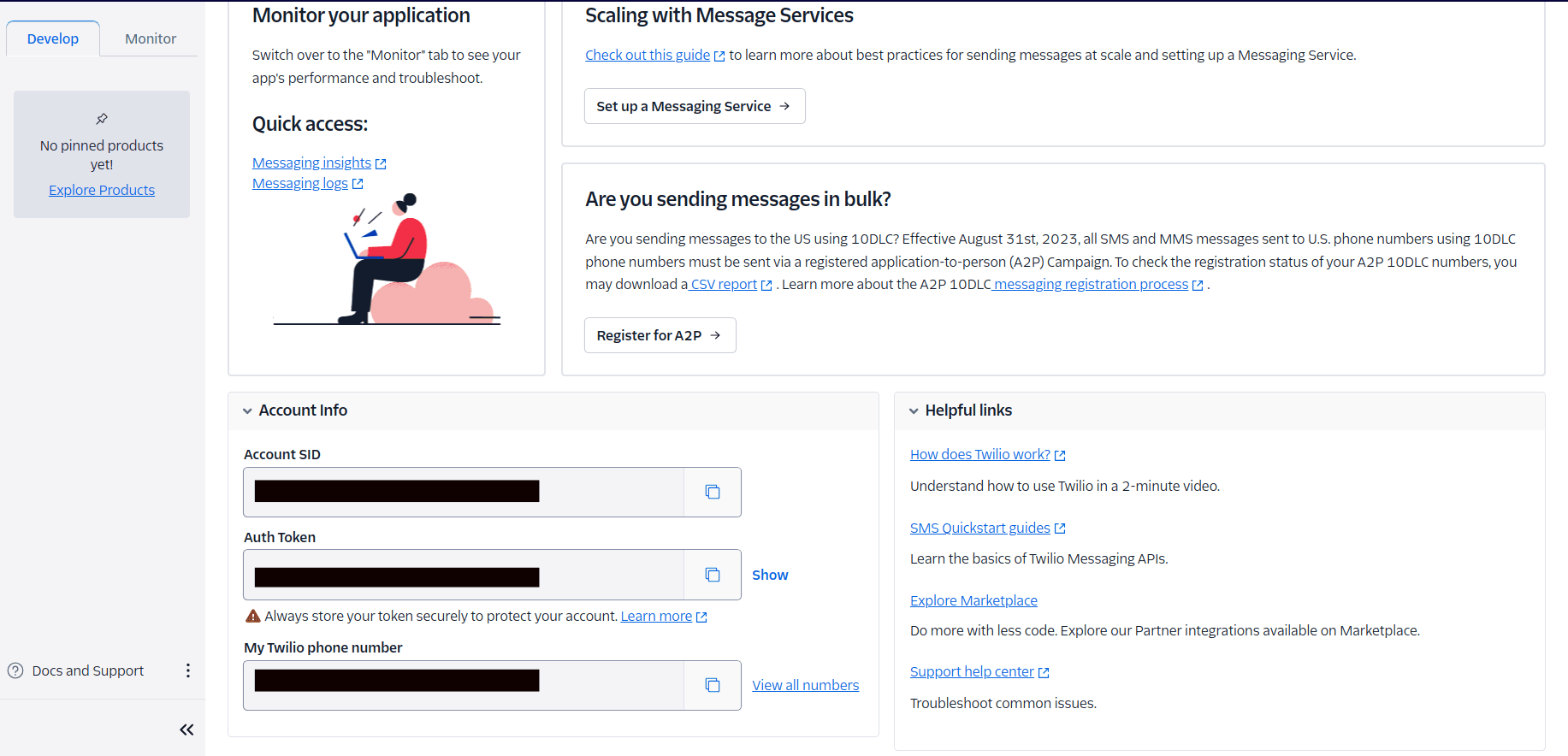
Get Phone Number SID
Go to View All Numbers.
Select your number, go to Properties, and copy your Phone Number SID.
Configure Integration
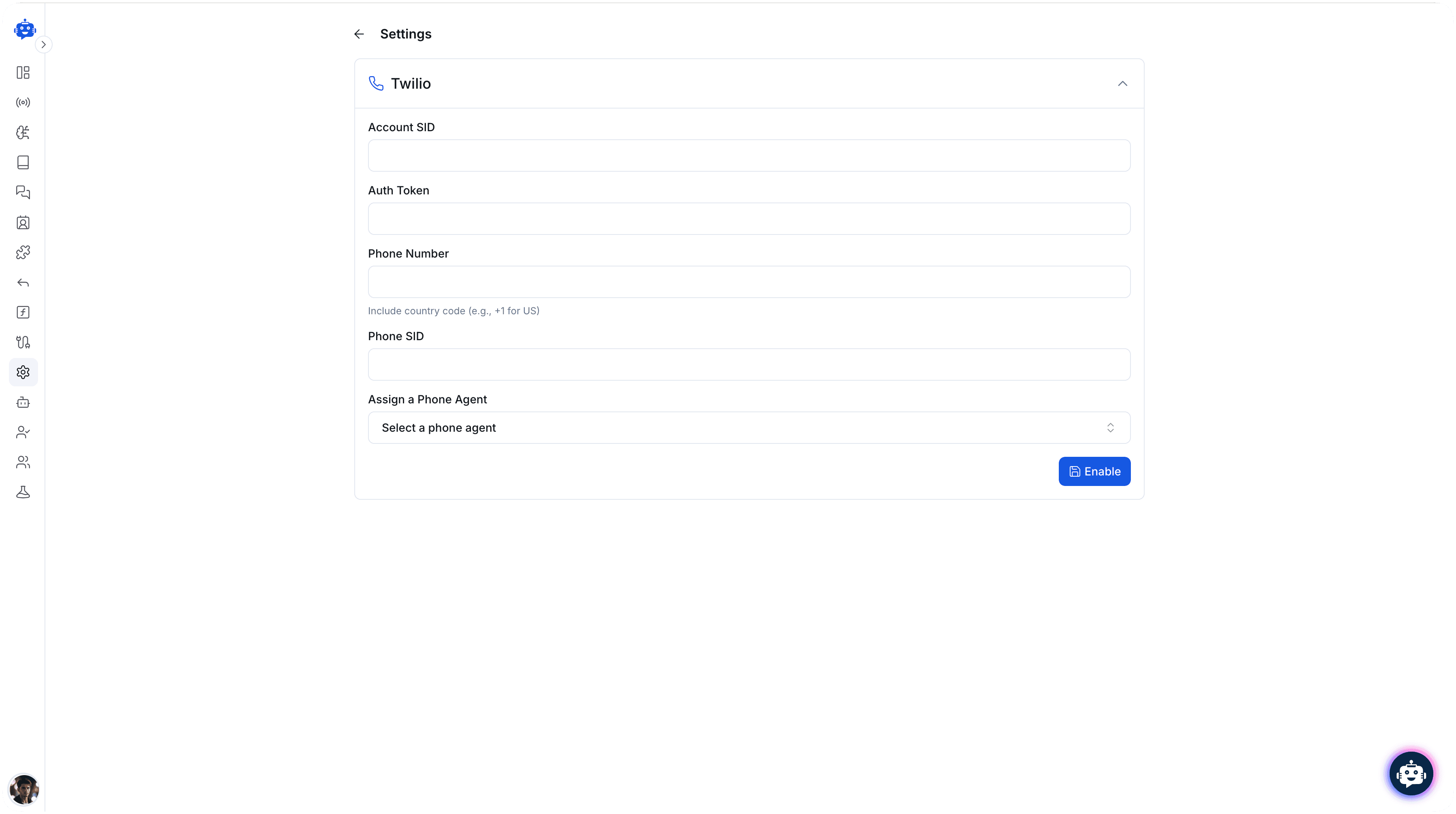
Add the following fields to configure the integration:
- Account SID: Your Twilio account SID.
- AuthToken: Your Twilio Auth Token.
- Phone Number: Your Twilio phone number.
- Phone SID: The SID of your Twilio voice number.
- Assign Phone Agent: Assign a phone agent to handle the calls.
Set Webhook Endpoint
Obtain your webhook endpoint.
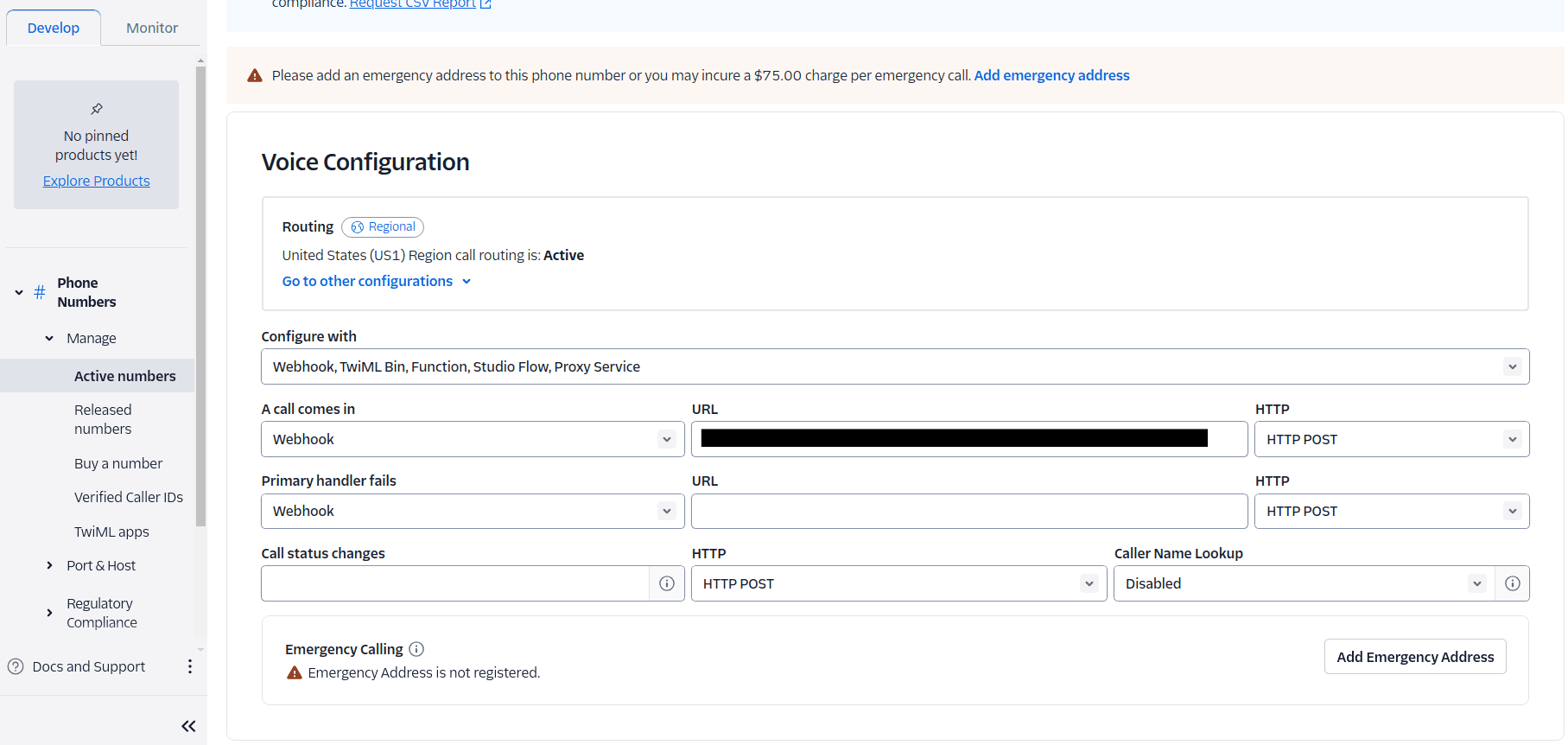
Add this webhook to your phone number in the Voice configuration:
- Go to Develop → View All Numbers → Select your number → Configure.
Success
You have now successfully enabled Twilio Voice integration.