Authentication
Create API tokens, configure permissions, and authenticate requests.
Every request requires a Bearer token in the Authorization header. You create tokens from your YourGPT dashboard — each token is scoped to an organization and can be restricted to specific projects and permissions.
Creating a token
- Open your YourGPT Dashboard
- Go to Settings > API Tokens
- Click Create Token
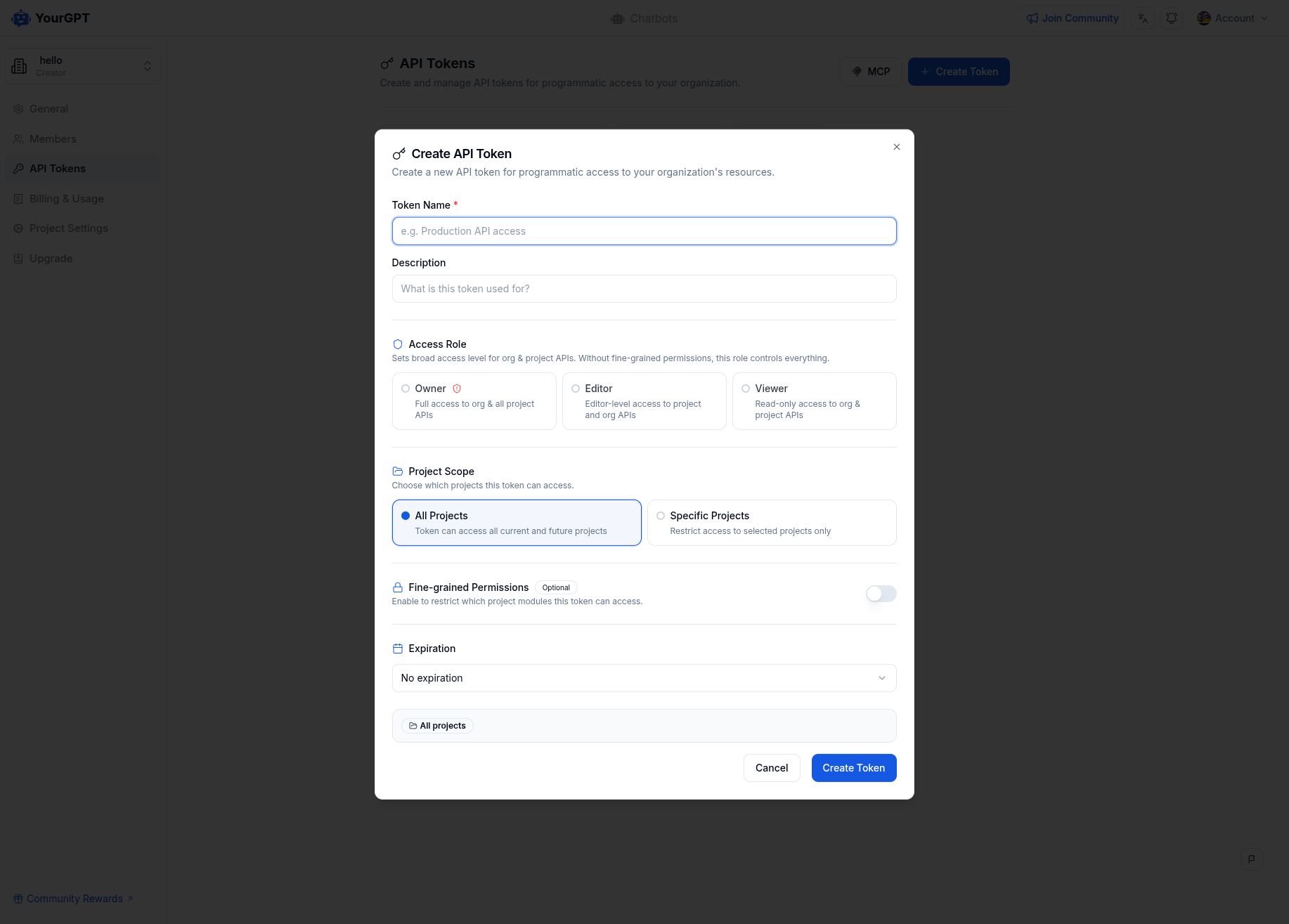
- Configure the token:
| Setting | Description |
|---|---|
| Name | A label to identify this token (e.g., "Production", "CI/CD") |
| Access Role | Broad role-based access across both project and organization-level endpoints |
| Project scope | All projects, or restrict to specific ones |
| Fine-grained permissions | Optional — restrict project-level access to specific modules and actions |
| Expiration | 7, 30, 60, 90 days, custom, or no expiration |
You must configure at least one of: an access role or fine-grained permissions.
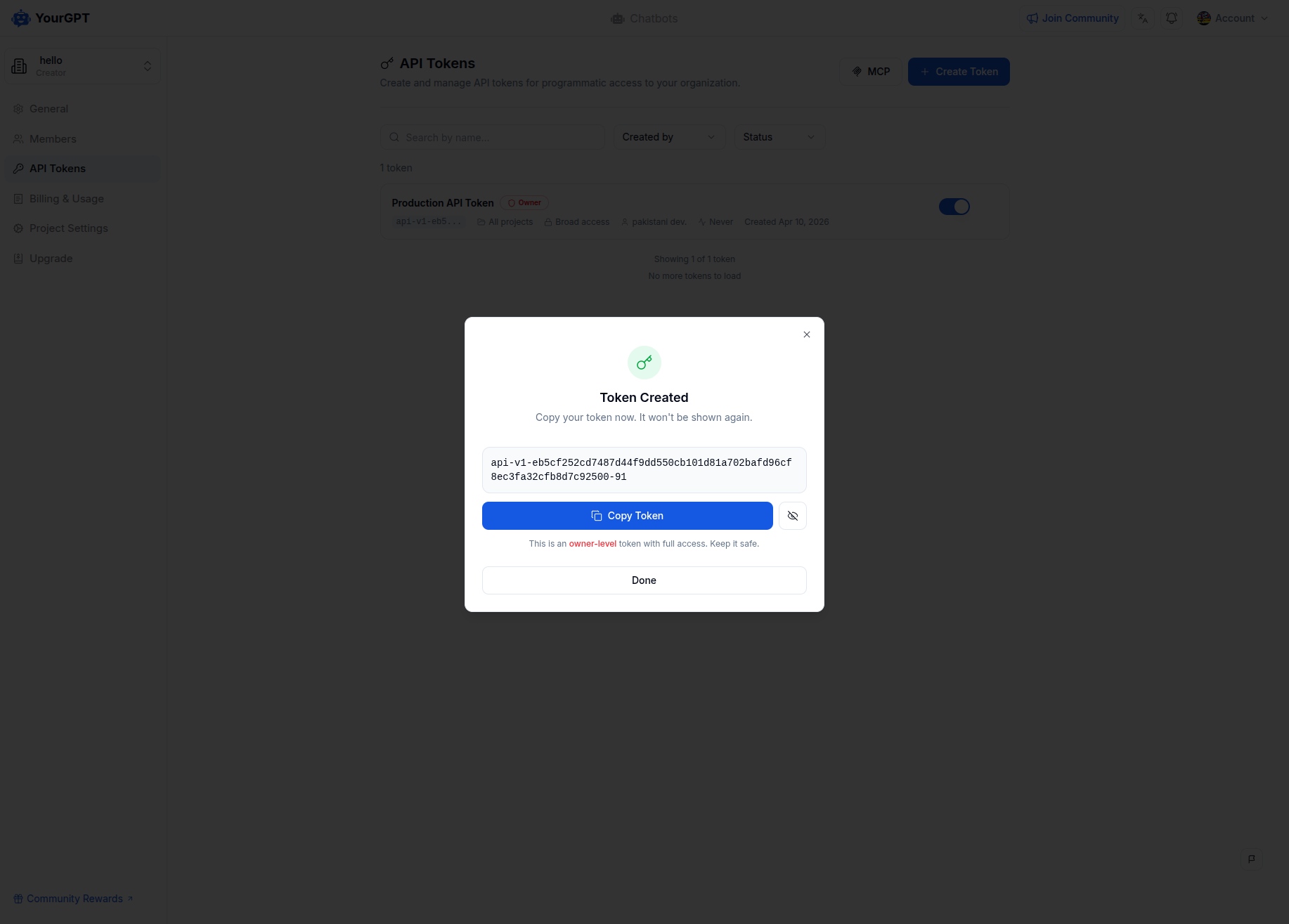
Copy your token immediately after creation. It is only shown once and cannot be retrieved later.
Using your token
Include it in the Authorization header on every request:
curl -X POST https://api.yourgpt.ai/chatbot/v1/getMyProjects \
  -H "Authorization: Bearer api-v1-your_token_here" \
  -H "Content-Type: application/json" \
  -d '{}'
All tokens use the api-v1- prefix:
api-v1-a1b2c3d4e5f6789...Access control
Tokens support two permission models. You can use one or both.
Access roles
Assign a role for broad access across your organization and projects:
| Role | Project access | Organization access |
|---|---|---|
| Owner | Full access to all modules | Full access to all org operations |
| Editor | Editor-level access to project APIs | Limited org access |
| Viewer | Read-only across all modules | Read-only on org details |
Owner tokens have unrestricted access. A compromised owner token puts your entire organization at risk. For project-level tasks, prefer fine-grained permissions scoped to specific projects and modules — only use access roles when you need cross-project or org-level access.
Fine-grained permissions
Control access at the module level — choose which features a token can read or write:
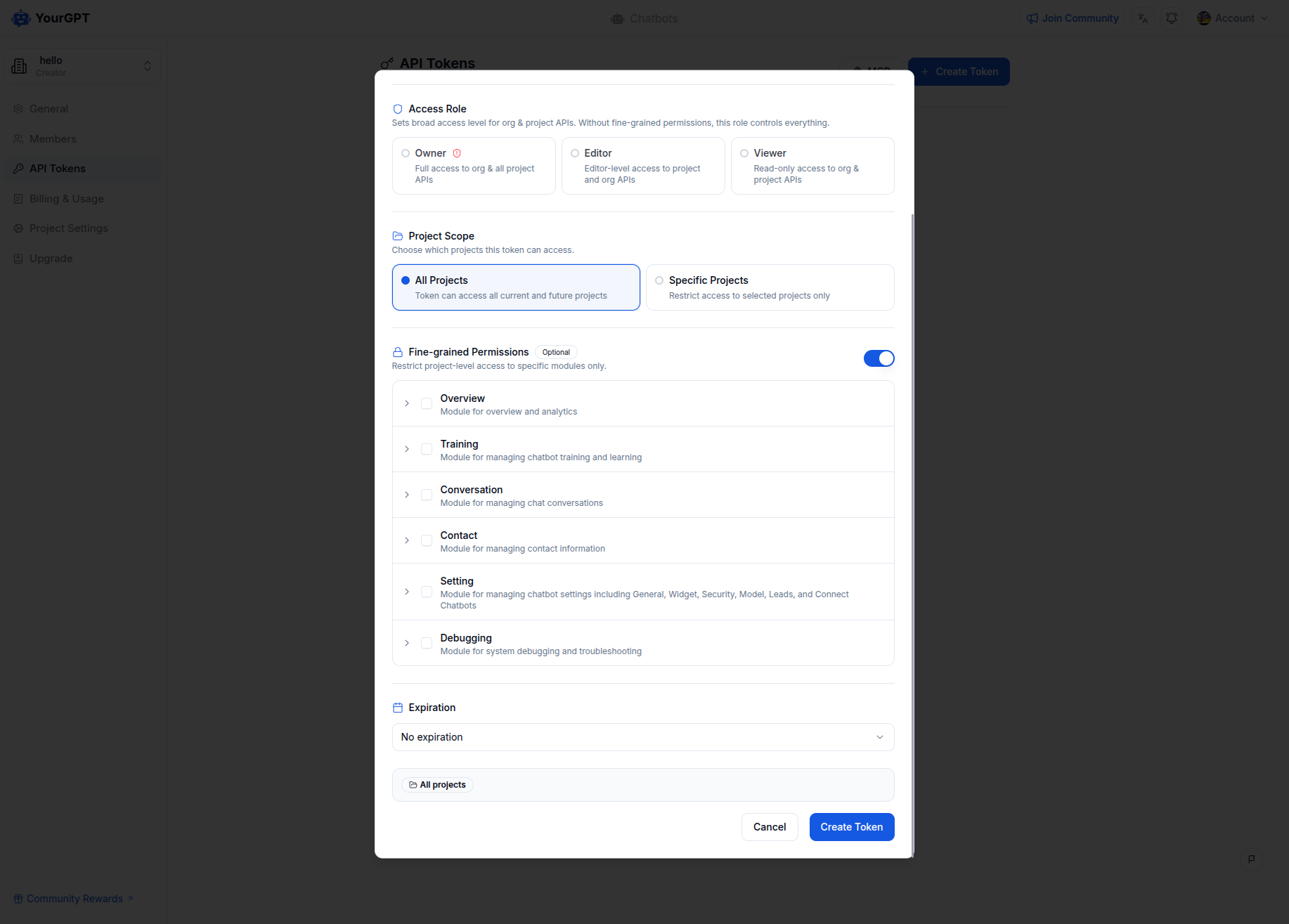
| Component | Description |
|---|---|
| Module | A specific feature area your token can access |
| Action | The level of access — Read or Write |
A token without the required permission gets a 403 error.
When both an access role and fine-grained permissions are set, the access role handles organization-level APIs while fine-grained permissions control project-level access.
Project scope
| Scope | Behavior |
|---|---|
| All projects | Access every current and future project |
| Selected projects | Restricted to specific projects chosen at creation |
Requests to a project outside the token's scope return 403.
The token creator must be a member of each project they want to access via the API. If you get a "You are not a member of this Project" error, join the project from your dashboard first.
A token's effective access depends on both its configured permissions and the creator's current role in the organization and project. If the creator's role is changed or revoked, the token's access is automatically restricted accordingly.
Managing tokens
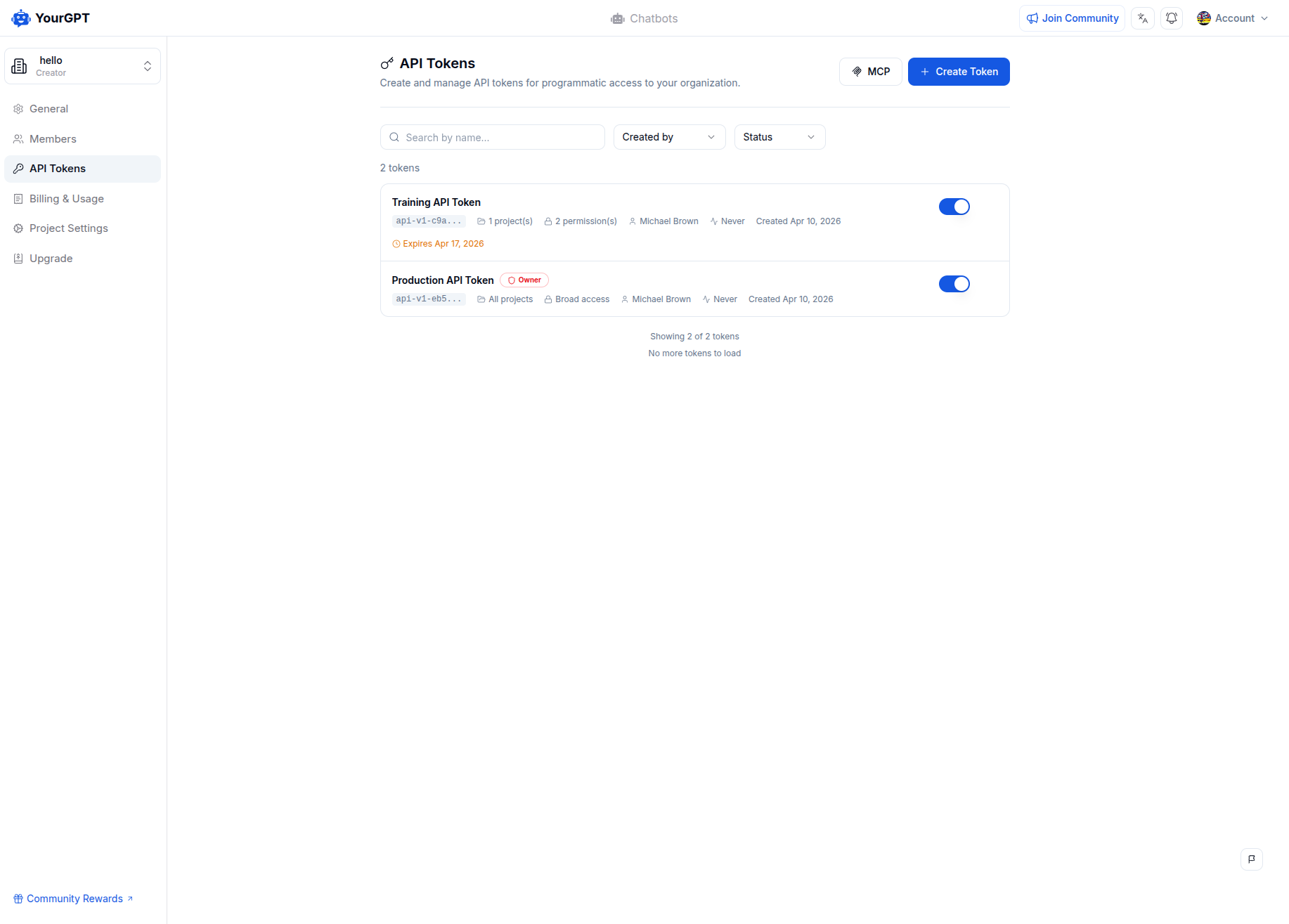
| Action | What it does |
|---|---|
| Deactivate | Temporarily disable the token. Reactivate any time. |
| Regenerate | Issue a new token value with the same config. Old value stops working immediately. |
| Revoke | Permanently delete the token. Cannot be undone. |
Tokens also stop working if the user who created them is removed from the organization.
Rate limits
1,000 requests per hour per token. Exceeding this returns a 429 response:
{
  "type": "RXERROR",
  "message": "Rate limit exceeded. Please try again later."
}
Error codes
| Status | Meaning |
|---|---|
401 | Token is invalid, expired, deactivated, or the creator was removed |
403 | Token lacks the required permission, role, or project scope |
429 | Rate limit exceeded |
MCP Integration
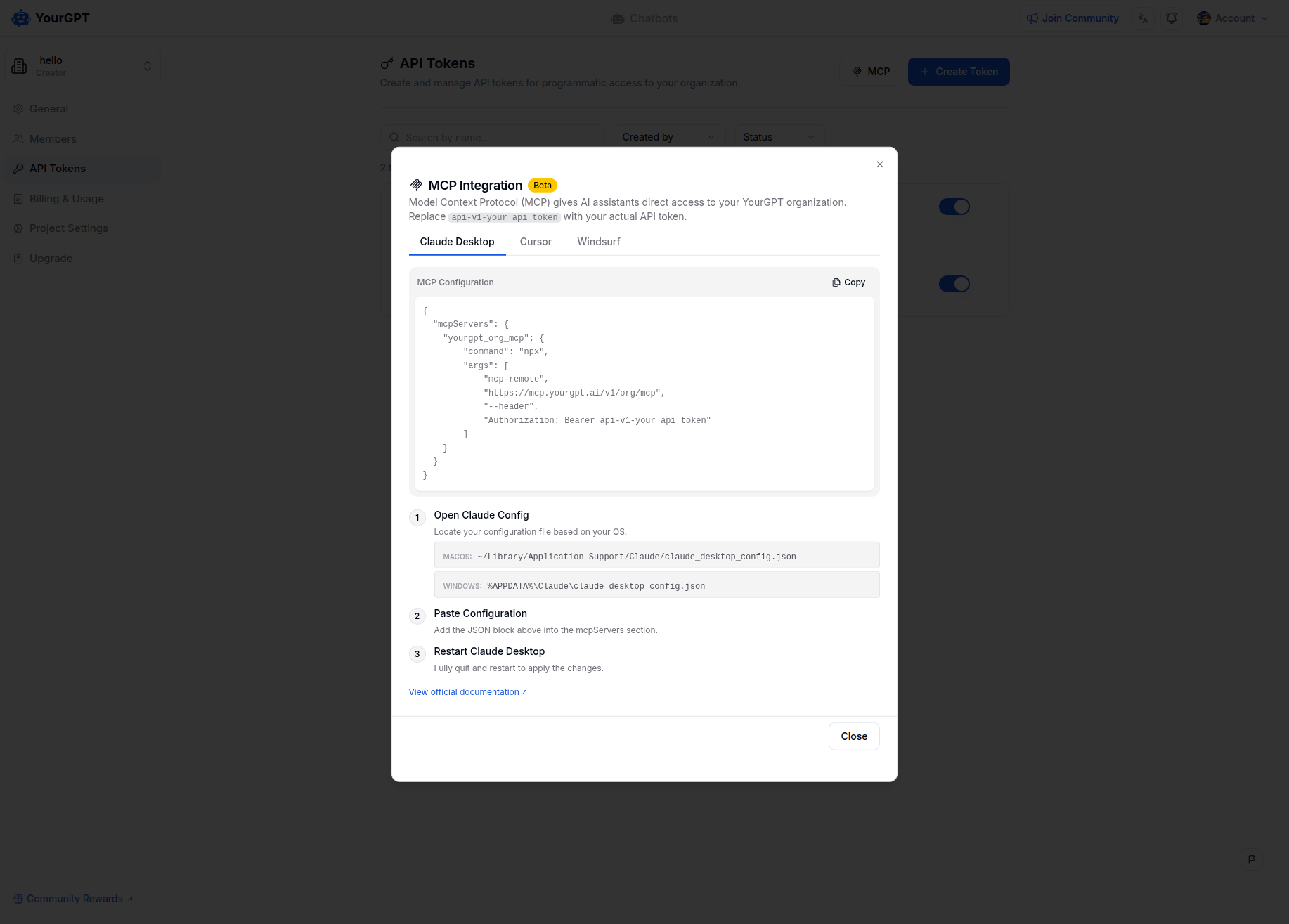
You can also use your API token to connect YourGPT with AI assistants like Claude Desktop via MCP (Model Context Protocol). Go to Settings > API Tokens and click MCP Setup to get the configuration.
Looking for Project Integration API authentication? See Project Integration Authentication.